
Urban Fashion Street Portrait
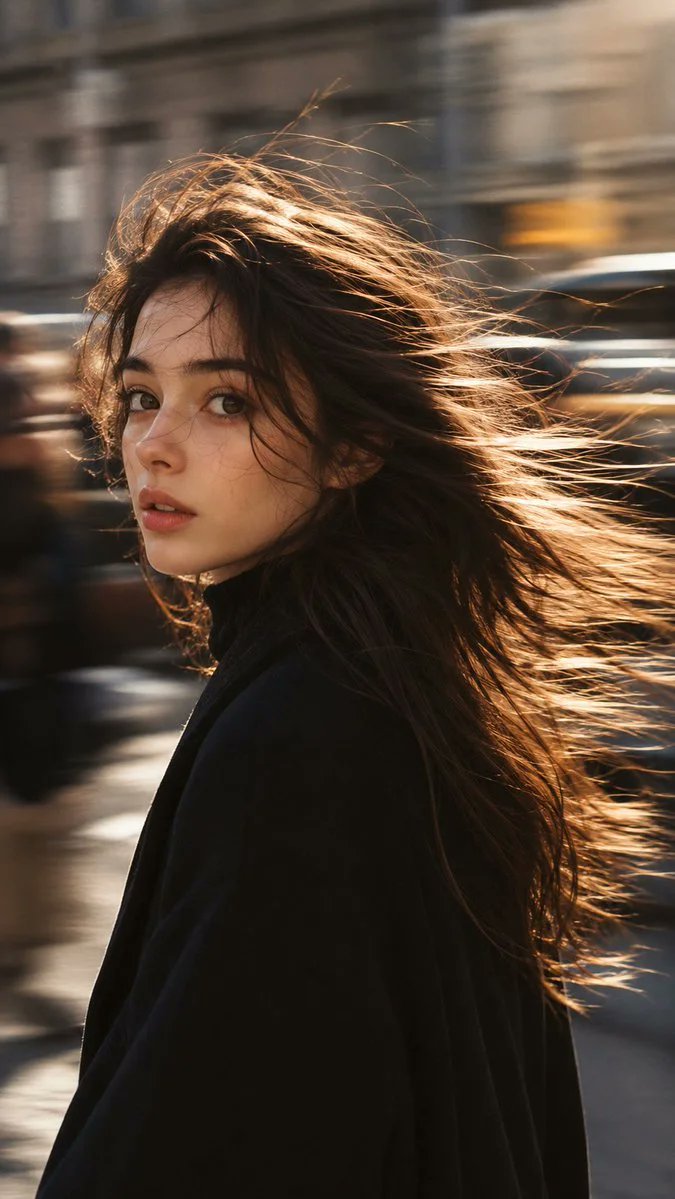
A realistic fashion street portrait of a young woman in a busy city with motion blur effect, natural wind-blown hair, and realistic skin texture.
Prompt
Create a realistic fashion street portrait in a busy city, vertical 9:16. A young woman is captured in a candid editorial-style street moment. Her face and eyes remain sharp and expressive, with a quiet emotional gaze, while the surrounding city moves around her. Use a panning motion-blur photography effect: blurred pedestrians, passing traffic, soft light streaks, and slightly distorted urban architecture in the background. The motion blur should feel natural and photographic, not like a filter. Her hair is a key visual element: natural wind-blown hair, layered strands, flyaway hairs, soft movement, and glowing backlit edges. The hair should feel real, loose, and slightly messy, not like perfect studio hair. The image should feel like a real fashion street snap, not a studio portrait and not an obvious AI beauty image. Keep the skin realistic with natural texture, subtle imperfections, and a living human presence. Wardrobe should feel elegant, urban, and editorial, such as a black coat, camel trench, plaid coat, light summer shirt, sleeveless top, or refined ci…
Kynvio Prompt Workflow
How to use this prompt
Open it in Image Studio
Send the prompt to Kynvio AI without starting a generation.
Adapt the details
Replace the subject, setting, colors, text, or composition for your goal.
Review and generate
Choose your final settings, then click Generate when you are ready.
Related GPT Image 2 prompts
GPT Image 2 prompts
About this prompt
Will opening this prompt spend credits?
No. The button only prefills Image Studio. Credits are used only after you start a generation.
Can I edit the prompt first?
Yes. The transferred text is fully editable before you generate an image.