
Snow Queen Fashion Editorial Portrait
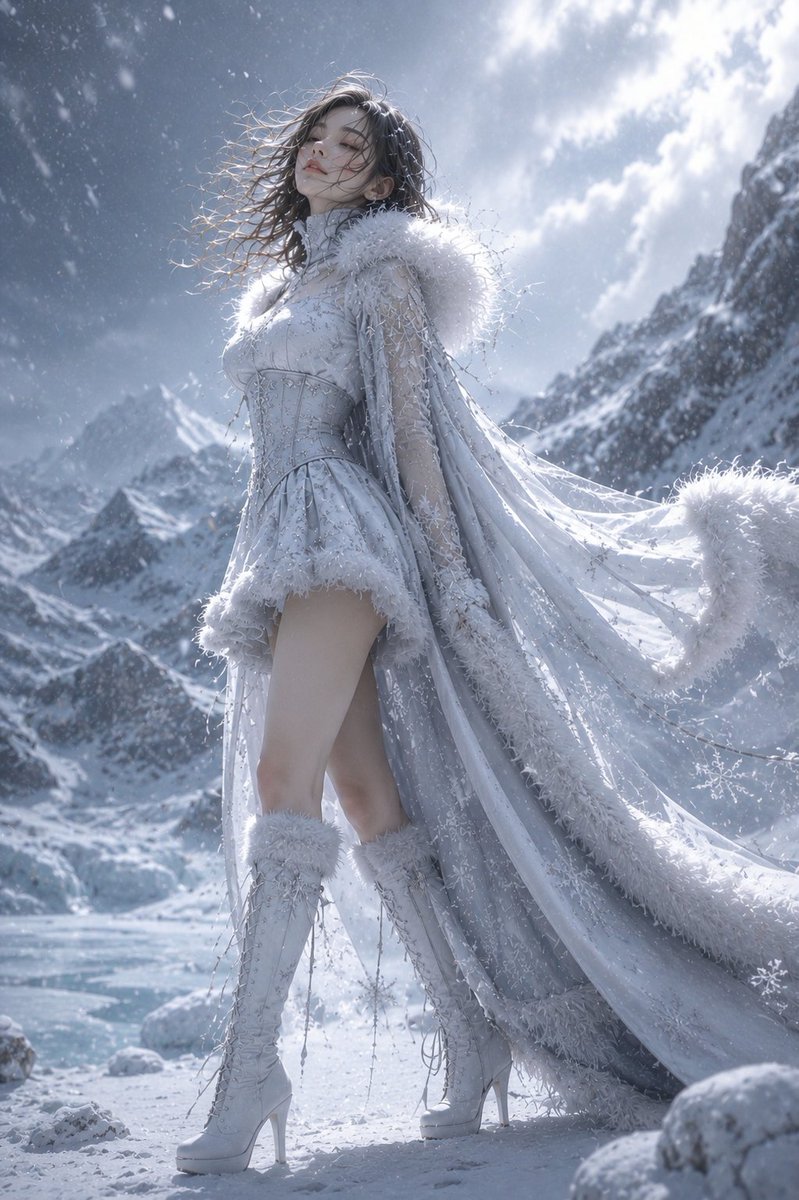
An ultra-realistic fashion editorial portrait of an ethereal snow queen wearing an exquisite white and silver winter haute couture dress, standing in a frozen alpine landscape, looking directly at the camera.
Prompt
An ultra-realistic fashion editorial portrait of an ethereal snow queen standing front-facing, looking directly into the camera with a calm, elegant expression. Full-body composition. Camera angle: dramatic low-angle shot from ground level, full-body portrait, perfectly centered, symmetrical composition, front-facing, emphasizing long elegant legs with realistic proportions. Fashion magazine cover aesthetic. She wears an exquisite white and silver winter haute couture dress inspired by snowflakes and ice crystals, featuring intricate embroidery, translucent lace, shimmering frost textures, luxurious white fur trim, a sculpted corset waist, flowing layered cape with long trailing train, elegant thigh-high white lace-up boots with soft fur details, crystal snowflake jewelry, and delicate icy accessories. Her long dark hair flows naturally in the freezing wind. Tiny snowflakes rest on her hair, eyelashes, and shoulders. Porcelain skin, soft natural makeup, glossy nude lips, graceful posture with both arms relaxed naturally beside her body, looking directly at the viewer with a serene yet powerful expression. Background: vast frozen alpine mountains, icy river, snow-covered rocks, frozen trees, heavy snowfall, cold mist, dramatic winter landscape, pristine untouched snow. Lighting: soft overcast winter daylight with subtle rim light, volumetric lighting, cinematic atmosphere, floating snow particles, realistic ice reflections, HDR lighting. Hyper-realistic luxury fashion photography, haute couture winter editorial, cinematic color grading, ultra-detailed fabrics, realistic skin texture, shallow depth of field, 85mm lens, f/2.8, masterpiece, 8K, HDR, photorealistic, elegant, premium quality, no text, no watermark, no logo.
Kynvio Prompt Workflow
How to use this prompt
Open it in Image Studio
Send the prompt to Kynvio AI without starting a generation.
Adapt the details
Replace the subject, setting, colors, text, or composition for your goal.
Review and generate
Choose your final settings, then click Generate when you are ready.
Related GPT Image 2 prompts
GPT Image 2 prompts
About this prompt
Will opening this prompt spend credits?
No. The button only prefills Image Studio. Credits are used only after you start a generation.
Can I edit the prompt first?
Yes. The transferred text is fully editable before you generate an image.