
Grok Imagine 1.0 AI Image Generator

Use Grok Imagine 1.0 for bold image concepts, social visuals, and stylized creative exploration.

Stylized visualsSocial conceptsCreative variantsMood exploration
Start creating
Grok Imagine 1.0 model logoGrok Imagine 1.0|Text to Image|1:1|Auto|1

Related generators

Use this model-specific page to understand the strengths, tune the prompt, and carry the selected platform model into the Kynvio workspace.

Grok Imagine 1.0 generated image examples

Review the output, prompt, mode, resolution, and use case before you open the workspace.

Grok Imagine 1.0 bold sci-fi fashion image with dramatic lighting

Sci-fi headphone social

A stylized social-first sample for bold visual exploration.

Text to image1:1Default0 refsSocial visual
Create a bold social campaign image for futuristic headphones, dramatic side light, electric city reflections, confident fashion styling, high contrast, no text, no brand logos.
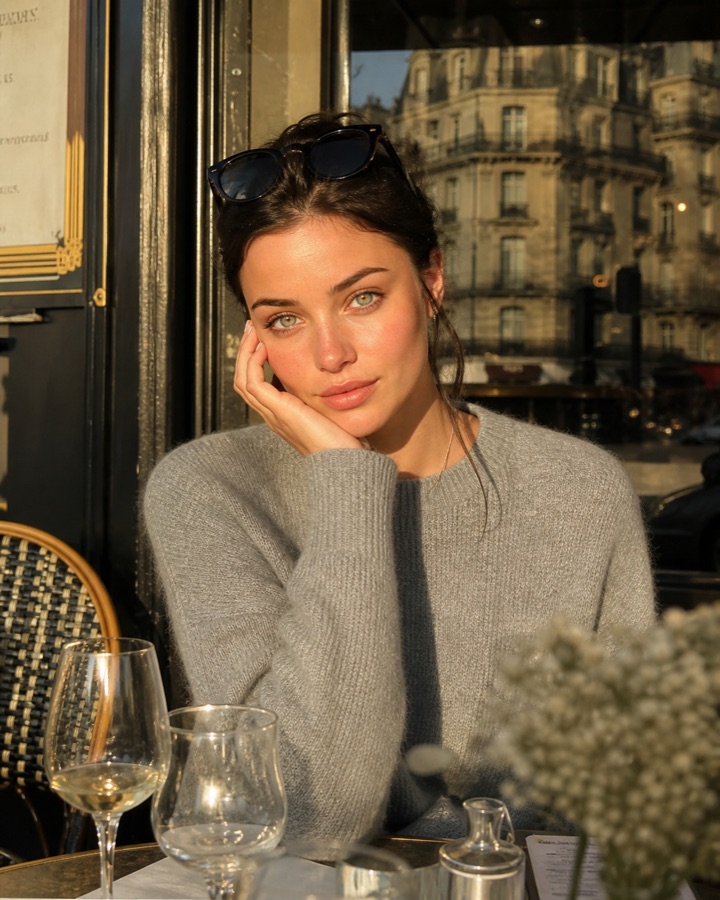
Grok Imagine 1.0 fashion editorial cover with silver jacket and sharp rim light

Fashion cover frame

A mobile cover sample for testing pose, garment clarity, and strong crop energy.

Text to image9:16Default0 refsFashion mood
Create a fashion editorial image of a silver jacket in a night studio, sharp rim lighting, expressive pose, cinematic shadow, clean composition for a social cover.
Grok Imagine 1.0 surreal energy drink concept with neon ice and intense color

Surreal energy drink

A high-contrast concept sample for testing a louder alternative to conservative product art.

Text to image4:5Default0 refsConcept alternative
Create a stylized concept image for an energy drink launch, surreal ice and neon reflections, realistic can silhouette, intense but controlled color, no extra cans, no fake text.
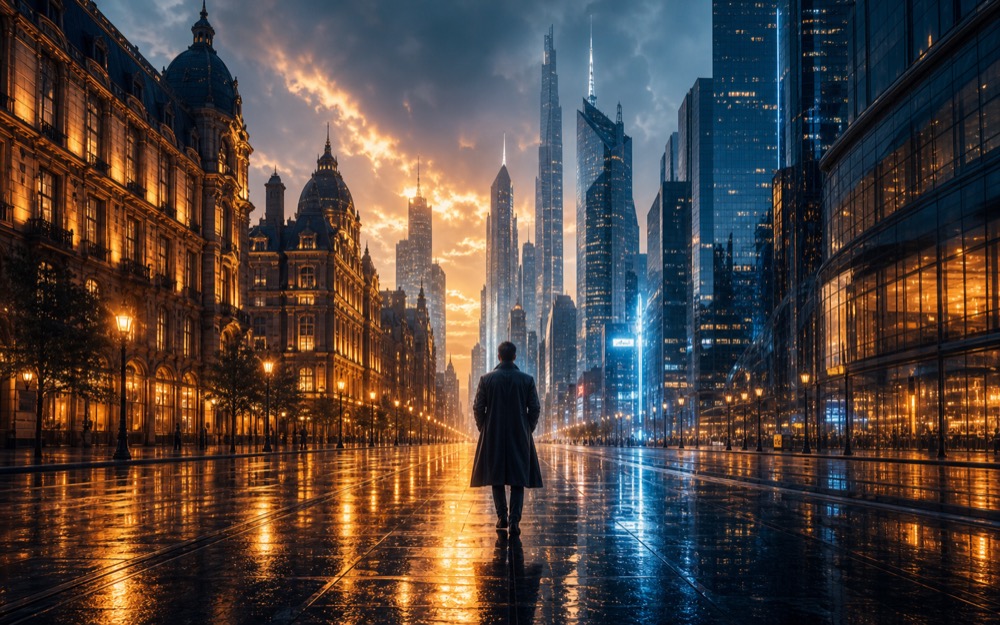
Grok Imagine 1.0 cinematic thumbnail with bold subject contrast and clean empty space

Cinematic thumbnail

A thumbnail sample for checking feed impact and readable empty space.

Text to image16:9Default0 refsThumbnail concept
Create a cinematic social thumbnail with a bold subject silhouette, night city contrast, clean empty space for title overlay, dramatic but brand-safe lighting, no text.
Grok Imagine 1.0 music poster visual with neon stage energy and dramatic composition

Music visual poster

A music-poster sample for expressive visual systems and high-energy launch art.

Text to image2:3Default0 refsPoster mood
Create an expressive music poster visual for an electronic single, neon stage energy, dramatic composition, bold color contrast, clean central subject, no invented typography.

How to use Grok Imagine 1.0 for image generation

Grok Imagine 1.0 is the expressive image route for bold social visuals, stylized concepts, fashion moods, and fast creative alternatives.

Strong fit for

Use it when the page or campaign benefits from attitude, contrast, and social-first visual energy.

Choose another model when

Use Nano Banana Pro or GPT Image 2 for conservative brand assets, strict product catalogs, or reference-heavy edits.

Prompt structure

  1. 1Lead with the emotional style and subject.
  2. 2Define the lighting, color contrast, and social channel crop.
  3. 3Add boundaries so the image stays usable for a brand context.

Prompt recipes

Expressive social image

A high-energy prompt for testing attention-grabbing social creative.

Create a bold social campaign image for futuristic headphones, dramatic side light, electric city reflections, confident fashion styling, high contrast, no text, no brand logos.

1:1DefaultText to image1-4 outputs

Check whether the style is memorable without burying the product.

Fashion mood frame

Useful for moodboards, thumbnails, and campaign direction boards.

Create a fashion editorial image of a silver jacket in a night studio, sharp rim lighting, expressive pose, cinematic shadow, clean composition for a social cover.
9:16DefaultText to image1-2 outputs

Check pose, garment clarity, and whether the crop works as a mobile cover.

Concept alternative

A fast contrast prompt when conservative directions feel too flat.

Create a stylized concept image for an energy drink launch, surreal ice and neon reflections, realistic can silhouette, intense but controlled color, no extra cans, no fake text.
4:5DefaultText to image1-3 outputs

Check whether the expressive style still leaves a usable product hero.

Cinematic thumbnail

A high-contrast thumbnail prompt for testing feed impact and title overlay space.

Create a cinematic social thumbnail with a bold subject silhouette, night city contrast, clean empty space for title overlay, dramatic but brand-safe lighting, no text.
16:9DefaultText to image1-2 outputs

Check whether the image reads instantly at thumbnail size.

Music visual poster

An expressive poster prompt for music launches and bold visual systems.

Create an expressive music poster visual for an electronic single, neon stage energy, dramatic composition, bold color contrast, clean central subject, no invented typography.
2:3DefaultText to image1-2 outputs

Check whether the energy is strong while the central subject stays clear.

Choose image models by use case

If you have not chosen a model yet, start from image editing, image-to-image, background changes, object removal, product photos, posters, ecommerce image sets, or logo generation, then pick the image model that fits the task.

AI Image Editor

Use Kynvio AI as an AI image editor to edit images with prompts, change backgrounds, clean product photos, refine portraits, and create image-to-image variants.

View use-case guide

Image to Image AI Generator

Use Kynvio AI as an image to image AI generator for reference-guided image variations, product redraws, style changes, and prompt-based image edits.

View use-case guide

AI Background Remover

Use Kynvio AI to remove backgrounds, create product cutouts, clean profile images, and make white background product photos with prompt-based edits.

View use-case guide

AI Background Changer

Use Kynvio AI to change image backgrounds, create branded scenes, make ad background variants, and refresh ecommerce images with prompt-based edits.

View use-case guide

AI Object Remover

Use Kynvio AI to remove objects from photos, clean product images, erase distractions, rebuild backgrounds, and create polished image-to-image edits.

View use-case guide

AI Product Image Generator for Product Photos

Create AI product photos, ecommerce hero images, and clean product visuals from prompts or product references with Kynvio AI.

View use-case guide

AI Poster Generator

Create AI posters with Kynvio AI for campaigns, product launches, event visuals, social covers, and reference-guided poster edits.

View use-case guide

AI Ecommerce Image Generator

Use Kynvio AI to create coordinated ecommerce images for marketplace listings, product galleries, detail pages, ads, and social commerce from product references or prompts.

View use-case guide

AI Logo Generator

Use Kynvio AI as an AI logo generator to create logo concepts, brand marks, ecommerce store logos, creator channel avatars, and app icon directions.

View use-case guide

Real Grok Imagine 1.0 task examples

Stylized visuals visual brief

Scenario
A creator needs a concrete image direction before committing to a campaign, product, or social asset.
Example input
A bold sci-fi fashion campaign image with dramatic lighting and magazine composition.
Expected output
A prompt-ready visual direction with subject, composition, lighting, style, and usage notes.
Why this model
Choose Grok Imagine 1.0 for bold stylized visuals, social concepts, and expressive alternatives.

Social concepts variation

Scenario
A designer wants a second direction that preserves the core idea while exploring layout or style.
Example input
A surreal product concept for a sports drink, electric colors, sharp commercial styling.
Expected output
A reusable prompt that clarifies what should change, what should stay consistent, and how the output should be judged.
Why this model
Grok Imagine 1.0 is useful here because the model page emphasizes Text to image, Multiple outputs, Social-ready ratios.

Creative variants production check

Scenario
A team wants the first result to be easier to review before producing more image candidates.
Example input
A social thumbnail with a cinematic subject, strong contrast, and clean empty space for text.
Expected output
A focused image prompt plus review criteria for brand fit, subject accuracy, crop safety, and unwanted artifacts.
Why this model
Grok Imagine 1.0 fits this case because its public page is built around Stylized visuals, Social concepts, Creative variants, Mood exploration.

Estimated credits

Calculated before generation

The live quote uses Kynvio pricing rules for this default setup. Final usage is confirmed in the workspace before any credits are spent.

Speed tier: Fast

Actual wait depends on queue and provider availability, selected resolution, duration, and uploaded reference media.

Default capability guide

These limits come from the same public model metadata used by the Kynvio workspace. The final generation page still validates uploads, plan access, and provider availability before spending credits.

Modes

Text To Image

Ratios

1:1, 16:9, 9:16, 3:2, 2:3

Resolution

Model default

Output count

Up to 4 images

Reference images

Text prompt only

Best for

Choose Grok Imagine 1.0 for bold stylized visuals, social concepts, and expressive alternatives.

Tradeoff

It is less suitable for strict reference preservation or conservative product catalog imagery.

Use instead when

Use Nano Banana Pro for realistic brand polish, or Qwen Image 2.0 for cleaner controlled prompts.

Grok Imagine 1.0 key features

Use this model-specific page to understand the strengths, tune the prompt, and carry the selected platform model into the Kynvio workspace.

Text to image

Grok Imagine 1.0 turns detailed prompts into product images, campaign graphics, social visuals, and concept drafts.

Multiple outputs

Multiple outputs is exposed on this ai image generator page so the selected model setup carries into Kynvio AI.

Social-ready ratios

Social-ready ratios is exposed on this ai image generator page so the selected model setup carries into Kynvio AI.

Fast concepting

Fast concepting is exposed on this ai image generator page so the selected model setup carries into Kynvio AI.

How to use Grok Imagine 1.0 AI Image Generator

Step 1

Open the Grok Imagine 1.0 page and write the subject, style, lighting, and final use case.

Step 2

Choose the image model settings in the prompt bar so the workspace opens with the right setup.

Step 3

Click Generate to continue inside Kynvio AI, review the settings, then run the real generation from the app.

Example prompts

A bold sci-fi fashion campaign image with dramatic lighting and magazine composition.
A surreal product concept for a sports drink, electric colors, sharp commercial styling.
A social thumbnail with a cinematic subject, strong contrast, and clean empty space for text.
A fashion editorial cover with silver jacket, sharp rim light, and mobile-first crop.
An expressive electronic music poster with neon stage energy and a clean central subject.

FAQ

Does Grok Imagine support image-to-image here?

No. This catalog exposes Grok Imagine as a text-to-image option based on the current platform metadata.

When is it a good fit?

Use it for bold ideation, social posts, and expressive styles where strict reference preservation is less important.

When should I avoid Grok Imagine 1.0?

Avoid it for conservative product catalog shots, strict reference preservation, or brand systems that require very restrained visual direction.

What prompt details work best with Grok Imagine 1.0?

Include the subject, final use case, composition, lighting, material details, and what should stay out of the frame. Add references when the workflow depends on an existing product or style.

How should I evaluate the first image output?

Check subject accuracy, visual hierarchy, brand fit, unwanted text, and whether the image works at the target crop. Then refine the prompt or references before creating the next version.

Try Grok Imagine 1.0 with your next prompt

The public page explains the model. The Kynvio workspace handles the real generation flow, credits, uploads, and history.

Start creating