
Seedream 5.0 Pro prompts: 12 practical templates for commercial images
A working prompt system for Seedream 5.0 Pro, with twelve reusable templates for campaign images, product photography, posters, infographics, multilingual layouts, reference edits, and ecommerce sets. Each template separates the creative brief from the details that must remain exact.

The 30-second answer
The most reliable Seedream prompts read like production briefs. Name the job, define the subject hierarchy, state exact content, specify layout and materials, lock the details that must survive, and finish with a short exclusion list. Style adjectives come last. For text- or data-heavy work, generate the visual system with AI but verify every character and value before publishing.
- Best default order: job → source → layout → exact content → style → preservation → exclusions
- References need assigned roles; do not make the model guess which image controls identity
- One visual should have one primary job and one unmistakable focal point
- Treat generated text, prices, labels, hands, geometry, and data as review items
Where Seedream 5.0 Pro earns its place
Seedream 5.0 Pro is positioned by ByteDance as a design-aware image model rather than a model that merely turns nouns into pictures. The launch material highlights image-text alignment, structural coherence, text rendering, information visualization, image editing, and multilingual graphics. Those capabilities point toward briefs with visible systems: campaign layouts, dense graphics, reference-led edits, packaging concepts, and multi-format commercial assets.
That positioning does not remove the need for art direction. A model can understand more constraints and still produce a result that is wrong for the channel, inconsistent with the product, or too fragile to publish. The practical advantage is that a well-written brief can carry more of the decision-making into the first generation. A vague prompt still produces a vague design problem.
The anatomy of a prompt that can be reviewed
A reviewable prompt separates facts from taste. Facts include the number of products, exact copy, aspect ratio, reading order, reference roles, preserved details, and prohibited changes. Taste includes mood, palette, lighting, material language, and composition. When these categories are mixed into one poetic sentence, it becomes hard to tell which part failed and what the next edit should change.
Write the prompt in the same order a designer would resolve the job. Begin with the deliverable and audience. Establish the subject and hierarchy. Specify canvas and layout. Add exact content. Define the material and lighting system. State what cannot move. Finish with exclusions. This order helps the important constraints survive even when the brief becomes long.
- Deliverable: what is being made and where it will appear.
- Authority: which file or reference controls product identity, copy, or layout.
- Hierarchy: the first, second, and third things a viewer should notice.
- Preservation: the details that cannot be redesigned or omitted.
- Review: the errors a human must check before the asset is released.
How to use references without losing control
A reference image is not a universal command to copy everything. It can supply product identity, subject appearance, composition, palette, lighting, surface language, or a camera angle. Label that role in the prompt. With several references, assign one responsibility to each and identify the authoritative product source. Conflicting references should be resolved before generation, not left for the model to arbitrate.
Preservation rules work best when they are concrete. “Keep the product the same” is weaker than “preserve the silhouette, cap geometry, label position, primary colors, and camera-facing side.” For people, specify face, hair, wardrobe, pose, and identity boundaries. For layouts, specify grid, hierarchy, copy zones, and crop safety. The model still needs review, but the review becomes focused.
Treat text and data as a production risk
Seedream 5.0 Pro's text and information-visualization claims make it useful for exploring posters, menus, labels, and infographics. They do not turn an image file into a reliable database. Short headings can be judged visually; prices, legal statements, medicine dosage, financial data, and multilingual copy require exact proofing. A beautiful chart with one wrong value is still wrong.
Use the model to explore hierarchy, density, palette, and composition. Keep the supplied dataset small, quote approved copy, prohibit invention, and compare every character against the source. When information carries legal or commercial consequence, rebuild the final typography and charts in a deterministic design tool. The AI output is the art-direction layer, not the source of record.
A better workflow for product and ecommerce teams
Start with one anchor image rather than requesting an entire campaign in a single prompt. Approve the product angle, material behavior, light direction, shadow softness, background temperature, and visual hierarchy. Then use that image as a reference for gallery frames, social crops, detail scenes, and wide banners. This reduces drift because later prompts inherit a visible decision instead of relying on a verbal memory of the style.
Keep a review checklist beside the prompt: product count, geometry, label, color, scale, contact shadow, crop, copy zone, hands, reflections, and prohibited claims. The checklist is also the bridge between models. If Seedream misses one requirement, the same brief and rubric can be tested in GPT Image 2 or Nano Banana 2 without changing the definition of success.
Why polished prompts still fail
Overloaded prompts are a common source of weak output. A single image cannot simultaneously be a catalog shot, lifestyle scene, comparison chart, emotional campaign, and technical explainer without a clear hierarchy. Split the work into a sequence. Another failure comes from contradictory instructions: asking for a minimal composition while listing many props, or demanding untouched packaging while also asking for a new label design.
Negative prompts also have limits. A long list of everything that must not happen can crowd out the actual composition. Use exclusions for observable, costly errors—duplicates, fake copy, warped geometry, altered identity, extra hands, or clutter. Put the desired positive state first. If a correction becomes longer than the original brief, move to a reference-led edit or regenerate from the approved anchor.
How to evaluate the output without cherry-picking
Do not select the most beautiful image first and invent a reason afterward. Define the acceptance criteria before generating: product fidelity, prompt coverage, hierarchy, readability, anatomy, background reconstruction, and channel fit. Record which requirements passed, which failed, and whether the issue can be repaired without destabilizing the rest of the image.
For a model comparison, keep the source files, prompt, ratio, requested output size, and evaluation rubric constant. Run more than once when variation matters, and retain failed examples. The useful question is not which model made the single best screenshot; it is which workflow produces an acceptable result with the least correction for this recurring job.
Final checklist before an image leaves the workspace
Inspect at full size, not only in a gallery thumbnail. Check edges, fingers, label alignment, repeated details, reflections, shadow direction, perspective, copy, values, and cropped objects. Compare the product against the authoritative reference. Then view the asset at its actual placement size; a technically detailed image may still fail if the focal point disappears on mobile.
Archive the final prompt, references, model, ratio, output size, selected image, and review notes. This record turns a successful accident into a reusable production method. It also makes later localization, campaign extensions, and model changes easier to evaluate without pretending that a prompt alone guarantees identical pixels.
12 Seedream 5.0 Pro prompt templates
Copy a template, replace the brackets, then remove any clause that does not affect the job. The goal is not maximum length; it is a brief whose success can be reviewed.
Campaign hero with headline space
A commercial hero with a disciplined copy area and one unmistakable subject.
Create a premium campaign hero for [product], shown at [camera angle] in [environment]. Keep [material and identity details] accurate. Place the product on the [left/right] third and reserve clean headline space on the opposite side. Use [lighting], [palette], and [surface]. One product only; no logo changes, no invented text, no duplicate objects.
Replace every bracket. Keep the subject count and title-safe side explicit; add copy later unless exact in-image typography is part of the test.
Material-accurate product still life
A clean product still life where material and reflections remain believable.
Create a studio still life of [product], preserving its silhouette, cap, label placement, and primary color. Use a [stone/paper/acrylic] surface, soft directional key light from [direction], controlled reflections, a realistic contact shadow, and clear separation from the background. No extra products, floating parts, warped packaging, fake text, or heavy bloom.
Name reflective materials separately. Glass, chrome, liquid, fabric, and matte plastic need different lighting instructions.
Reference-guided product scene
Transform a real product reference without losing the details customers recognize.
Use reference image 1 as the authoritative product. Preserve the exact silhouette, proportions, opening, main colors, label position, and distinctive surface details. Rebuild only the environment as [new scene], matching [lighting direction] and [camera height]. Keep natural contact and cast shadows. Do not redesign, relabel, duplicate, crop, or add accessories to the product.
List preservation rules before the scene change. If several references are used, state what each reference controls.
High-density infographic
A dense infographic whose reading order and information hierarchy are defined before style.
Design a [ratio] infographic titled “[exact title]” using this content: [paste verified headings, labels, and values]. Structure it as [number] clearly separated sections in this reading order: [order]. Use [chart types], a consistent grid, large legible headings, restrained [palette], and generous margins. Do not invent data, merge categories, repeat labels, translate text, or add decorative statistics.
Keep data small enough to verify. Rebuild final charts in a deterministic design tool when numerical accuracy is material.
Multilingual event poster
A multilingual poster that keeps approved copy intact and preserves a clear hierarchy.
Create a [ratio] event poster with the exact text blocks below. Primary language: “[copy 1]”. Secondary language: “[copy 2]”. Date and venue: “[copy 3]”. Keep every character unchanged and use a three-level hierarchy: event name, date, supporting line. Visual direction: [style], [subject], [palette]. Do not translate, paraphrase, repeat, invent glyphs, or place text over the subject.
Use short copy, quote it exactly, and proofread the output. Typography-heavy final artwork still needs human production review.
Responsive wide campaign banner
A wide banner that remains useful after desktop, tablet, and mobile crops.
Create a [21:9 or 16:9] campaign banner for [offer or launch]. Keep one hero subject inside the central safe zone, maintain visual continuity across the full width, and reserve [left/right] negative space for responsive copy. Use layered depth, [lighting], and [palette]. No important detail near the outer 12 percent, no embedded text, no repeated subject, and no busy edge clutter.
Ask for a stable subject zone and a separate copy-safe zone. Test the actual crop before approving the image.
Consistent ecommerce gallery frame
A marketplace-ready gallery where every image feels like the same product and campaign.
Create frame [number] of a coordinated ecommerce image set for [product]. Preserve the product identity, scale, camera family, light direction, background temperature, and shadow softness established by reference image 1. This frame should show [front/detail/in-use/size/bundle] with [specific composition]. No new variants, no label changes, no inconsistent packaging, and no unrelated props.
Generate the anchor image first. Use it as a reference for the remaining frames instead of rewriting the aesthetic from memory.
Benefit-led social ad
A social ad concept that communicates one benefit in the first glance.
Create a [1:1 or 4:5] social campaign image for [product] focused on the single benefit “[benefit]”. Show [subject action or product moment] with a strong foreground, clean middle ground, and simple background. Use [brand palette] and [lighting]. Reserve a quiet top-third copy area. One focal point only; no random text, no extra products, no visualized claims that the product cannot support.
Choose one message. Multiple products, benefits, and visual tricks in a single square usually weaken the hierarchy.
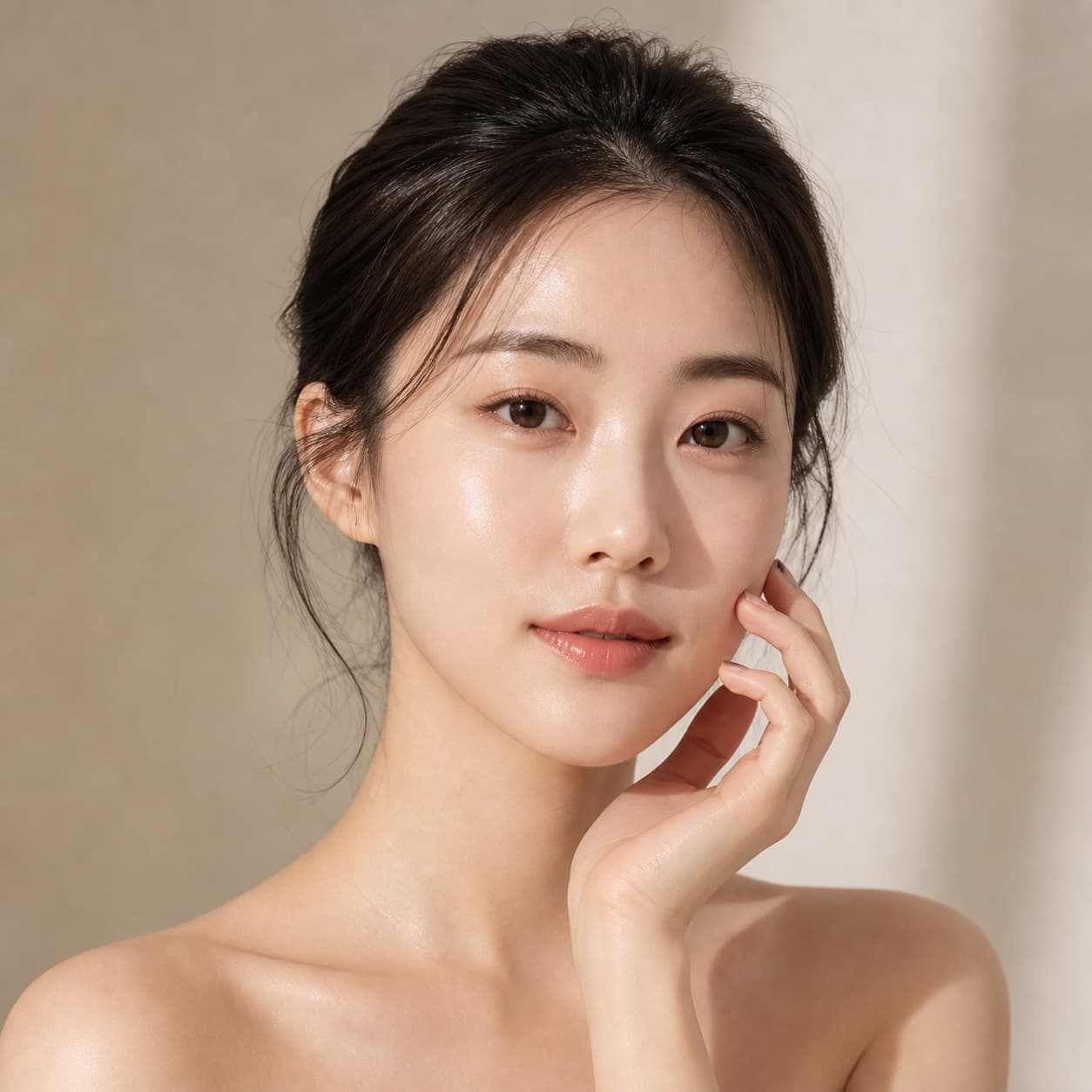
Controlled editorial portrait
An editorial portrait with deliberate decisions about skin, hands, wardrobe, and crop.
Create a [3:4] editorial portrait of [person description] in [setting], wearing [wardrobe]. Use natural skin texture, anatomically credible hands in [pose], realistic fabric behavior, [lens or framing], and soft [light source]. Color direction: [palette]. Keep the face unobstructed and the background restrained. No beauty-filter skin, extra fingers, merged jewelry, fake text, or logo.
Avoid vague requests for perfection. Specify natural texture, pose, wardrobe behavior, and where hands should appear.
Packaging concept with copy hierarchy
A packaging concept that communicates structure without pretending to be production-ready artwork.
Create a packaging concept for [product category] with [container form], [material], and [closure]. Front panel exact copy: “[approved short copy]”. Establish a clear brand-name, variant, and descriptor hierarchy using [design system]. Show one front-facing pack and one three-quarter view on a neutral surface. No legal claims, nutrition facts, barcodes, certifications, or small print unless supplied exactly.
Use placeholder-free exact copy only when it has been approved. Treat the result as a concept and rebuild dielines and legal text separately.
Localized menu or catalog
A localized menu or catalog that protects names, prices, and reading order.
Design a [ratio] menu for [venue] with the exact items and prices below: [paste approved list]. Group items under [categories] and preserve this order: [order]. Use [visual style], a two-column grid, clear price alignment, and comfortable line spacing. Keep all names, currency marks, decimals, and allergen symbols unchanged. Do not add dishes, translate names, round prices, or invent badges.
Use a short dataset and compare every line after generation. Do not rely on an image model as the system of record for prices.
Surgical image edit
A precise edit where a small change does not cause the rest of the image to drift.
Edit reference image 1 by changing only [specific object, background, color, or surface] to [new state]. Keep the product geometry, label, camera position, crop, lighting direction, reflections, hands, and all other objects unchanged. Reconstruct the edited area with matching perspective and texture. Do not restyle the full image, alter identity, add objects, move the subject, or change any visible copy.
Describe the allowed change and the locked regions separately. Broad requests such as “make it better” give the model permission to redesign everything.
What a controlled Seedream brief looks like
These public Kynvio examples show the prompt structure in practice. They are useful as evidence of briefing discipline, not as a promise that rerunning a stochastic model will reproduce the same pixels.

Seedream 5.0 Pro
Architectural campaign hero
A quality-first campaign composition with a clear subject, controlled material cues, and deliberate headline space.
View prompt
Create a premium campaign hero for a sculptural wireless speaker, warm architectural interior, realistic brushed metal and fabric, controlled afternoon light, product centered right, clean headline space on the left, no text, no logo.

Seedream 5.0 Pro
Reference-guided product scene
A reference-led edit that states what must be preserved before describing the new environment.
View prompt
Using the reference product, create a refined studio campaign image, preserve the silhouette, primary colors, and key surface details, place it on a pale stone plinth, soft directional light, natural contact shadow, no extra products, no invented text.
Seedream 5.0 Pro
Concrete-studio editorial portrait
A vertical editorial brief that names skin, fabric, hands, palette, and composition instead of relying on a style adjective alone.
View prompt
Create an editorial portrait of a designer in a quiet concrete studio, natural skin texture, charcoal wool jacket, soft window light, restrained warm-gray palette, realistic hands, clean vertical composition, no typography.
Seedream 5.0 Pro
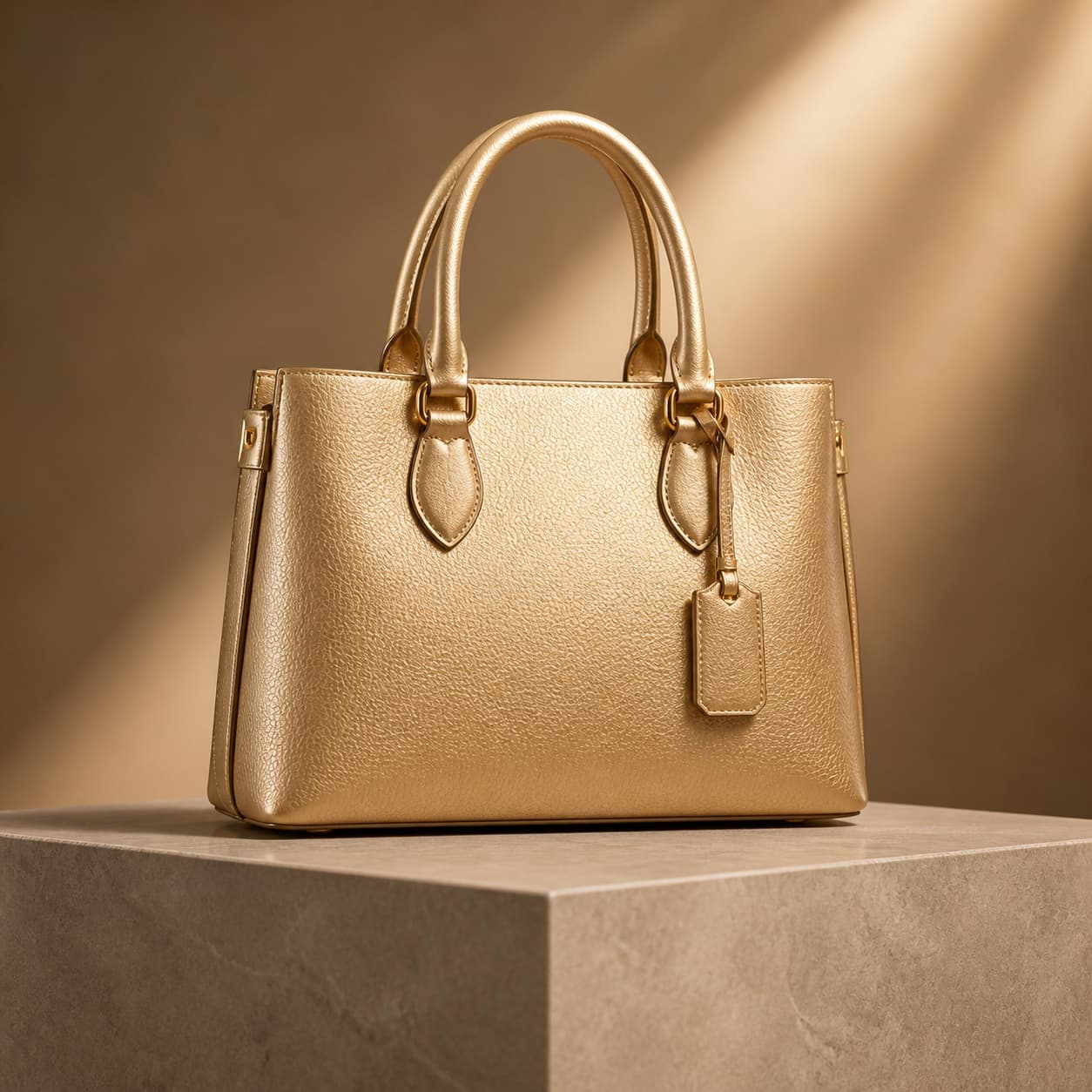
Wide launch banner
A wide-format brief that makes the title-safe zone and single-subject hierarchy explicit.
View prompt
Create a 21:9 luxury accessories launch banner, one sculptural handbag as the clear subject, layered architectural depth, refined gold and warm-neutral palette, stable title-safe space on the left, no text, no logo.
Continue the workflow in Kynvio
Move from a reusable template to the relevant public model or task page, then enter the private workspace only when the brief and source material are ready.
Seedream 5.0 Pro prompt FAQ
Short answers to the prompt-writing questions that most often determine whether a commercial image is usable.
What is the best structure for a Seedream 5.0 Pro prompt?
Start with the job and subject, then specify composition, exact content, material and lighting, preservation rules, and exclusions. Put requirements that can be checked—such as aspect ratio, title-safe space, product count, or exact wording—before broad mood language.
Should I write a long Seedream prompt?
Length is useful only when each clause changes a decision. A concise product brief with explicit hierarchy and preservation rules is better than a long chain of decorative adjectives. Add detail where the result can fail: labels, hands, geometry, layout, quantities, or multilingual copy.
How should reference images be described?
Name the role of every reference. Say which image defines the product, which supplies the composition, and which supplies color or mood. Then list the features that must remain unchanged. Do not ask the model to infer which reference is authoritative.
Can Seedream 5.0 Pro create text-heavy graphics?
ByteDance positions the model for complex information visualization, text rendering, and multilingual graphics. Even so, final copy should be proofread character by character, and regulated, legal, price, dosage, or financial information should be rebuilt in a deterministic design tool before publication.
Why does the same prompt produce different images?
Image generation is stochastic, and model or provider settings can change. Treat a prompt as a reproducible brief rather than a pixel lock. Generate candidates, compare them against a fixed checklist, and use image-to-image or a reference workflow once the direction is worth preserving.
When should I use another image model?
Use GPT Image 2 when a workflow depends on precise conversational edits or many references, and use Nano Banana 2 when fast, high-volume exploration matters more than a single quality-first composition. Run a small task-specific evaluation rather than choosing from a generic leaderboard.
Primary sources
Capabilities and availability change. These first-party pages support the model-level statements in this guide and should be checked again before a production commitment.
Editorial method: this guide was written from ByteDance Seed's July 2026 launch material, Kynvio's current public model controls, and the visible prompt-and-image examples already published on Kynvio. The templates are reproducible starting points, not a claim that one prompt guarantees an identical output. Kynvio reviewed the copy and product context. No provider sponsored this article.