AI Image Generator

AI Object Remover

Remove unwanted objects from photos with AI. Clean product images, portraits, flatlays, and campaign visuals without starting over.

remove object from photo AIText to ImageImage to Image
AI object remover for cleaning unwanted objects from photos

Real examples and prompts

Each example keeps a reusable prompt, settings direction, and business use case so you can judge whether this page matches your image task.

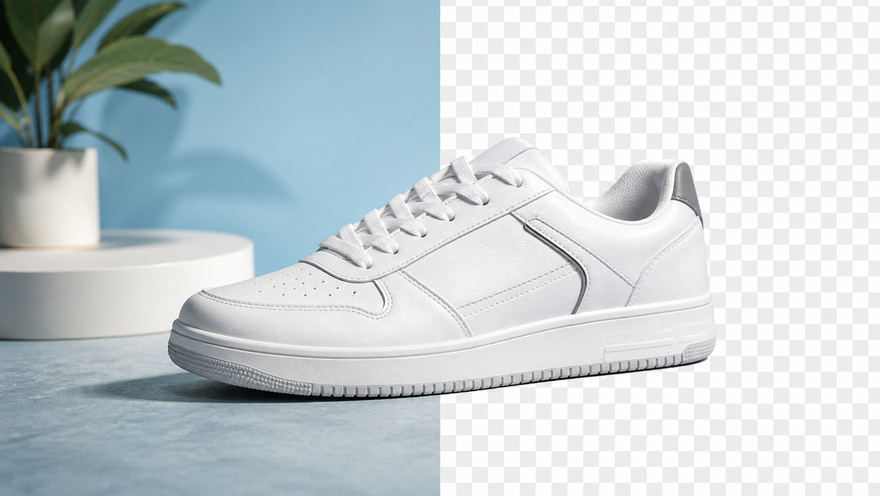
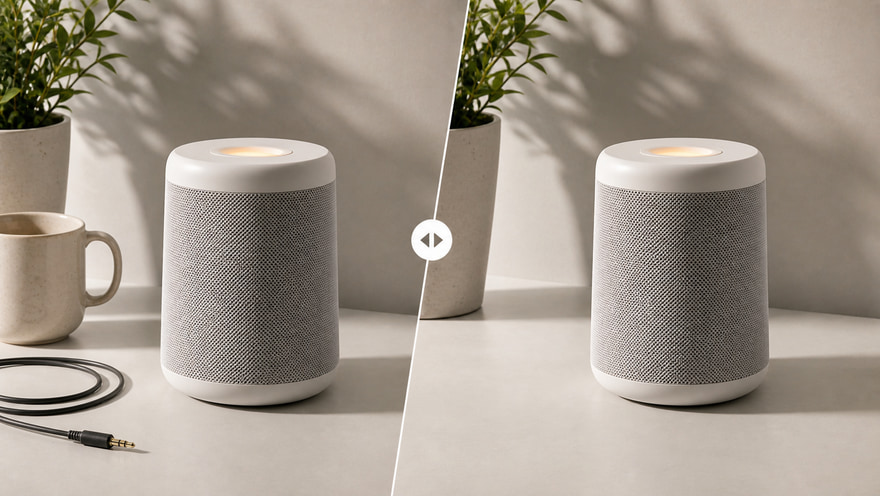
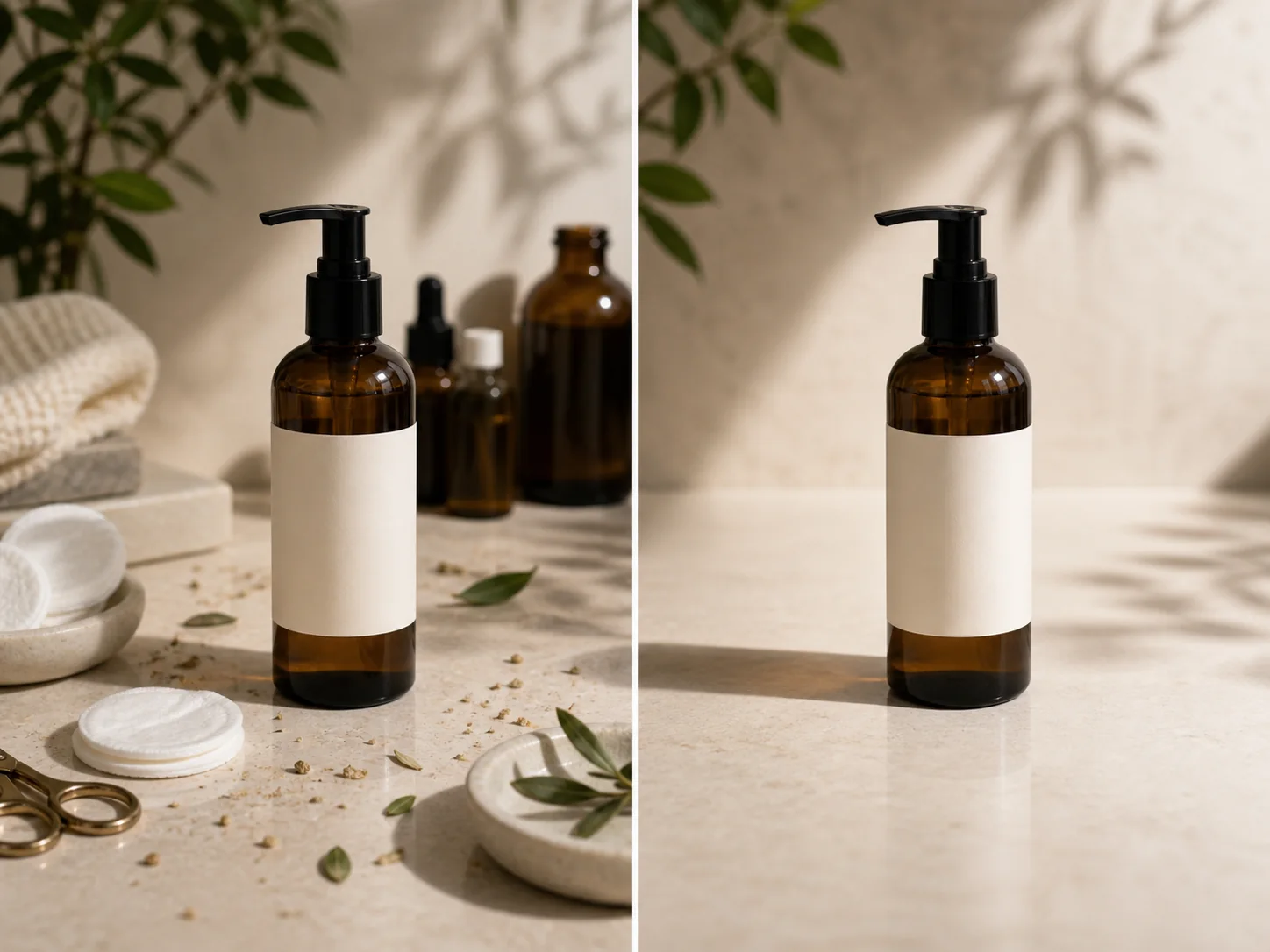
AI object remover example cleaning clutter from a product photo

Product clutter cleanup

Remove distractions around a product while keeping the main subject and natural surface shadow.

Image to ImageObject cleanup1:1Product
Remove the small clutter and background distractions around the product, preserve bottle shape and label, fill the area with a clean studio surface and realistic shadow.
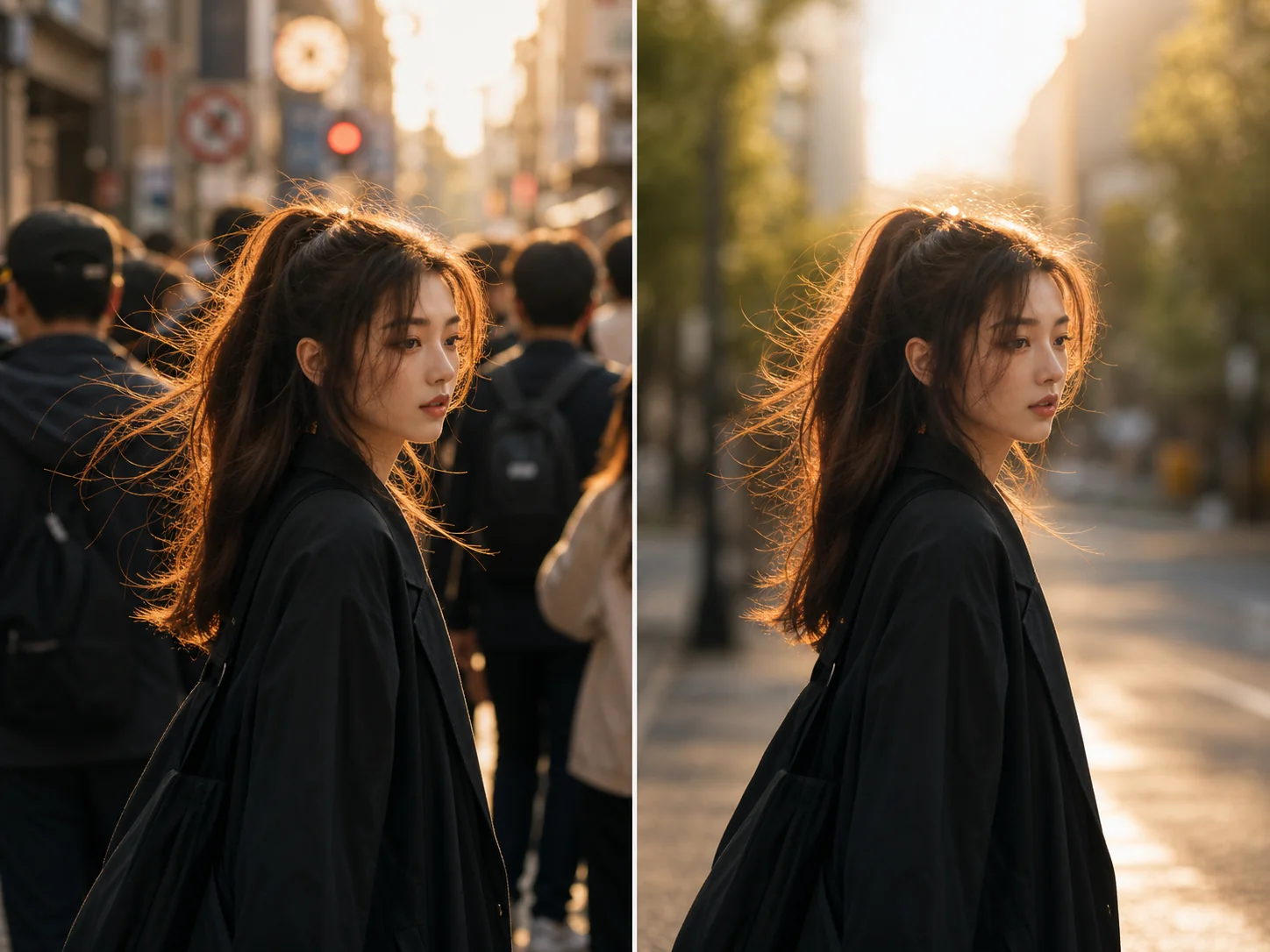
AI object remover example removing distractions from a city portrait

Portrait distraction removal

Clean a portrait or lifestyle image by removing distracting background elements.

Image to ImagePortrait cleanup3:4Natural fill
Remove distracting background objects behind the person, keep the subject unchanged, rebuild the background naturally with golden-hour city light.
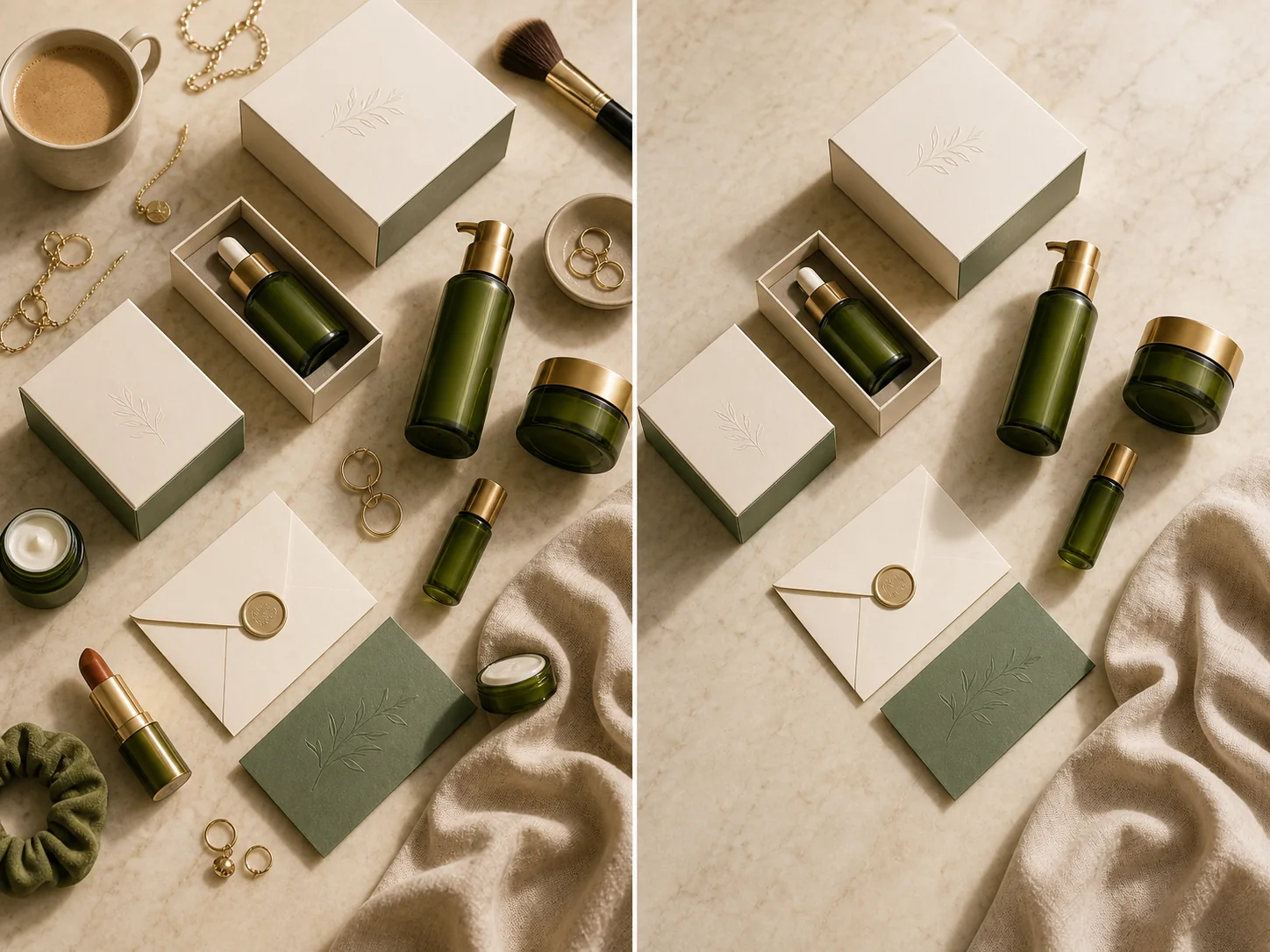
AI object remover example simplifying an ecommerce flatlay image

Flatlay simplification

Simplify ecommerce visuals by removing extra objects and keeping a cleaner product hierarchy.

Image to ImageEcommerce cleanup1:12K
Remove extra props from this flatlay, keep the main packaging set, rebuild the marble and linen surface naturally, cleaner ecommerce composition.

Prompt templates you can adapt

Templates provide direction; the final model, aspect ratio, uploads, and output count are still confirmed inside the Kynvio workspace.

Specific object removal

Use this when a specific distraction should disappear from a source image.

Remove [object] from this image, keep [main subject] unchanged, rebuild the missing area with [background texture/scene], natural lighting and shadows.

Commercial cleanup

Use this for product or ecommerce cleanup when multiple small distractions exist.

Clean this commercial image by removing visual clutter, keep the product and important details unchanged, simplify the background, preserve realistic shadows.

Explore More AI Image Tools

Keep exploring related tools for commercial images, ecommerce assets, and campaign visuals.

FAQ

Which model should I use to remove objects from photos?

Use GPT Image 2 when the surrounding subject must stay accurate, Qwen Image 2.0 for clean negative prompts, and Nano Banana Pro when the final image needs a polished commercial finish.

How do I prompt an AI object remover?

Describe the object to remove, the subject to preserve, and the background texture or scene that should replace the removed area.

Can I remove multiple objects at once?

Yes, but keep the request specific. Removing too many objects at once can make the rebuilt area less predictable.

Start creating this image workflow

Open image-to-image mode, upload the source image, and describe exactly which object should disappear and what should fill the area.

Remove objects with AI