
Ultra-Realistic Fashion Portrait: Black Lace Crop Top and Red Studio
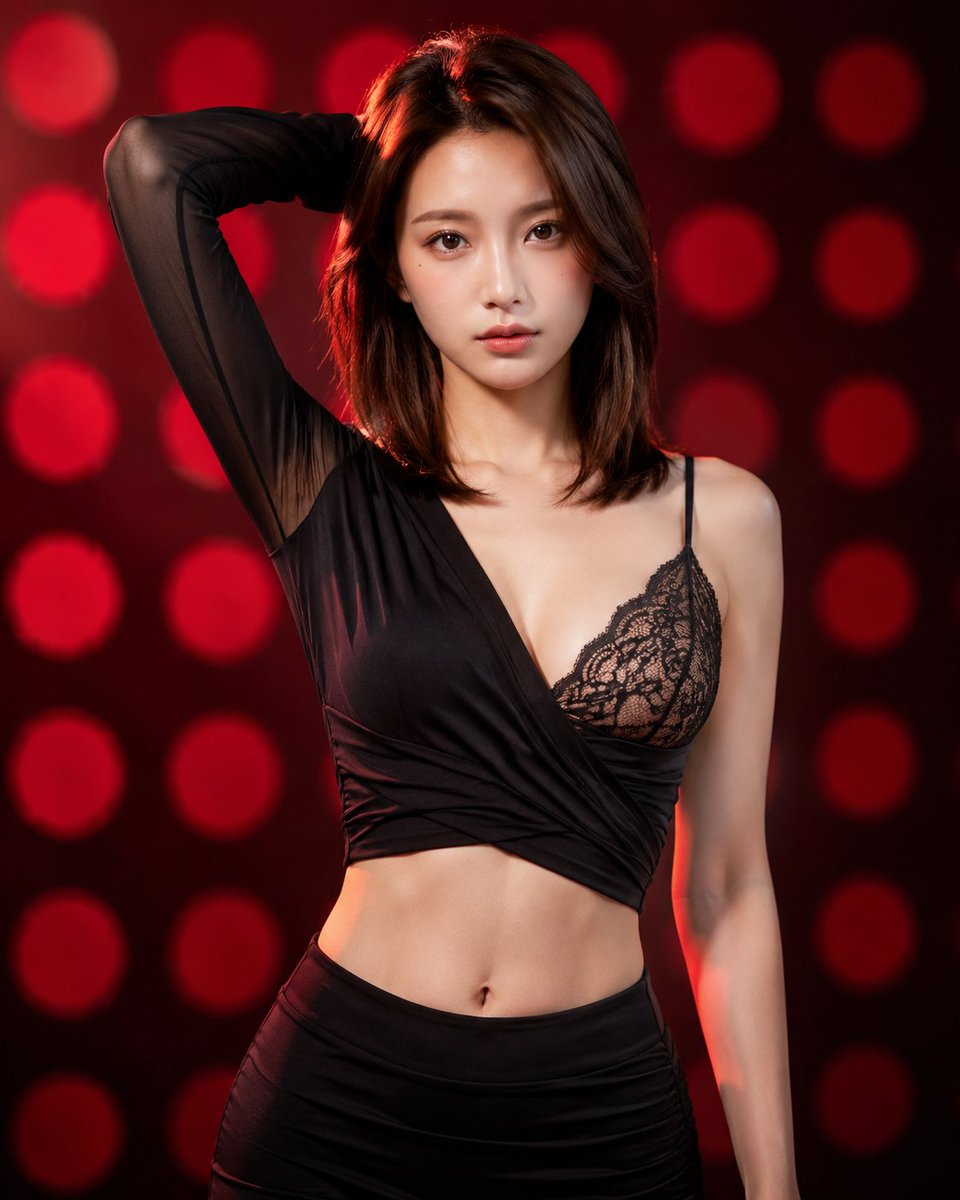
Ultra-photorealistic 8K portrait generated with GPT Image 2, featuring a model in a sexy black asymmetric crop top with high-waisted bottom, posing confidently in front of a red polka dot backdrop.
Prompt
Ultra-photorealistic 8K RAW DSLR portrait, Sony A7R IV + 85mm f/1.8 lens, shallow depth of field, creamy bokeh, cinematic studio lighting with soft key light and subtle rim lighting. Outfit: Sexy black wrap crop top with asymmetric design — left side long sheer black mesh sleeve pulled up, right side delicate black lace bralette with intricate floral patterns, deep V-neckline, fabric wrapped and crossed tightly around the torso creating a cropped midriff-baring look, exposing midriff and navel. Matching black high-waisted bottom (skirt or fitted pants). Fabric details: soft matte jersey mixed with sheer mesh and fine lace, realistic folds, wrinkles, and subtle sheen. Pose: Confident three-quarter view facing camera, left arm raised and bent behind head with hand in hair, right arm relaxed at side, slight torso twist, seductive direct gaze at viewer, neutral expression with subtle intensity. Environment & Lighting: Vibrant red studio backdrop with large soft out-of-focus red polka dots creating classic bokeh pattern, dramatic yet warm red ambient lighting, high contrast, volumetric light, perfect skin illumination with gentle highlights on shoulders, collarbone, and chest. Technical: Photorealistic, natural fabric texture, sharp focus on eyes and face, creamy bokeh background, 8K UHD, film grain, masterpiece, best quality, highly detailed, professional fashion editorial style.
Kynvio Prompt Workflow
How to use this prompt
Open it in Image Studio
Send the prompt to Kynvio AI without starting a generation.
Adapt the details
Replace the subject, setting, colors, text, or composition for your goal.
Review and generate
Choose your final settings, then click Generate when you are ready.
Related GPT Image 2 prompts
GPT Image 2 prompts
About this prompt
Will opening this prompt spend credits?
No. The button only prefills Image Studio. Credits are used only after you start a generation.
Can I edit the prompt first?
Yes. The transferred text is fully editable before you generate an image.