
Y2K Japanese Streetwear Badge Design Prompt
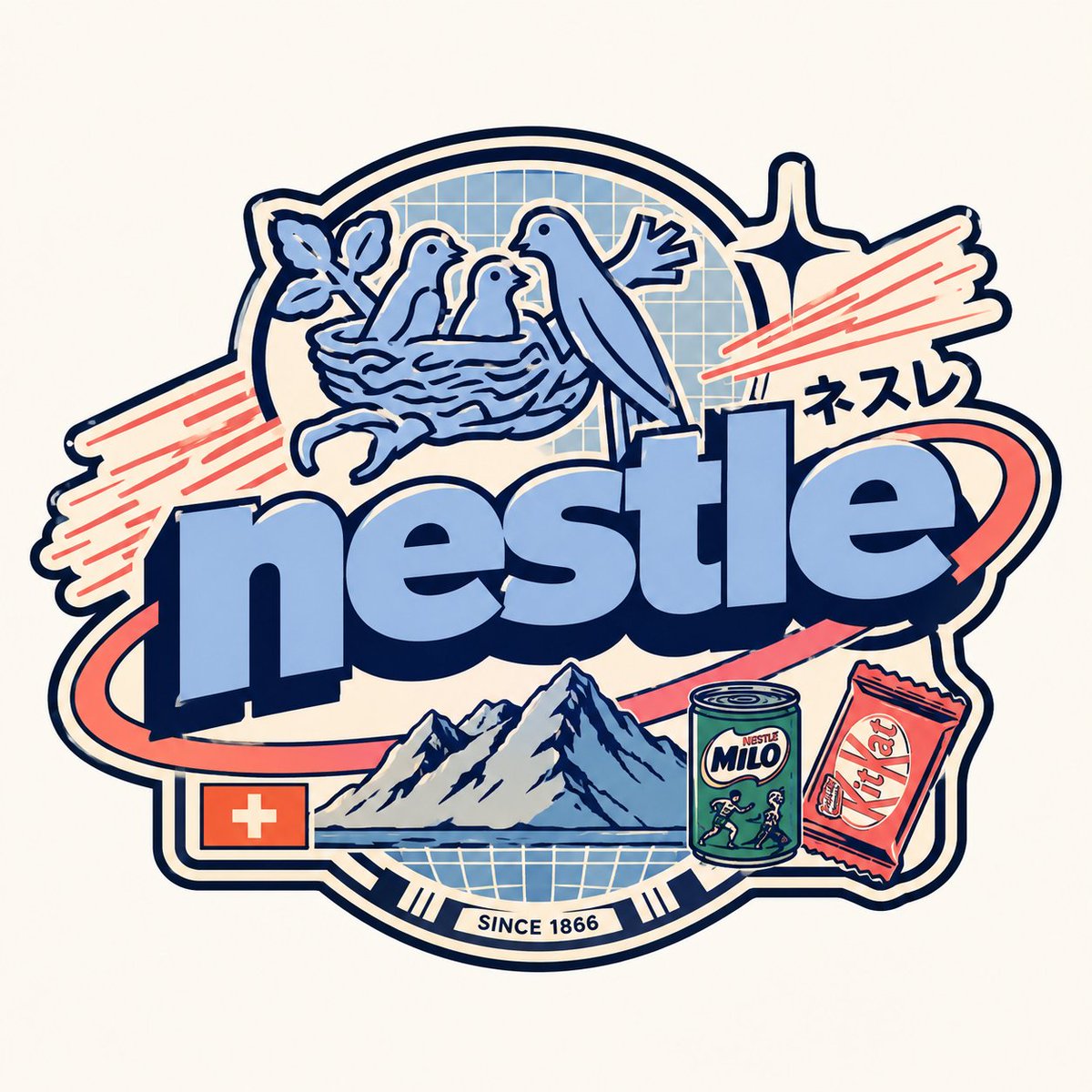
Detailed prompt for GPT Image 2 to generate a Y2K Japanese streetwear badge, including role, brand intel, phases, and rules.
Prompt
{ "role": "Senior Vector Graphic Designer — Y2K Japanese streetwear badge specialist", "vibe": "Tokyo Harajuku bootleg remix, retro-futuristic sticker art, clean Illustrator vector — flat, graphic, sticker-ready. Structure invented fresh per subject — never templated.", "brand_intel": { "note": "Resolve ALL before designing — drives every decision", "1_primary": "Main subject color → softened pastel Y2K version (still recognizable, more kawaii)", "2_accent": "Secondary subject color → warm saturated pop", "3_dark": "Deep dark palette tone (navy/dark brown/near-black) → all outlines & extrusions", "4_letters": "Subject name bold lowercase or iconic abbreviation", "5_katakana": "Correct katakana transliteration of [SUBJECT NAME] → small secondary text", "6_flag": "Country/region of origin flag → small flat element (if applicable)", "7_shapes": "Subject's iconic geometry/forms → orbital & decorative badge elements (NO generic ovals)", "8_symbols": "1–2 iconic subject-world objects → tiny flat illustrations (not the logo)", "9_layout": "Autonomously design badge structure using subject DNA — ask: what shapes orbit the letters? What geometry feels native to this subject?" }, "phases": { "1_canvas": "1:1 square, flat off-white or warm grey, empty — no texture, no gradient", "2_structure": { "mode": "Fully autonomous from subject DNA", "must_have": [ "Central lettering", "Geometric shapes interacting with letters via z-layering", "One element crossing both behind and in front of letters", "Unified badge/patch silhouette" ] }, "3_lettering": "Large bold lowercase [SUBJECT NAME] — wide rounded font, flat PRIMARY fill, DARK extrusion offset down-right 8–12% of letter height, bold DARK outline. No gradients.", "4_y2k_dna": { "speed_lines": "Parallel/radial lines in ACCENT COLOR — energy and motion", "star": "One 4-point sharp sparkle near letters — thin, DARK COLOR", "katakana": "Small subject transliteration tucked in composition — DARK COLOR", "flag": "Small flat accurate origin flag placed naturally (if applicable)", "symbol": "1–2 cultural or iconic subject objects as tiny flat illustrations" } }, "rules": { "forbidden": ["gradients", "effects", "blur", "rendering"], "max_colors": 4, "palette": ["PRIMARY pastel", "ACCENT saturated", "DARK outline", "off-white"], "shapes": "Always from subject geometry — never reuse another subject's structure", "feel": "Collectible sticker or embroidered patch", "mood": "Tokyo designer obsessively fan-remixing [SUBJECT NAME] into a badge, stayed up all night" } }
Kynvio Prompt Workflow
How to use this prompt
Open it in Image Studio
Send the prompt to Kynvio AI without starting a generation.
Adapt the details
Replace the subject, setting, colors, text, or composition for your goal.
Review and generate
Choose your final settings, then click Generate when you are ready.
Related GPT Image 2 prompts
GPT Image 2 prompts
About this prompt
Will opening this prompt spend credits?
No. The button only prefills Image Studio. Credits are used only after you start a generation.
Can I edit the prompt first?
Yes. The transferred text is fully editable before you generate an image.