
Ultra-realistic Smartphone Selfie Portrait
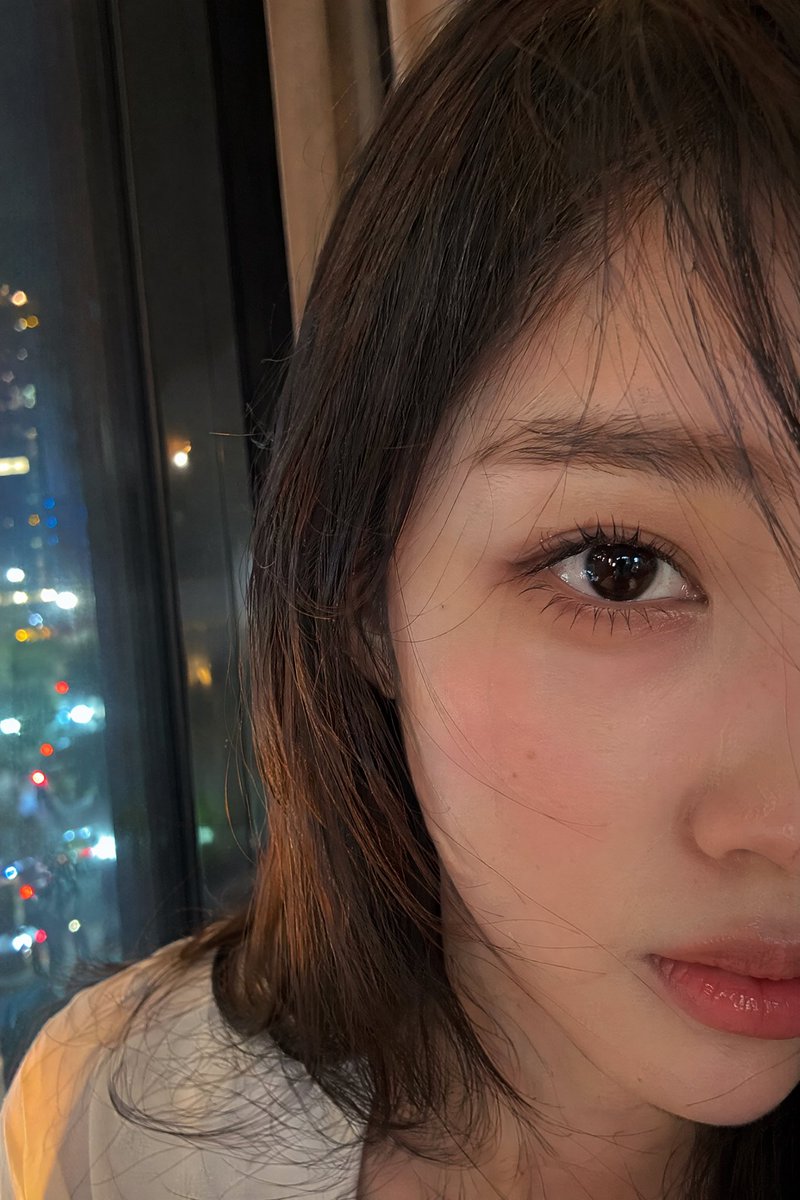
An ultra-realistic smartphone selfie portrait featuring a young East Asian woman in intimate close-up, emphasizing natural texture, realistic lighting, and everyday makeup.
Prompt
Ultra-realistic smartphone selfie portrait, genuinely photographed on a modern mobile phone. A stunning young East Asian woman fills the frame in an intimate close-up composition, with her face partially cropped so that only the upper two-thirds of her face is visible. Her deep brown eye is the focal point, reflecting soft ambient city lights. Smooth fair skin with natural texture, visible pores, and subtle imperfections for authenticity. Loose dark hair falls naturally across her cheek and temple, with a few strands catching the light. She wears minimal everyday makeup: soft rosy blush, delicate taupe eyeshadow, lightly defined lashes, natural brows, and hydrated pink lips. Her expression is quiet and thoughtful, as if she has just paused while taking a spontaneous selfie. She gazes slightly past the camera rather than directly into it, creating a candid and cinematic feeling. The scene is illuminated by cool evening window light combined with warm reflections from nearby streetlights, producing gentle color contrast and realistic shadow transitions across her face. Shot at arm’s length with a smartphone, authentic HDR processing, subtle handheld motion, shallow depth of field, realistic skin rendering, natural hair detail, slight lens softness near the frame edges, faint digital grain, casual everyday atmosphere, unedited iPhone-quality photo, photorealistic, hyper-detailed, no beauty filter, no studio setup, no text, no watermark, no logos, no AI-generated appearance.
Kynvio Prompt Workflow
How to use this prompt
Open it in Image Studio
Send the prompt to Kynvio AI without starting a generation.
Adapt the details
Replace the subject, setting, colors, text, or composition for your goal.
Review and generate
Choose your final settings, then click Generate when you are ready.
Related GPT Image 2 prompts
GPT Image 2 prompts
About this prompt
Will opening this prompt spend credits?
No. The button only prefills Image Studio. Credits are used only after you start a generation.
Can I edit the prompt first?
Yes. The transferred text is fully editable before you generate an image.