
Soft Natural-Light Indoor Portrait
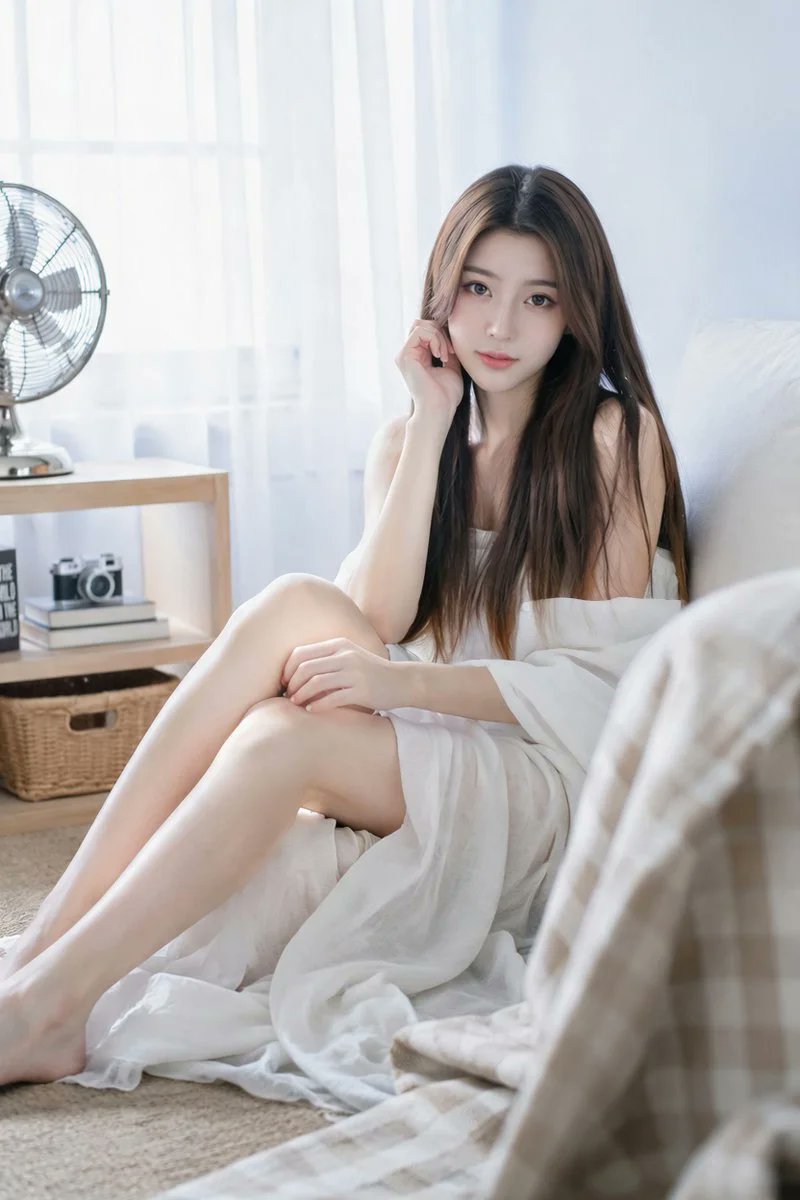
A soft realistic vertical indoor portrait in bright, airy natural-light lifestyle photography style. A 20-year-old woman sits on the floor against a low bed or cushioned seat in a calm minimalist room. Slightly to the right, leaning back against a white pillow or sofa edge, her body extends diagonally from lower-left foreground toward the right. Quiet, gentle, slightly dreamy expression, looking directly into the camera. Character has extremely long straight dark-brown hair with warm golden-brown ends, center-parted, falling smoothly. Soft refined makeup, relaxed elegant posture. Demure soft boudoir-style composition emphasizing natural light, calm atmosphere, and fabric texture.
Prompt
Soft realistic vertical indoor portrait, bright and airy natural-light lifestyle photography style. A 20-year-old adult woman sits on the floor against a low bed or cushioned seat, calm minimalist room. Slightly to the right, leaning back against a white pillow or sofa edge, her body extends diagonally from the lower-left foreground toward the right of the frame. Quiet, gentle, slightly dreamy expression, looking directly into the camera. Character: extremely long straight dark-brown hair with warm golden-brown ends, center-parted, falling smoothly over her shoulders and chest. Soft refined makeup: dense eyeliner, long lashes, pale peach blush, glowing fair skin, glossy light-pink lips. Relaxed elegant posture — one hand near her hair or cheek; the other resting lightly on her knee. Styling: demure, soft boudoir-style composition. The straight dark-brown hair naturally covers her bare shoulders and upper body. Soft, matte, lightweight fabric wraps around her knees, delicate and refined — emphasizing natural light, calm atmosphere, pose, and fabric texture.
Kynvio Prompt Workflow
How to use this prompt
Open it in Image Studio
Send the prompt to Kynvio AI without starting a generation.
Adapt the details
Replace the subject, setting, colors, text, or composition for your goal.
Review and generate
Choose your final settings, then click Generate when you are ready.
Related GPT Image 2 prompts
GPT Image 2 prompts
About this prompt
Will opening this prompt spend credits?
No. The button only prefills Image Studio. Credits are used only after you start a generation.
Can I edit the prompt first?
Yes. The transferred text is fully editable before you generate an image.