
Tips to Reduce Artificial Feel in AI Images
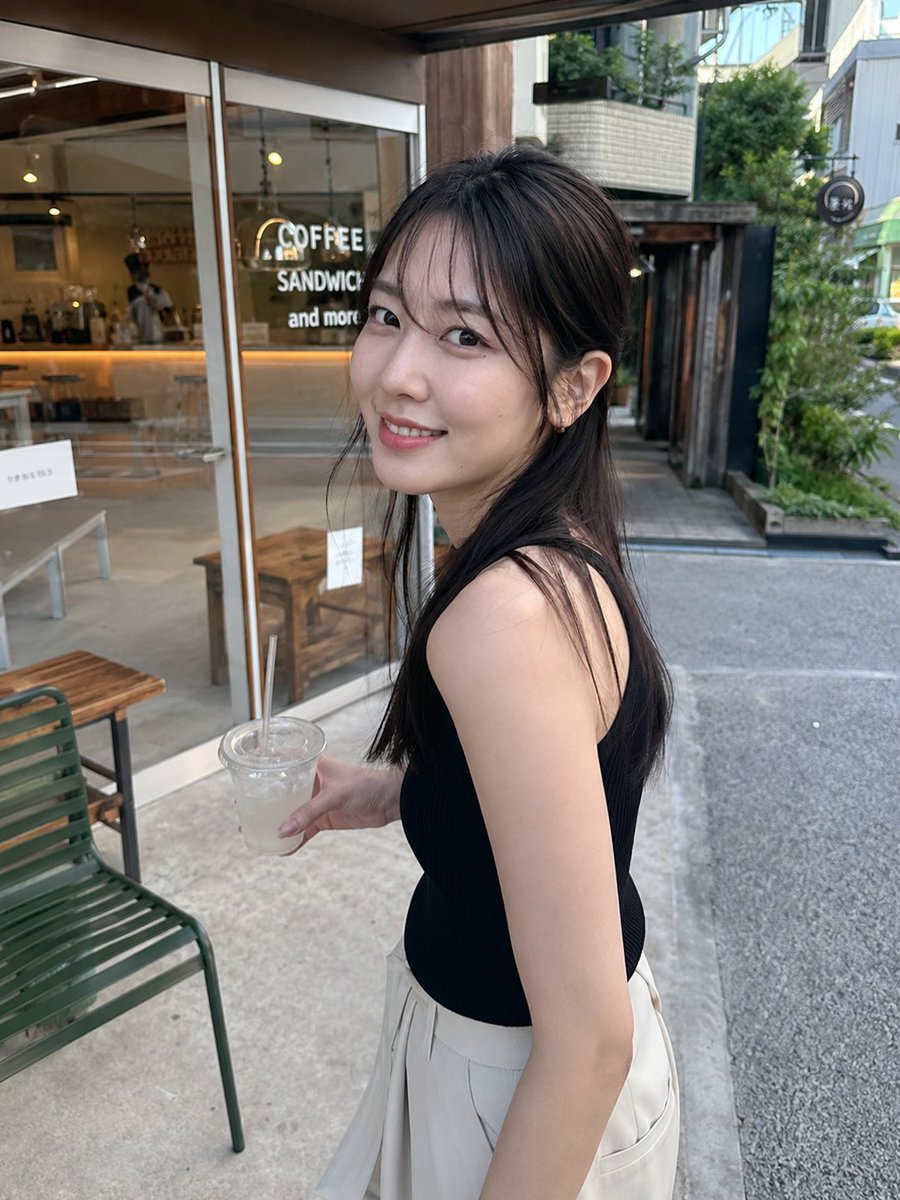
This prompt provides tips to reduce the artificial feel of AI images, including avoiding perfect composition, uniform skin, beautified faces, posed postures, and lighting issues, and suggests adding three key descriptions to make images more natural.
Prompt
If you want to reduce the artificial feel of AI images... ❌ Make it more realistic ⭕️ What to fix↓ ① Overly perfect composition ② Too uniform skin and hair ③ Over-beautified face ④ Too posed posture ⑤ Inconsistencies in light and human body First, add these three: ✅ "A natural photo as if casually taken by a friend with a smartphone" ✅ "Prioritize natural facial proportions of a real person, avoid excessive face slimming and eye enlargement" ✅ "A snapshot with slightly uneven composition, angles, and margins, not too neat" The trick to making AI images look natural is not to add, but to slightly break perfection.
Kynvio Prompt Workflow
How to use this prompt
Open it in Image Studio
Send the prompt to Kynvio AI without starting a generation.
Adapt the details
Replace the subject, setting, colors, text, or composition for your goal.
Review and generate
Choose your final settings, then click Generate when you are ready.
Related GPT Image 2 prompts
GPT Image 2 prompts
About this prompt
Will opening this prompt spend credits?
No. The button only prefills Image Studio. Credits are used only after you start a generation.
Can I edit the prompt first?
Yes. The transferred text is fully editable before you generate an image.