
Portrait Photography Prompt Tips: Dreamy Style and Sarah Moon Photography
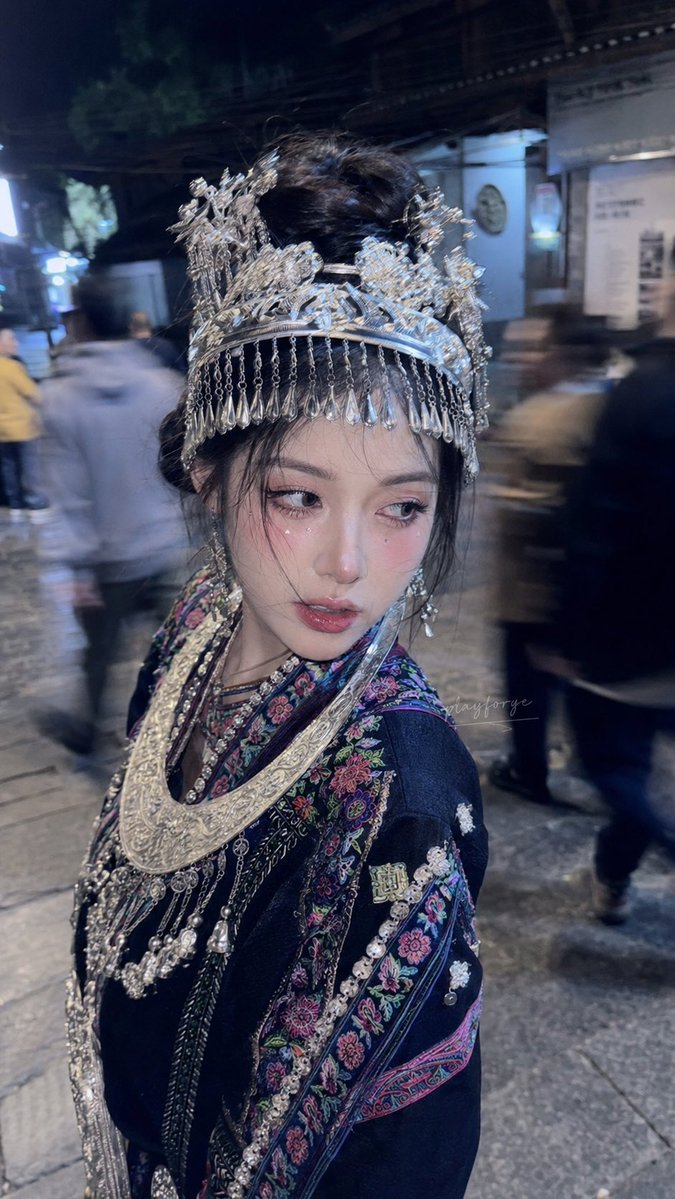
Explores the effect of adding artistic keywords (e.g., dreamy, dreamcore) to GPT-image2 portrait photography, and recommends a prompt combination of Sarah Moon photography style with retro DV camera high-resolution texture.
Prompt
In the actual application of portrait photography, if realistic portraits are combined with several common artistic photography keywords, such as dreamy, dreamcore, hazy dreamy, etc., the overall effect will change dramatically, including changes in lighting and shadows, and the texture of the subject tends to be AI or painting-like. This is both an advantage and a disadvantage, requiring the selection of redundant influencing keywords in the actual prompt, such as fantasy, sci-fi, anime, and non-realistic scene words. Under the same framework, by adding: dreamy, dreamcore, hazy dreamy, along with a dramatic change in photography style, the final image will be completely different. Interested parties can try adding this style to their original prompts: [Sarah Moon photography style combined with retro DV camera high-resolution texture style]
Kynvio Prompt Workflow
How to use this prompt
Open it in Image Studio
Send the prompt to Kynvio AI without starting a generation.
Adapt the details
Replace the subject, setting, colors, text, or composition for your goal.
Review and generate
Choose your final settings, then click Generate when you are ready.
Related GPT Image 2 prompts
GPT Image 2 prompts
About this prompt
Will opening this prompt spend credits?
No. The button only prefills Image Studio. Credits are used only after you start a generation.
Can I edit the prompt first?
Yes. The transferred text is fully editable before you generate an image.