
GPT2 x Innocence x Thick Paint x Optimization x Portrait x Aesthetic Prompt - Fourth Batch
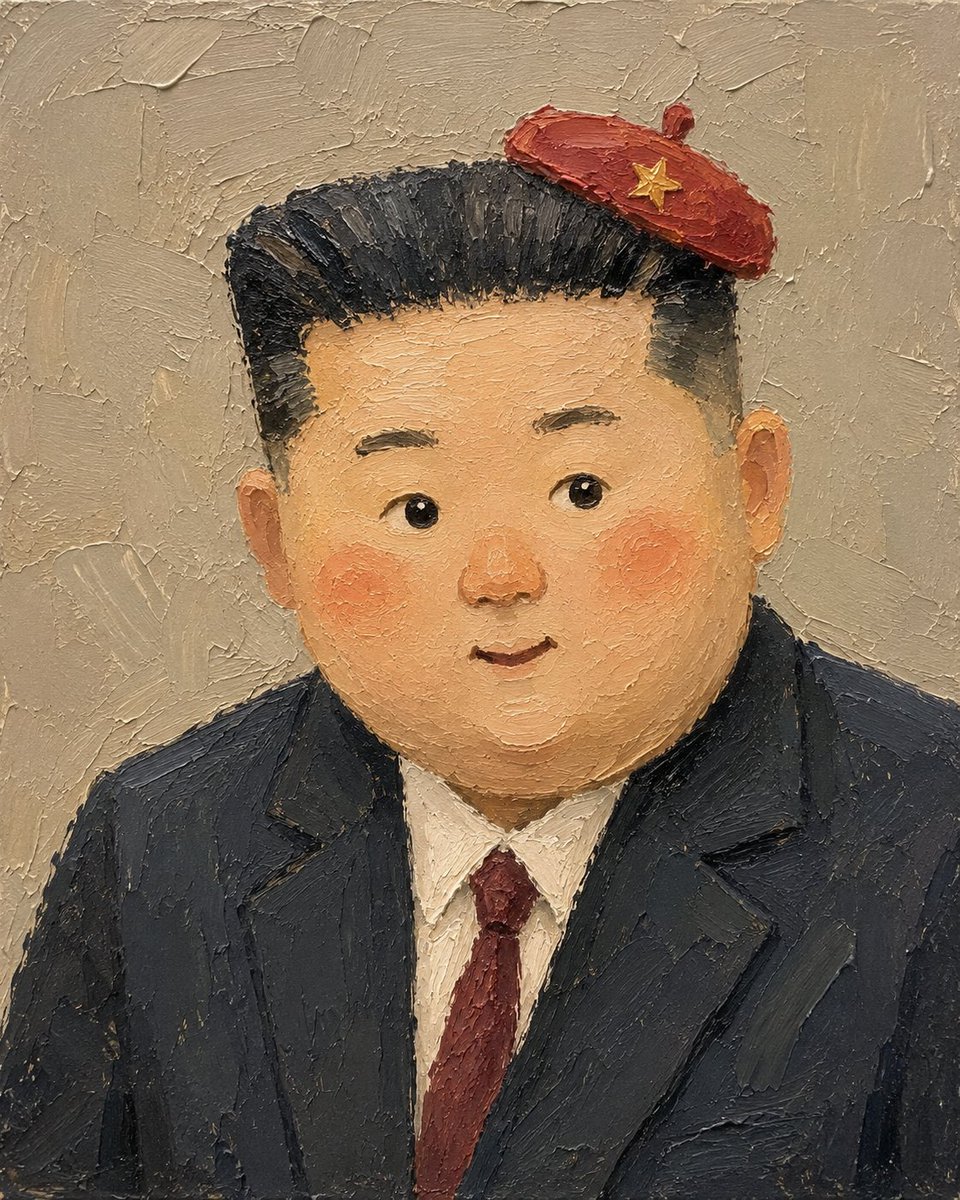
Photos of Xiao Jin and Xiao Ma, after being redrawn by GPT-image2, turn out to be so delicate and beautiful. This prompt was created by grok, and the image was generated using GPT-image2.
Prompt
GPT2 x Innocence x Thick paint x Optimization x Portrait x Aesthetic prompt Fourth batch Photos of Xiao Jin and Xiao Ma, after being redrawn by GPT-image2 Turn out to be so delicate and beautiful This prompt was created by grok The image was generated using GPT-image2 Grok 4.5 is actually very proactive and fast, really suitable for someone impatient like me Hope to complete 20 sets today, continue to share in public
Kynvio Prompt Workflow
How to use this prompt
Open it in Image Studio
Send the prompt to Kynvio AI without starting a generation.
Adapt the details
Replace the subject, setting, colors, text, or composition for your goal.
Review and generate
Choose your final settings, then click Generate when you are ready.
Related GPT Image 2 prompts
GPT Image 2 prompts
About this prompt
Will opening this prompt spend credits?
No. The button only prefills Image Studio. Credits are used only after you start a generation.
Can I edit the prompt first?
Yes. The transferred text is fully editable before you generate an image.