
Contemplative Angel: Minimalist Studio Portrait
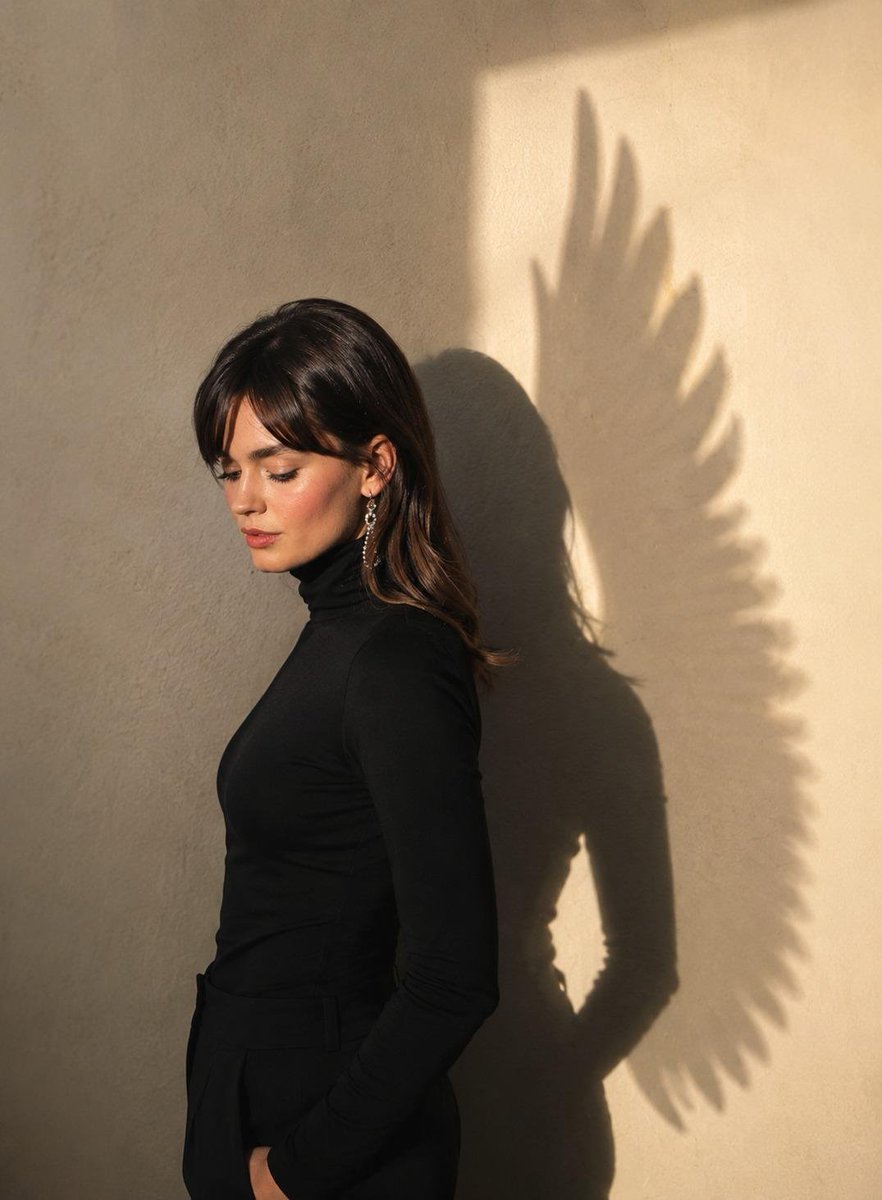
A minimalist studio portrait of a woman in left-side profile, wearing a black turtleneck and pants, in an introspective pose. The background is a light cream wall illuminated by a vertical beam of late-afternoon sunlight from the right, casting a double shadow of the woman and large angel wings. The composition conveys calm, silence, introspection, and spirituality, with shallow depth of field, soft cinematic lighting, luxurious editorial aesthetic, and hyper-realistic photography.
Prompt
A minimalist studio portrait with a contemplative atmosphere and rich texture of a woman (use the reference image), approximately... cm tall and weighing... kg, positioned in a left-side profile. She wears a fitted black turtleneck and black pants, maintaining an introspective posture, with her head slightly tilted downward and her gaze directed toward the floor. In the background is a light cream-textured wall, illuminated by a rectangular vertical beam of late-afternoon sunlight entering from the right. Projected onto the wall is a strong and symbolic double shadow, revealing the silhouette of the woman alongside the shadow of large angel wings, richly detailed with delicate feathers, as though they were a natural extension of her body. The composition conveys a sense of calm, silence, introspection, and spirituality, featuring a shallow depth of field, soft cinematic lighting, a luxurious editorial aesthetic, hyper-realistic photography, and a premium finish.
Kynvio Prompt Workflow
How to use this prompt
Open it in Image Studio
Send the prompt to Kynvio AI without starting a generation.
Adapt the details
Replace the subject, setting, colors, text, or composition for your goal.
Review and generate
Choose your final settings, then click Generate when you are ready.
Related GPT Image 2 prompts
GPT Image 2 prompts
About this prompt
Will opening this prompt spend credits?
No. The button only prefills Image Studio. Credits are used only after you start a generation.
Can I edit the prompt first?
Yes. The transferred text is fully editable before you generate an image.