
Cinematic Vertical Sports Photo: Black Female Tennis Player Forehand
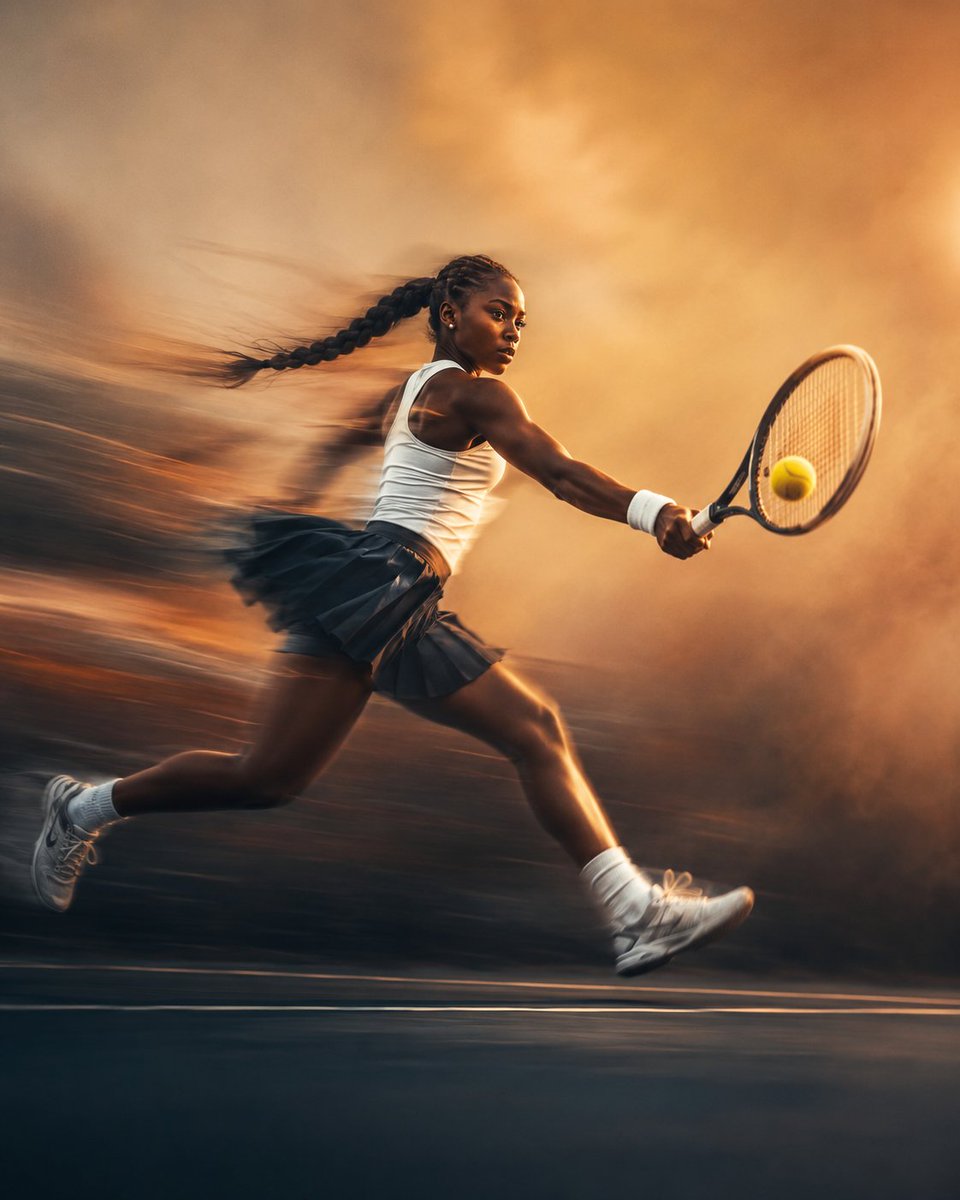
A cinematic vertical sports photograph capturing a young Black female tennis player sprinting and preparing a forehand shot. Features long exposure and motion blur effects with a warm background, emphasizing elegant athletic movement and high-end fashion photography style.
Prompt
Create a cinematic vertical sports photograph of a young Black female tennis player with an athletic build and a long braided ponytail, captured sprinting across a tennis court while preparing a powerful forehand shot. Show her in a dynamic side profile with a focused expression, holding a modern tennis racket as a tennis ball appears suspended close to the racket. Use an artistic long exposure photography effect with strong directional motion blur trailing behind her body, clothing, legs, and racket. Keep the tennis ball, parts of the racket, and selected facial details slightly sharper to create visual contrast. Dress her in a minimalist white sleeveless tennis top, a dark pleated sports skirt, white wristbands, ankle socks, and professional tennis shoes. Create a dramatic orange, peach, and soft cream background with warm glowing light, subtle haze, abstract motion streaks, and deep cool shadows near the bottom. Premium editorial sports campaign, elegant athletic movement, dramatic low camera angle, realistic anatomy, natural body posture, soft film grain, sophisticated color grading, high end fashion photography, cinematic lighting, ultra detailed, vertical 4:5 composition. No text, letters, logos, captions, borders, watermarks, or interface elements anywhere in the image.
Kynvio Prompt Workflow
How to use this prompt
Open it in Image Studio
Send the prompt to Kynvio AI without starting a generation.
Adapt the details
Replace the subject, setting, colors, text, or composition for your goal.
Review and generate
Choose your final settings, then click Generate when you are ready.
Related GPT Image 2 prompts
GPT Image 2 prompts

About this prompt
Will opening this prompt spend credits?
No. The button only prefills Image Studio. Credits are used only after you start a generation.
Can I edit the prompt first?
Yes. The transferred text is fully editable before you generate an image.