
Seedream 5.0 Pro vs GPT Image 2: product design and ecommerce compared
Seedream 5.0 Pro and GPT Image 2 can both produce polished commercial images, but they encourage different workflows. This guide compares composition, prompt strategy, reference handling, editing, text, ecommerce production, and a reproducible way to test both models without disguising provider claims as independent results.

The 30-second answer
Choose Seedream 5.0 Pro when the brief is primarily about design structure: campaign composition, visual hierarchy, wide layouts, editorial scenes, or multilingual graphics. Choose GPT Image 2 when the work is primarily an editing conversation: preserve a source, make precise changes, explore flexible sizes, and refine the result across several turns. For ecommerce, the winning model is the one that preserves the product and clears the channel checklist with fewer repairs.
- Composition-led campaign brief: start with Seedream 5.0 Pro
- Reference-led iterative edit: start with GPT Image 2
- Text and data: generate the system, then verify and typeset consequential copy
- Model decision: measure accepted-result rate and repair effort, not one attractive output
Seedream 5.0 Pro and GPT Image 2 at a glance
This is a workflow comparison, not a universal leaderboard. The stronger choice depends on whether the job is composition-led, edit-led, text-heavy, reference-heavy, or expected to produce one finished direction rather than many conversational revisions.
| Model | Strengths | Best for | Watch for |
|---|---|---|---|
Seedream 5.0 Pro Design-aware composition | Strong design framing, information visualization, reference-guided creation, visual hierarchy, wide campaign composition, and multilingual graphic intent | Quality-first campaign key art, structured layouts, editorial scenes, multilingual graphics, and briefs where one carefully composed image is the goal | A quality-first single-output workflow makes weak briefs expensive; text, product identity, hands, and factual graphics still require close review |
GPT Image 2 Flexible generation and editing | High-fidelity image inputs, broad size flexibility, generation and editing in the same model, strong prompt following, and iterative correction | Precise image edits, iterative art direction, product-reference workflows, flexible output sizes, and tasks that benefit from conversational correction | Token-based API cost varies with prompt and image inputs; flexible editing does not guarantee exact labels, geometry, identity, or production-ready typography |
The real difference is the workflow around the image
A model comparison becomes useful when it starts with the job. Seedream 5.0 Pro is presented as a design-aware model with improvements in structural coherence, text rendering, information visualization, editing, and multilingual graphics. Its natural starting point is a complete visual brief: what the asset is, how the hierarchy works, what references control, and what the finished composition needs to do.
OpenAI describes GPT Image 2 as a state-of-the-art generation and editing model with flexible image sizes and high-fidelity image inputs. That combination encourages an iterative route. A team can establish a source, request a controlled change, inspect the result, and continue refining. The difference is not that one model designs and the other cannot; it is which interaction pattern matches the cost and risk of the task.
Prompt strategy: complete brief or controlled conversation
Seedream benefits from a brief that resolves hierarchy early. State the deliverable, subject, canvas, layout, material system, exact content, preservation rules, and exclusions. If the image must support a headline, define the safe zone. If a reference controls the product, name the features to preserve. This reduces the chance that a visually strong result fails a practical placement requirement.
GPT Image 2 still needs a good initial brief, but its editing workflow makes staged direction more natural. Begin with the stable elements, approve the product and composition, then ask for one bounded change at a time. Lock the camera, crop, light direction, label, and product geometry when changing the background or props. A vague follow-up such as “make it better” gives away the advantage of precise editing.
References, product identity, and edit drift
Reference count is not the same as reference control. A workflow can accept many images and still produce a confused result when their roles conflict. Assign authority: one product reference, one composition reference, one palette reference. If the product appears from several angles, identify the angle that controls the requested shot and list the details that cannot change.
For product work, judge more than resemblance. Check dimensions, closure, seams, label position, color, gloss, transparent parts, shadows, reflections, and the number of units. For people, check identity, hands, wardrobe, jewelry, and pose. Keep the original beside the output during review. Both models can produce convincing images that contain small commercial errors.
Text, layout, and information graphics
ByteDance explicitly promotes Seedream 5.0 Pro for complex information visualization and multilingual graphics. OpenAI highlights improved text rendering and broad image-generation quality for GPT Image 2. These claims make both models worth testing for posters, packaging concepts, menus, and infographics, but the review standard must rise with the amount of information.
A generated graphic should never become the only record of a number or approved phrase. Supply short exact copy, prohibit invention, and compare every character. Check reading order, chart labels, values, units, punctuation, and language consistency. Use AI for visual exploration and rebuild legally or financially meaningful text in a deterministic tool. Good typography is not the same as correct information.
Which model fits an ecommerce production line?
For a new campaign direction, Seedream's quality-first composition can be efficient: one deliberate hero, a clear title-safe region, and an approved material language. Once the anchor is accepted, references can extend the direction into lifestyle frames and banners. The risk is asking one expensive output to solve too many frames at once or accepting visual polish before checking product fidelity.
GPT Image 2 can be efficient when the starting point is a real catalog image that needs several controlled transformations—background replacement, prop cleanup, seasonal treatment, crop changes, or a lifestyle setting. The risk is edit drift across successive turns. Save approved checkpoints and return to the last clean image when a later edit begins changing locked details.
How to run a fair same-brief comparison
Use the same business brief, not necessarily the same implementation-specific syntax. Match the source assets, ratio, requested output size, and subject count. If one model supports a feature the other does not, record that difference instead of replacing it silently. Run the tasks more than once, because random variation can dominate a one-image comparison.
Score the output before looking at the provider name. A useful rubric includes prompt coverage, product fidelity, composition, text accuracy, human anatomy, material realism, edit containment, and channel readiness. Add time to accepted result, number of retries, and repair effort. A slightly less dramatic image can be the better production choice if it clears review immediately.
Cost and access should be compared inside the correct product
OpenAI publishes direct API rates for GPT Image 2 using separate text, image-input, cached-input, and image-output meters. ByteDance access and provider pricing can follow a different structure. Kynvio plans and credits are another product again. Do not place unlike units in one table and call the cheaper number a universal result.
For production, measure cost per accepted asset. Include generation attempts, editing turns, rejected output, human cleanup, export work, and delays. A higher unit cost can be economical if the model passes the brief in one run. A cheaper generation is not cheaper when the team needs five retries and an hour of retouching.
Recommendation by job, not by brand
Start with Seedream 5.0 Pro for campaign key art, editorial compositions, wide banners, information-dense concepts, and briefs where the layout itself is the difficult decision. Start with GPT Image 2 for source-preserving edits, flexible output dimensions, conversational refinement, and workflows where each change must be isolated and reviewed.
Keep both available when image work moves from concept to correction. A practical route is Seedream for a composition-led first direction and GPT Image 2 for an edit-led alternative, then compare both against the same product and placement checklist. The final choice should be recorded at the workflow level, because a result for one product category may not transfer to another.
Public examples and what they can actually show
The examples below are already visible on Kynvio model pages and carry their own prompts. Because the prompts and subjects differ, they support workflow observations only. They do not establish a head-to-head winner.

Seedream 5.0 Pro
Composition-led campaign hero
Seedream's public Kynvio example emphasizes a deliberately composed campaign scene and stable headline space.
View prompt
Create a premium campaign hero for a sculptural wireless speaker, warm architectural interior, realistic brushed metal and fabric, controlled afternoon light, product centered right, clean headline space on the left, no text, no logo.

Seedream 5.0 Pro
Reference-guided scene rebuild
A reference-led Seedream workflow that names product details to preserve before rebuilding the set.
View prompt
Using the reference product, create a refined studio campaign image, preserve the silhouette, primary colors, and key surface details, place it on a pale stone plinth, soft directional light, natural contact shadow, no extra products, no invented text.
GPT Image 2
Product-focused generation
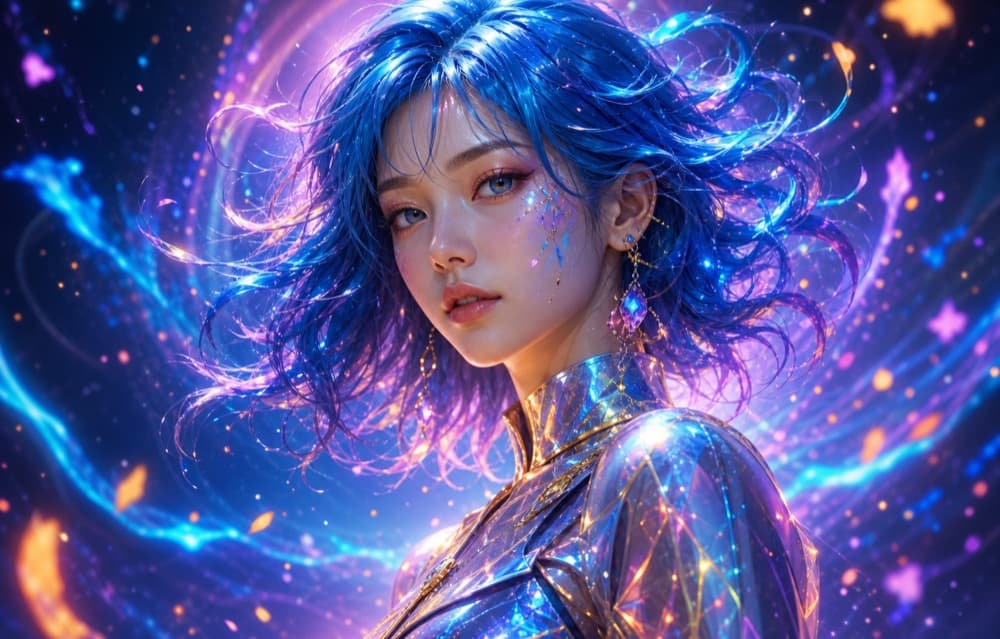
GPT Image 2 is represented here by a product-focused public Kynvio sample used to evaluate prompt fidelity and commercial polish.
View prompt
Create a realistic premium product hero with disciplined studio lighting, accurate material cues, clean negative space, and no invented branding or duplicate objects.
GPT Image 2
Generation with room for iteration
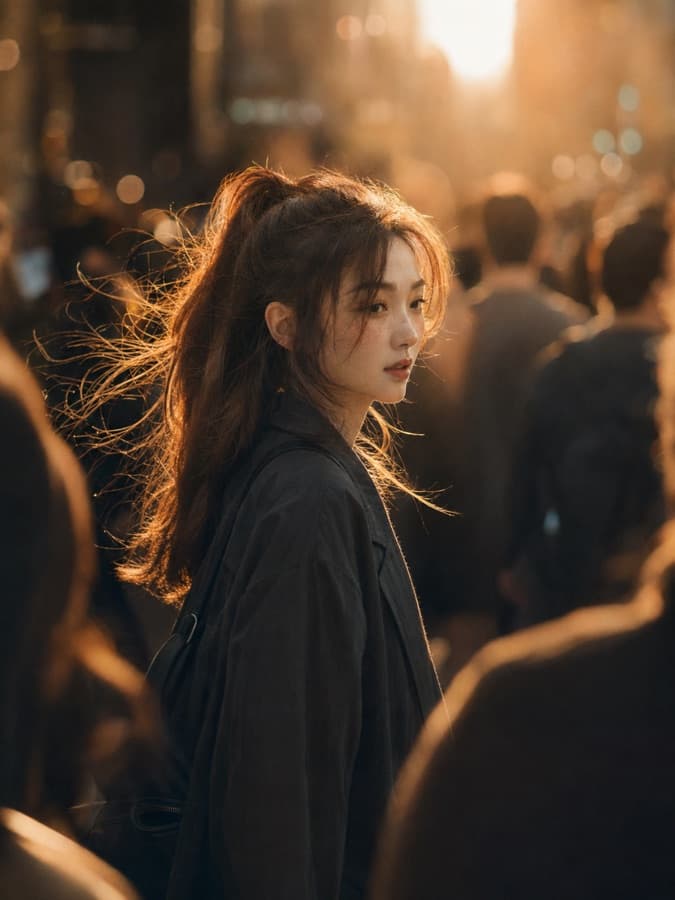
The broader GPT Image showcase illustrates why flexible generation and editing should be tested as a workflow, not only as a one-shot beauty contest.
View prompt
Build a polished commercial image from the supplied direction, preserve the important subject details, and leave enough structure for a precise follow-up edit.
Five reproducible comparison tasks
Use these matched briefs with the same references and review checklist. Publish the run count, settings, failures, and unsupported features if the results are later used as evidence.
Product hero
Create a 4:3 premium skincare hero from the same unlabeled bottle reference, preserve bottle geometry and cap, pale stone set, soft side light, clean copy space on the left, one bottle only, no text.
Evaluate: Product silhouette, cap, glass, label area, contact shadow, copy space, duplicate count, and overall hierarchy.
Background replacement
Change only the background of the supplied catalog image to a warm architectural interior. Keep product position, crop, shape, label placement, reflections, and shadow direction unchanged.
Evaluate: Edit containment, background reconstruction, product drift, edge quality, perspective, and whether locked details changed.
Multilingual poster
Create a 4:5 launch poster using two short approved language lines, one date, and one venue. Preserve every character, use a three-level hierarchy, and keep text away from the product.
Evaluate: Character accuracy, language separation, reading order, hierarchy, spacing, subject integrity, and invented copy.
Ecommerce detail frame
Create a close material-detail image from the same product reference. Preserve color and construction, show the closure and surface texture clearly, neutral background, no added components or copy.
Evaluate: Material realism, geometry, scale, detail accuracy, invented parts, crop usefulness, and consistency with the anchor image.
Wide campaign crop
Create a 21:9 campaign banner from the same reference, one product on the right third, lifestyle depth behind it, clean left title-safe area, no embedded text, no extra products.
Evaluate: Wide-layout stability, subject scale, safe area, continuity, product fidelity, edge clutter, and responsive crop potential.
Compare the models inside the Kynvio workflow
Use the public model pages to understand the choice, then move into the workspace with one real brief and a fixed acceptance checklist.
Seedream 5.0 Pro vs GPT Image 2 FAQ
Answers to the questions that matter when the choice affects a real production workflow.
Is Seedream 5.0 Pro better than GPT Image 2?
Not across every task. Seedream is a strong first test for composition-led campaign work and structured design briefs. GPT Image 2 is a strong first test when the workflow depends on flexible sizes, high-fidelity inputs, or repeated edits. Test the recurring job, not the model name.
Which model is better for ecommerce product photos?
Use the source asset to decide. For a new campaign composition or premium lifestyle scene, Seedream can be a useful quality-first route. When the product reference must survive several precise revisions, GPT Image 2 may offer the more natural editing workflow. Both require label, geometry, color, and claim review.
Which model handles text better?
Both providers emphasize improved text-related capability, and ByteDance specifically highlights multilingual graphics and information visualization. Neither should be treated as a typesetting system of record. Verify every character, price, unit, and data value, then rebuild consequential copy in a deterministic design tool.
Can I compare the models with exactly the same prompt?
Yes, but the prompt must describe a neutral business brief rather than favoring one model's syntax. Keep references, aspect ratio, output size, and evaluation rules as close as each product allows. Record unsupported settings instead of silently substituting them.
Should I compare one output or several?
Several. A one-output comparison measures both the model and random variation. For important work, run each task enough times to observe consistency, keep failed outputs, and score the accepted result together with the number of retries and repair effort.
Are direct API prices the same as Kynvio credits?
No. Provider API pricing and Kynvio plan or credit rules describe different products. Use first-party sources for direct API billing and the Kynvio pricing page for current Kynvio amounts.
Primary sources
These first-party pages support capability and direct-access statements. Recheck them before budgeting or committing a production workflow.
Editorial method: model capabilities were checked against ByteDance Seed and OpenAI first-party pages on July 20, 2026. Kynvio product controls and public examples were reviewed separately. The evidence gallery shows existing model-specific examples; it is not presented as a blinded same-prompt benchmark. No provider sponsored this article.