
Ultra-Realistic Whimsical Miniature Scene: Girl with Giant Popcorn Bucket
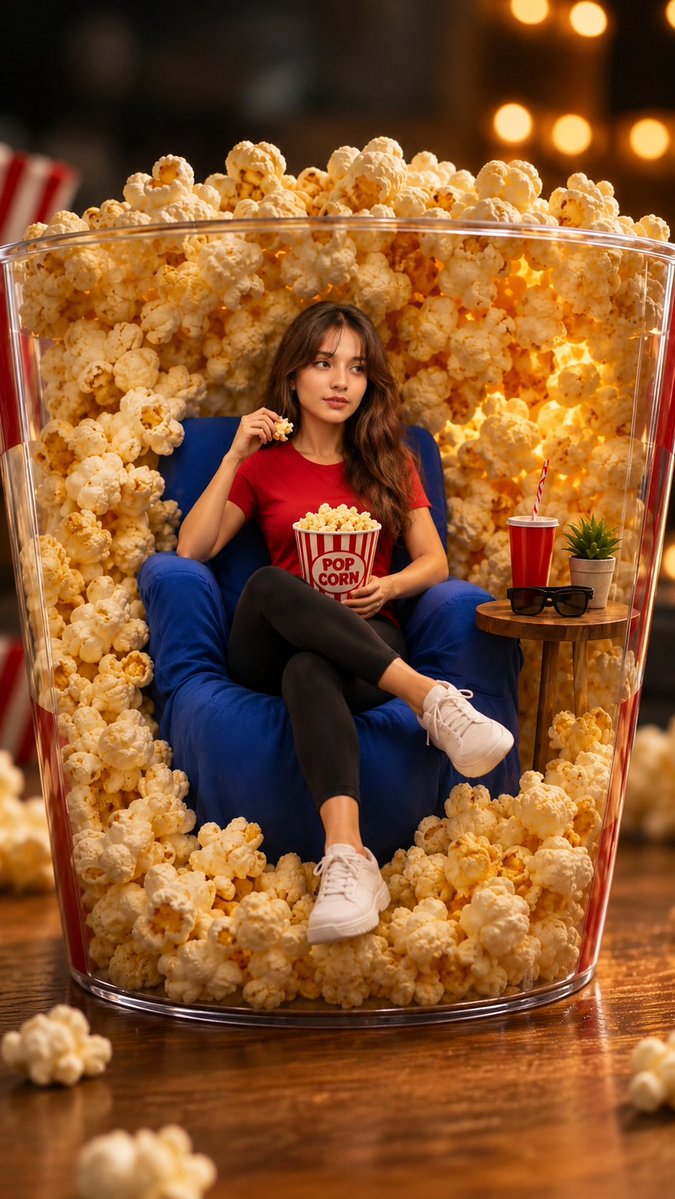
An ultra-realistic whimsical miniature fantasy scene featuring a chibi girl interacting with a giant popcorn bucket, warm cinematic lighting, shallow depth of field, vibrant colors, rendered in 8K.
Prompt
Made with GPT image 2 on chatgpt prompt 👇 Create an ultra-realistic whimsical miniature fantasy scene featuring the exact same girl from the uploaded image, preserving her facial identity 100%, hairstyle, skin tone, and expression with extremely high fidelity. She has an adorable oversized highly detailed head and a tiny stylized body (chibi proportions). Place her interacting naturally with giant everyday objects or oversized food items in a playful, imaginative environment. The oversized object should become the main setting (such as a giant popcorn bucket, fruit dessert, drink, snack, or any oversized household item), creating a magical sense of scale. Include rich environmental storytelling with realistic props, warm cinematic lighting, soft golden glow, shallow depth of field, creamy bokeh, vibrant colors, highly detailed textures, photorealistic materials, realistic shadows, and premium commercial advertising quality. The character should have a cute, expressive pose that interacts naturally with the oversized object (sitting, pulling, climbing, relaxing, or playing). The background should feel cozy, lively, and immersive with additional decorative elements that enhance the fantasy atmosphere. Render in hyper-realistic 8K, HDR, ultra-sharp focus, DSLR quality, masterpiece composition, whimsical miniature world, Pixar-inspired proportions while maintaining realistic human facial details.
Kynvio Prompt Workflow
How to use this prompt
Open it in Image Studio
Send the prompt to Kynvio AI without starting a generation.
Adapt the details
Replace the subject, setting, colors, text, or composition for your goal.
Review and generate
Choose your final settings, then click Generate when you are ready.
Related GPT Image 2 prompts
GPT Image 2 prompts
About this prompt
Will opening this prompt spend credits?
No. The button only prefills Image Studio. Credits are used only after you start a generation.
Can I edit the prompt first?
Yes. The transferred text is fully editable before you generate an image.