
Ultra-Realistic Cinematic Chibi Figurine and Giant Graphite Portrait
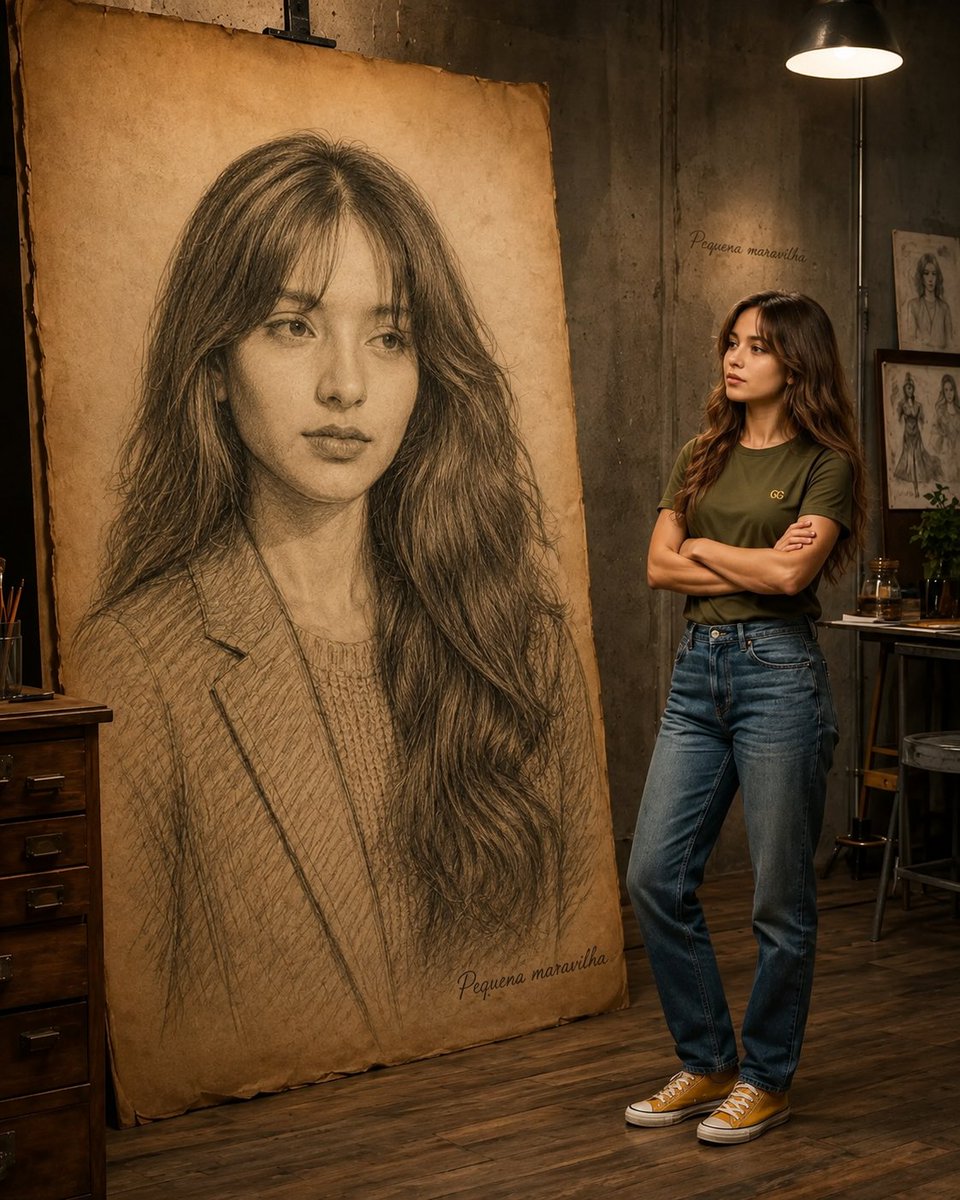
An ultra-realistic cinematic scene featuring a highly detailed chibi collectible figurine in the foreground, with a life-sized person and a giant graphite portrait in the background, set in a warm industrial artist studio.
Prompt
Create an ultra-realistic cinematic scene where a highly detailed miniature chibi-style collectible figurine of the person from the reference image is displayed in the foreground while, in the background, a life-sized version of the same person stands naturally beside a gigantic museum-quality hand-drawn graphite portrait of themselves on an oversized vintage parchment canvas. The figurine must have an oversized adorable head, expressive glossy eyes, and a small stylized body while preserving the exact facial identity, hairstyle, skin tone, and expression of the reference image. The full-size person should wear casual modern clothing and admire the massive pencil artwork with folded arms or a relaxed pose. The giant portrait should feature hyper-realistic graphite shading, intricate cross-hatching, and fine artistic details. Place the scene inside a warm industrial artist studio with wooden floors, concrete walls, framed sketches, vintage furniture, and soft cinematic lighting. Include shallow depth of field, realistic textures, premium craftsmanship, dramatic composition, photorealistic rendering, 8K HDR, masterpiece quality, ultra-detailed, professional photography, volumetric lighting, and a luxurious cinematic atmosphere.
Kynvio Prompt Workflow
How to use this prompt
Open it in Image Studio
Send the prompt to Kynvio AI without starting a generation.
Adapt the details
Replace the subject, setting, colors, text, or composition for your goal.
Review and generate
Choose your final settings, then click Generate when you are ready.
Related GPT Image 2 prompts
GPT Image 2 prompts
About this prompt
Will opening this prompt spend credits?
No. The button only prefills Image Studio. Credits are used only after you start a generation.
Can I edit the prompt first?
Yes. The transferred text is fully editable before you generate an image.