
Ultra-Realistic Adorable 3D Cartoon-Photorealistic Hybrid Illustration: AI Lifestyle Scene
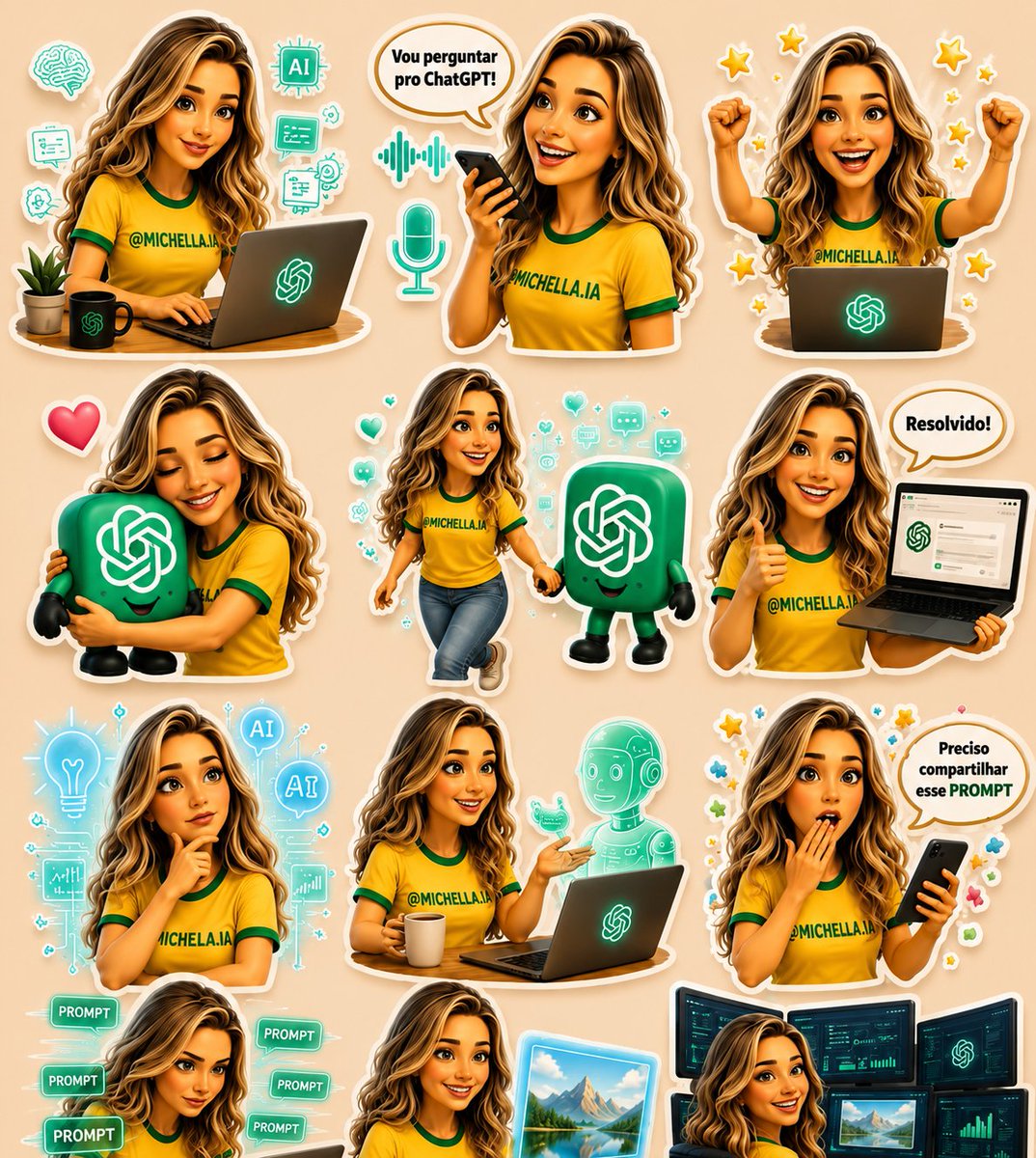
This illustration depicts a beautiful young woman comfortably reading in a Scandinavian-style room, surrounded by chibi versions of herself engaging in various AI-related activities, with hand-drawn doodles, blending Pixar-style 3D design with ultra-realistic photography to create a magical atmosphere.
Prompt
Create an ultra-realistic yet adorable 3D cartoon–photorealistic hybrid illustration featuring the SAME beautiful young woman with long wavy hair, expressive eyes, soft glowing skin, and a warm, friendly smile. She is sitting comfortably in a cozy Scandinavian-inspired room beside a large window, wearing a soft pastel knit lounge outfit while holding a warm cup of coffee or tea and reading a book. A modern laptop displaying a glowing AI interface sits nearby, creating a productive yet relaxing atmosphere. Around her are cute 3D chibi versions of herself performing different activities such as studying, typing on a laptop, talking to an AI assistant, hugging a smiling AI mascot, walking with a tiny robot, presenting AI tools, creating digital art, thinking with holographic AI icons, celebrating success, and relaxing inside a teacup. Surround the scene with playful hand-drawn doodles including hearts, flowers, leaves, stars, sparkles, speech bubbles, microphones, chat icons, prompts, robots, holographic UI elements, and handwritten inspirational words. Blend premium Pixar-style 3D character design with ultra-realistic photography seamlessly. Soft pastel color palette, cozy aesthetic, cinematic golden natural lighting, shallow depth of field, HDR, glossy sticker-like elements with clean white outlines, highly detailed textures, magical atmosphere, editorial composition, ultra-sharp focus, photorealistic quality, 8K masterpiece.
Kynvio Prompt Workflow
How to use this prompt
Open it in Image Studio
Send the prompt to Kynvio AI without starting a generation.
Adapt the details
Replace the subject, setting, colors, text, or composition for your goal.
Review and generate
Choose your final settings, then click Generate when you are ready.
Related GPT Image 2 prompts
GPT Image 2 prompts
About this prompt
Will opening this prompt spend credits?
No. The button only prefills Image Studio. Credits are used only after you start a generation.
Can I edit the prompt first?
Yes. The transferred text is fully editable before you generate an image.