
Ultra-Luxury Executive Office Portrait
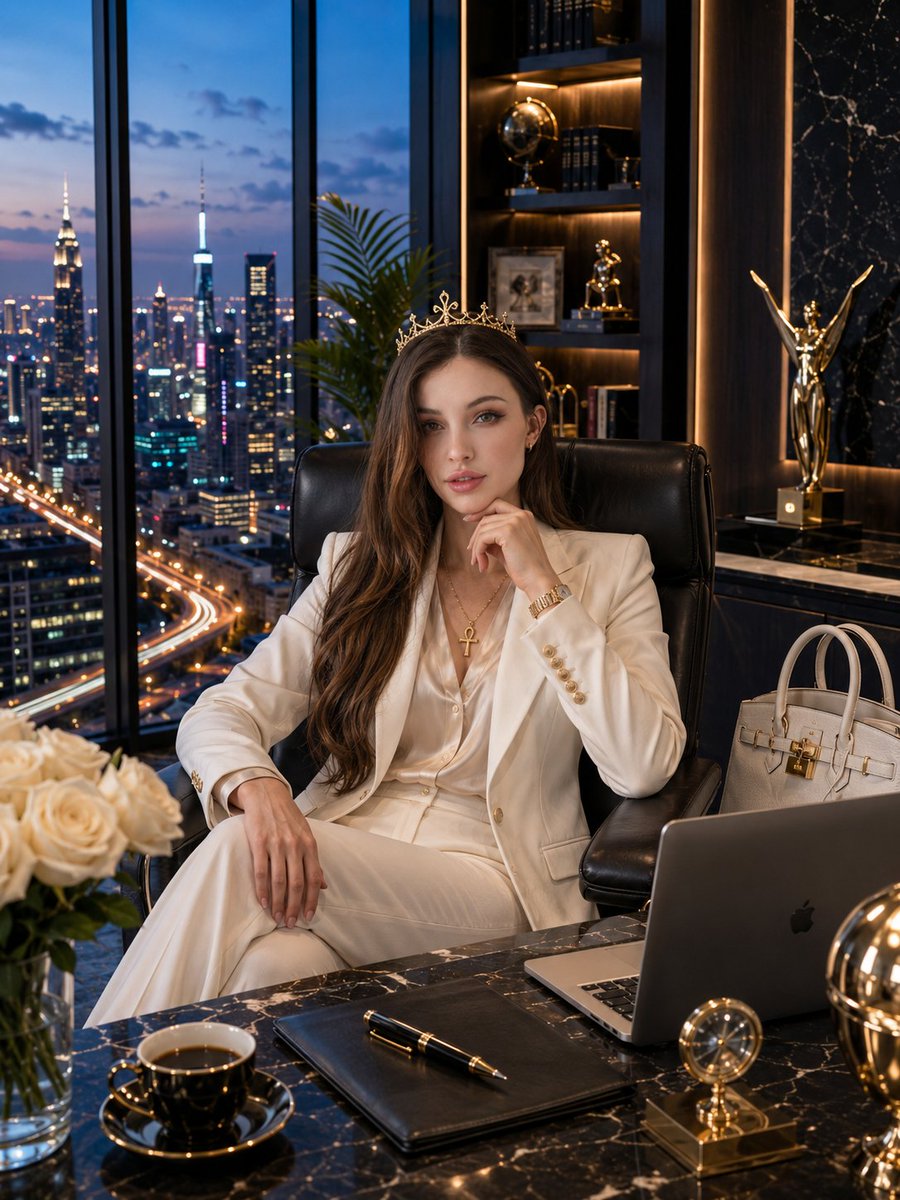
Create an ultra-luxury executive office portrait inside a penthouse at the top of a skyscraper, with a city skyline at blue hour, preserving the subject's exact identity.
Prompt
Use the uploaded image as the ONLY identity reference. Preserve the subject's exact identity with maximum accuracy, including facial structure, facial proportions, eyes, eyebrows, eyelashes, nose, lips, jawline, skin tone, hairstyle or hijab style, facial expression, age appearance, and every recognizable feature. If the subject wears glasses or sunglasses, preserve the EXACT same eyewear without changing its shape, color, reflections, or position. Never alter the eye shape, gaze, facial proportions, facial hair, facial expression, or head proportions. Maintain a realistic 1:7.5–1:8 head-to-body ratio and anatomically correct proportions. Match the facial lighting naturally with the environment. Create an ultra-luxury executive office portrait inside a breathtaking modern penthouse located at the top of a skyscraper. Floor-to-ceiling panoramic windows reveal a spectacular city skyline at blue hour, filled with illuminated skyscrapers, reflections, highways, and glowing architectural lights. The office features polished marble floors, premium wood paneling, warm ambient lighti…
Kynvio Prompt Workflow
How to use this prompt
Open it in Image Studio
Send the prompt to Kynvio AI without starting a generation.
Adapt the details
Replace the subject, setting, colors, text, or composition for your goal.
Review and generate
Choose your final settings, then click Generate when you are ready.
Related GPT Image 2 prompts
GPT Image 2 prompts
About this prompt
Will opening this prompt spend credits?
No. The button only prefills Image Studio. Credits are used only after you start a generation.
Can I edit the prompt first?
Yes. The transferred text is fully editable before you generate an image.