
Testing Magnific's MCP via Codex

The author compares the generation results of GPT Image 2, Seedream 5 Pro, and Seedream 4.5 with the same reference image and prompt, and discusses the convenience and cost of using these models via MCP.
Prompt
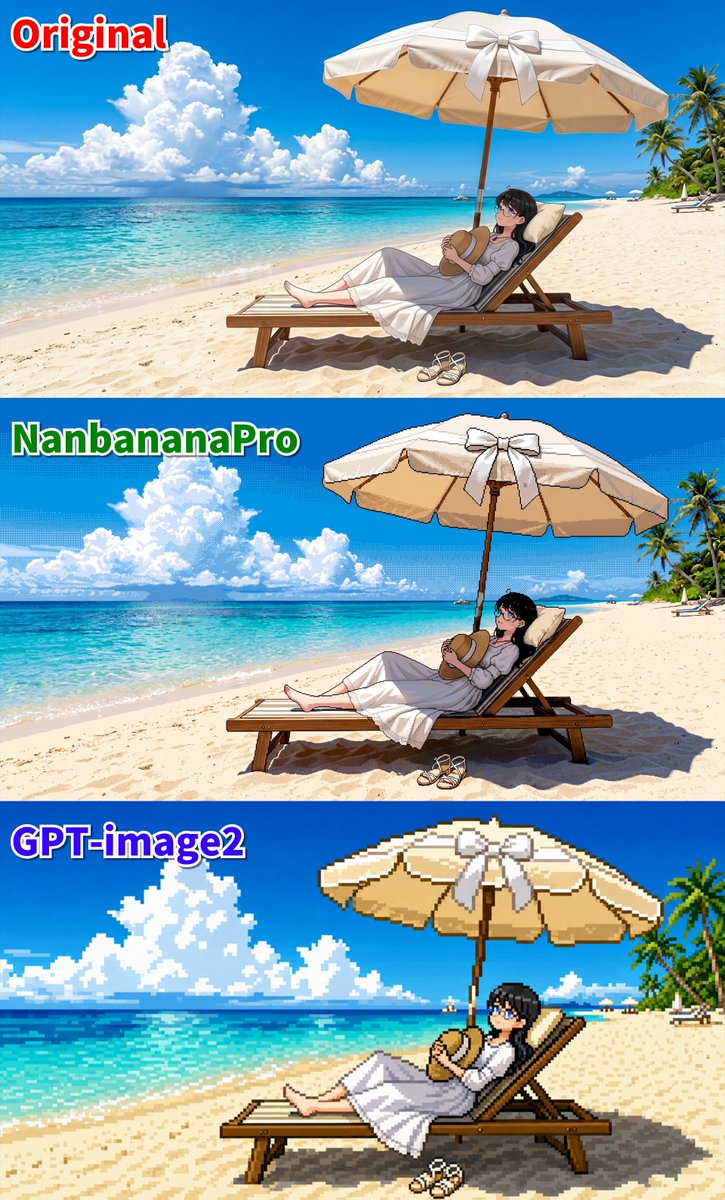
Using the same reference image and prompt, from top to bottom: GPT Image 2 (2K・High) Seedream 5 Pro Seedream 4.5 (2K) Considering the reproduction of the original drawing's lines, I still prefer 4.5 5 Pro optimizes the background but makes the overall image softer GPT 2 is the most helpful in constructing the scene, but character movements become monotonous or deviate from the original It's convenient to reuse reference images seamlessly via MCP However, using MCP is not covered by the unlimited plan GPT 2・2K・High costs 1,400 credits 5 Pro costs 75~150 credits 4.5 costs 50 credits So the actual workflow might be: Generate roughs and JSON for regeneration in Codex's image-gen ↓ Input into Seedream 4.5 in Magnific's browser for regeneration Conclusion Isn't it better to just use the browser?
Kynvio Prompt Workflow
How to use this prompt
Open it in Image Studio
Send the prompt to Kynvio AI without starting a generation.
Adapt the details
Replace the subject, setting, colors, text, or composition for your goal.
Review and generate
Choose your final settings, then click Generate when you are ready.
Related GPT Image 2 prompts
GPT Image 2 prompts

About this prompt
Will opening this prompt spend credits?
No. The button only prefills Image Studio. Credits are used only after you start a generation.
Can I edit the prompt first?
Yes. The transferred text is fully editable before you generate an image.