
Summer Dream on the Balcony
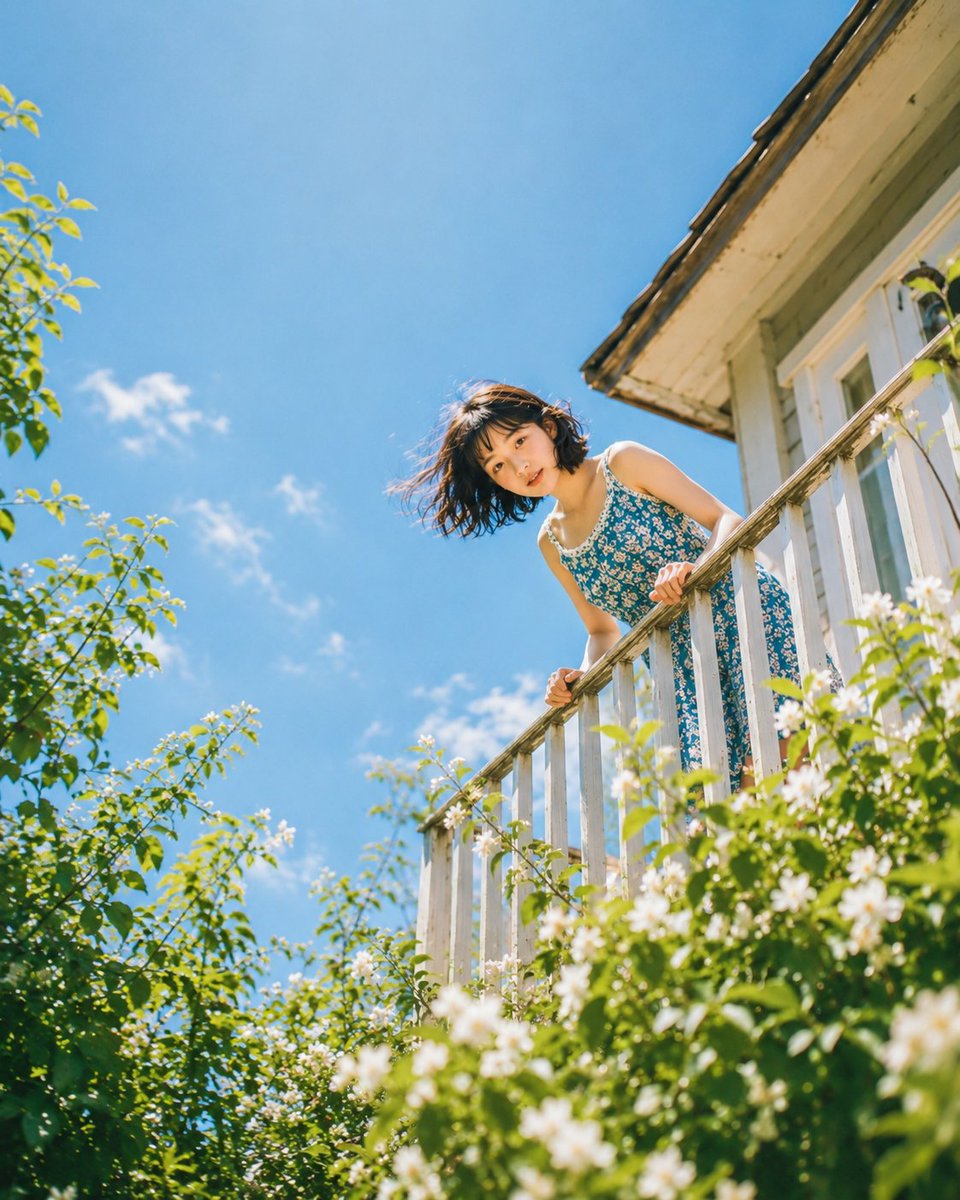
A series of low-angle photos of a young woman on a balcony, including close-up, extreme close-up, and wide compositions, evoking a dreamy summer atmosphere.
Prompt
Looking down, dreaming up. Prompt: Close-up shot from low angle, young woman's face peeking over white balcony railing, both hands gripping railing edge visible, direct playful eye contact with camera, wind-blown short dark hair, floral dress strap visible at shoulder, heavily blurred green leaves and white blossoms in foreground, blue sky behind, warm golden skin tone, shallow depth of field, vertical 4:5 --ar 4:5 --v 6 Extreme low angle shot, more than half the frame filled with heavily blurred green leaves and white flower blossoms in extreme foreground, young woman in floral sundress barely visible peeking over railing above the foliage, only face and hands clearly visible, wide-eyed curious expression with direct gaze through the foliage, blue sky above, dreamy soft bokeh, maximum depth layering, vertical 4:5 --ar 4:5 --v 6 Wide low-angle shot looking up at young woman leaning over white wooden balcony railing of a charming house exterior, full figure visible from waist up, blue and white floral sundress, both hands on railing, short dark hair caught by breeze, lush green garden foliage framing the bottom and sides, bright blue sky filling upper background, warm golden afternoon light, negative space in sky for caption text, dreamy summer editorial photography, vertical 4:5 composition --ar 4:5 --v 6 Same extreme low-angle balcony peeking composition at golden hour, young woman with short dark hair peeking over white railing, warm amber-golden light washing over skin and floral dress, sky shifting from deep amber at horizon to blue above, blurred garden foliage in warm green-gold tones in foreground, long shadow cast across the railing, direct playful eye contact, cinematic golden hour color grade, vertical 4:5 --ar 4:5 --v 6
Kynvio Prompt Workflow
How to use this prompt
Open it in Image Studio
Send the prompt to Kynvio AI without starting a generation.
Adapt the details
Replace the subject, setting, colors, text, or composition for your goal.
Review and generate
Choose your final settings, then click Generate when you are ready.
Related GPT Image 2 prompts
GPT Image 2 prompts
About this prompt
Will opening this prompt spend credits?
No. The button only prefills Image Studio. Credits are used only after you start a generation.
Can I edit the prompt first?
Yes. The transferred text is fully editable before you generate an image.