
Prompt Builder: A Workbench That Turns Visual Intent into Model-Correct Prompts
A browser-based workbench that turns visual intent into model-correct prompts for Midjourney V7, FLUX.2, Nano Banana, and GPT Image 2. Includes 100+ visual presets, four model-specific output formats, manual controls, an optional BYOK conversational Agent, English and Chinese input, no account and no backend.
Prompt
I used @hyperagentapp by @airtable to finally finish Prompt Builder. It’s now live: a browser-based workbench that turns visual intent into model-correct prompts for Midjourney V7, FLUX.2, Nano Banana, and GPT Image 2. I had already built the core idea. The unfinished part was the hard last mile: the visual system, the Agent workflow, QA, PWA caching, and making sure the deployed site actually matched the code. I used Hyperagent as the operating layer for finishing the project — not as a one-shot chatbot. An art-direction agent developed distinct visual directions from the real product. A coding agent implemented the chosen direction. An independent acceptance agent reviewed the result, so the builder never graded its own work. A persistent LOOP-STATE document carried decisions, defects, and next actions between runs. Browser checks verified the actual live site. A green GitHub push did not count as shipped. I made the creative call: “One-Sheet” — coated-paper white, ink black, one Klein-blue accent, zero rounded corners, and the hierarchy of a printed production document. What shipped: - 100+ visual presets - Four model-specific output formats - Manual controls that work without an AI key - An optional BYOK conversational Agent - English and Chinese input - No account and no backend - One 357,539-byte HTML app The creative decisions stayed mine. Hyperagent let me run the work like a small production crew: clear roles, real handoffs, persistent state, independent review, and a finish line. Born on a film-prep desk. Built for anyone who prompts. Where do your projects usually stall: the core build, or the last 10% required to make them truly finished? #AIAgents #BuildInPublic Try Prompt Builder: https://t.co/UGRy8aPZdD Open source: https://t.co/K5jTihAuOA
Kynvio Prompt Workflow
How to use this prompt
Open it in Image Studio
Send the prompt to Kynvio AI without starting a generation.
Adapt the details
Replace the subject, setting, colors, text, or composition for your goal.
Review and generate
Choose your final settings, then click Generate when you are ready.
Related GPT Image 2 prompts
GPT Image 2 prompts
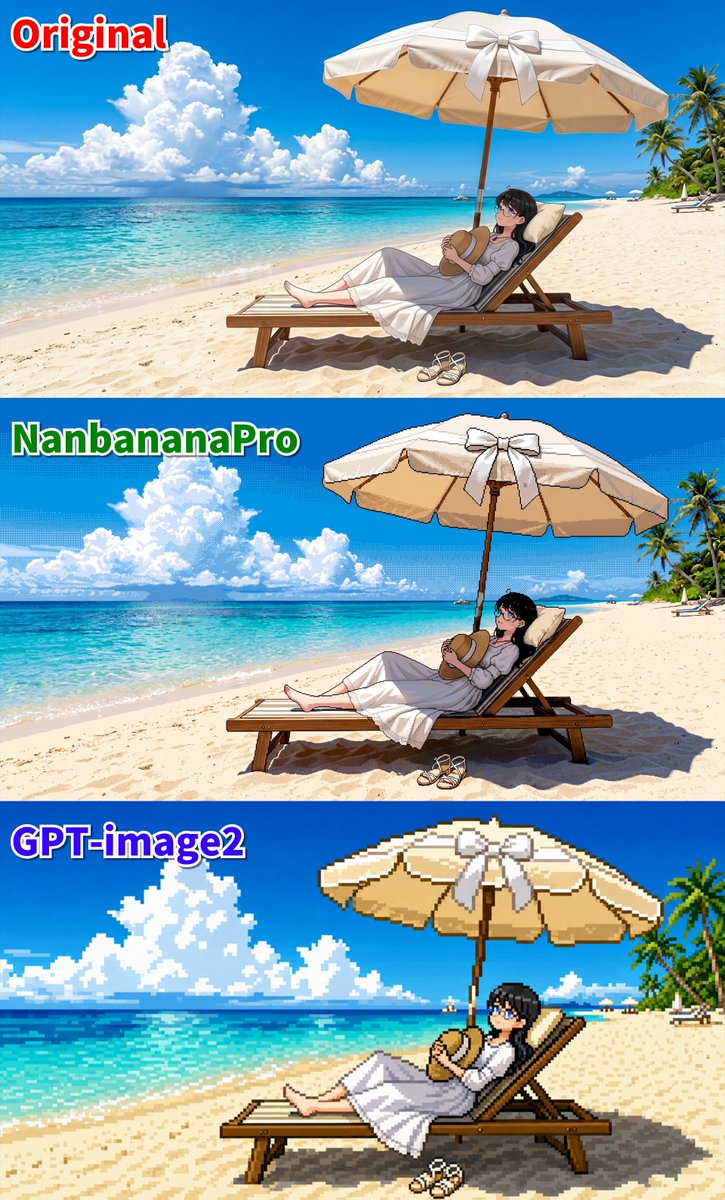
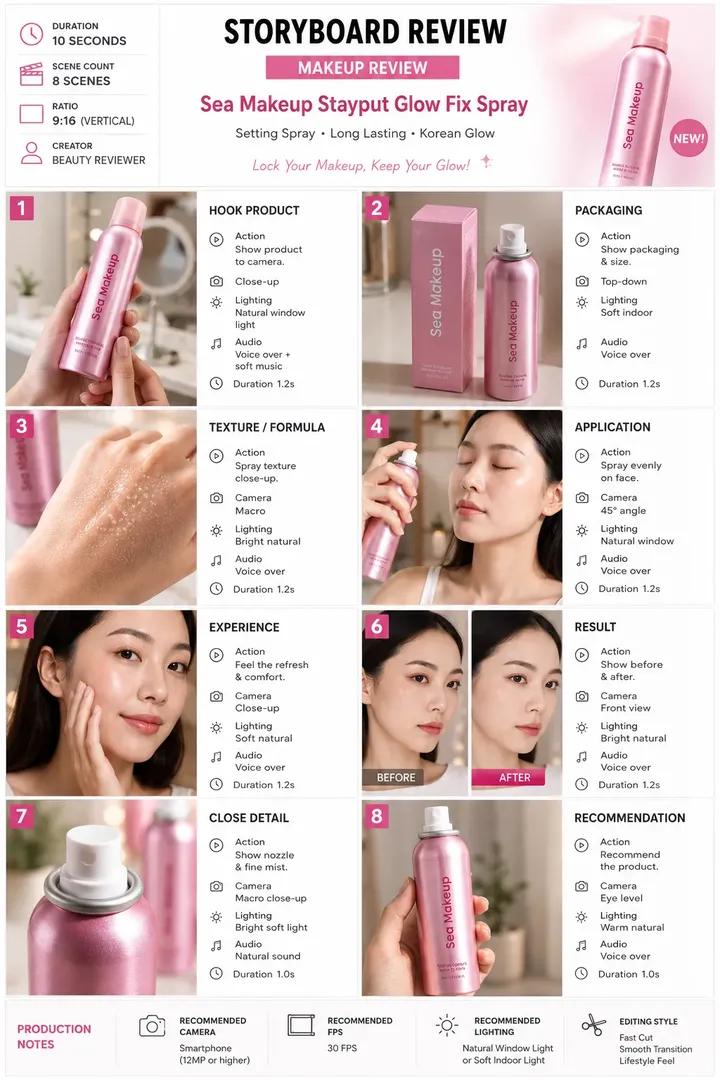
About this prompt
Will opening this prompt spend credits?
No. The button only prefills Image Studio. Credits are used only after you start a generation.
Can I edit the prompt first?
Yes. The transferred text is fully editable before you generate an image.