
Minimalist Vector Doodle Illustration
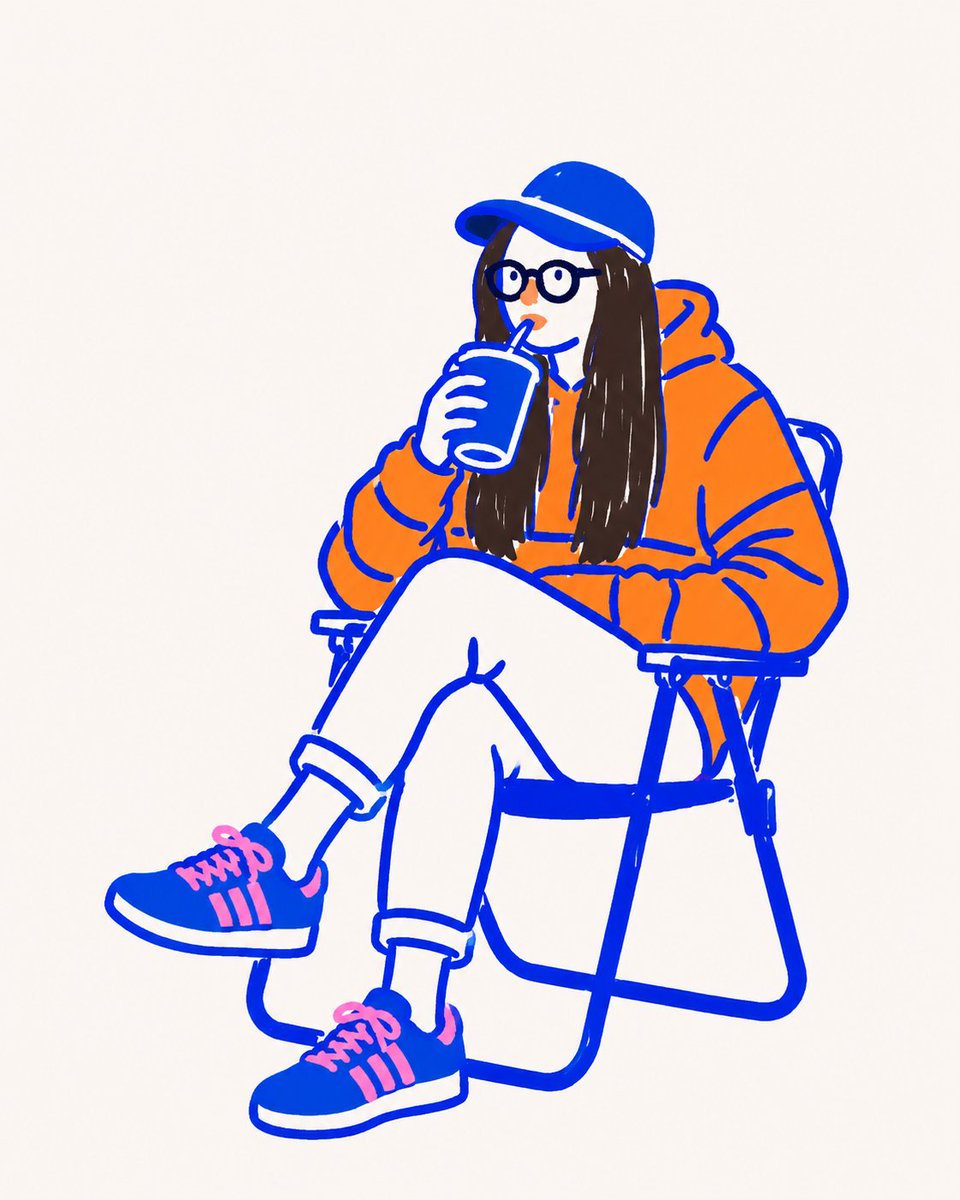
Create a minimalist vector doodle illustration based on the uploaded image as composition and color reference, using thick cobalt-blue outlines and flat solid colors.
Prompt
Treat the uploaded image as composition and color reference only. Recreate it as an original minimalist vector doodle illustration. Use thick monoline cobalt-blue outlines with intentionally uneven hand-drawn strokes. Fill every object with completely flat solid colors sampled from the reference. No gradients, no realistic shading, no marker texture, no pencil texture, no cross-hatching, no painterly effects, no photorealism. Simplify facial features into cartoon shapes with round eyes, tiny nose, simple mouth, and minimal details while keeping the pose instantly recognizable. Use a clean off-white paper background with lots of negative space. The overall style should match a modern editorial doodle illustration, similar to hand-drawn vector artwork created with Procreate or Adobe Fresco, playful, bold, flat, minimal, and graphic Do not create a marker sketch. Do not create a realistic illustration. Create a flat vector doodle with bold blue outlines exactly in the same visual language as the reference.
Kynvio Prompt Workflow
How to use this prompt
Open it in Image Studio
Send the prompt to Kynvio AI without starting a generation.
Adapt the details
Replace the subject, setting, colors, text, or composition for your goal.
Review and generate
Choose your final settings, then click Generate when you are ready.
Related GPT Image 2 prompts
GPT Image 2 prompts
![Vintage Propaganda Illustration: Hand Gripping [SUBJECT]](https://prompt-media.kynvio.ai/public/prompts/019f82fd-7154-75d8-9665-fa450bafb9dc/019f82fd-746e-70bf-bf91-24f4be3b06de/original.jpg)
About this prompt
Will opening this prompt spend credits?
No. The button only prefills Image Studio. Credits are used only after you start a generation.
Can I edit the prompt first?
Yes. The transferred text is fully editable before you generate an image.