
Mechanoid Ronin Storyboard: Blade Through Legions
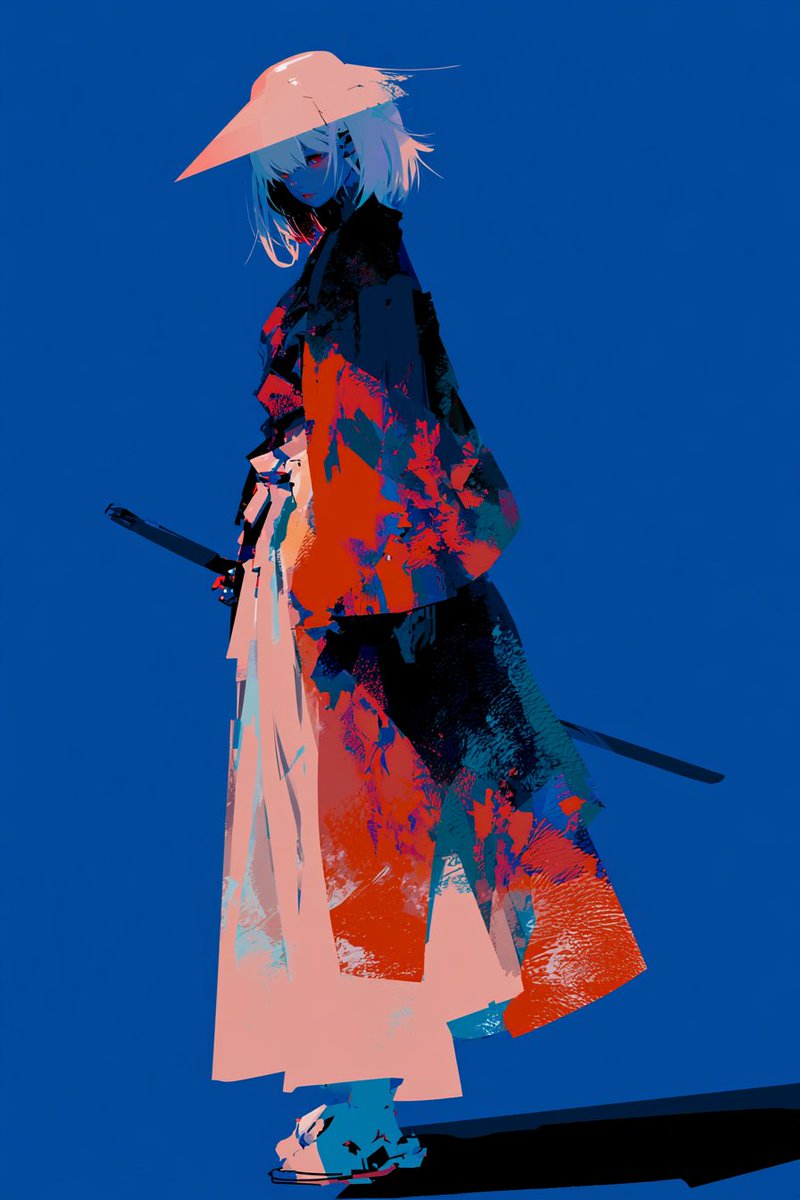
A landscape clean monochrome 2D storyboard line-sketch sheet with 9 panels depicting a mechanoid ronin cutting through endless mechanical ranks screen-right. Style is sparse graphite-gray contours on white paper with no fills or detail.
Prompt
Create a landscape clean monochrome 2D storyboard line-sketch sheet of a mechanoid ronin cutting endless ranks screen-right; do not render bracketed labels. [HEADER] Header with one thin rule; show only: "Blade Through Legions" "Ronin cuts through endless mechanical ranks" [BOARD] Balanced contact sheet with 9 near-equal 16:9 landscape panels, clear gutters, natural P## order, and a centered incomplete last row when needed. Headers are `P## / CAMERA ANGLE / SHORT BEAT`; one frozen beat per panel, with count and order outranking packing. [STYLE] Clean monochrome 2D storyboard line sketch on white paper: sparse single-pass graphite-gray contours, simplified featureless pose figures, minimal construction marks, and only essential set geometry. No fills, wash, hatching, shading, shadows, ambient occlusion, color, texture, 3D/clay volume, finished illustration, dense/repeated lines, or facial/anatomy/clothing/surface detail. [REFERENCES] Image A controls the ronin signature: broad conical hat, short hair mass, long layered robe, single katana. [CONTINUITY] Ronin advances right on one bridge axis, single katana fixed; Blade Runners are lean split-helmet forms, Aerial Hunters narrow wing-shouldered fliers, Bulwarks broad square forms. Use 5-10 near units and sparse ranks implying hundreds; power is absent through P07, descends from the sky into the katana in P08, and carries out as one wave in P09. [RULES] Only header lines and panel headers are visible; no panel text, arrows, icons, insets, extra panels, duplicates, ghost poses, or object-like effect marks. [BEATS] Draw one storyboard panel per BEAT: BEATS: P01 / Profile WS / First Split: Chest-height level profile, low horizon, bridge top visible; ronin left sprints right as one Blade Runner separates at her blade and eight block the corridor. P02 / Low Profile FS / Triple Contact: Knee-height profile pitched up over a low horizon; ronin center-left holds a horizontal cut touching three Blade Runners with one attached edge arc. P03 / High Rear WS / Gap Dash: Raised rear three-quarter view pitched down with bridge top exposed; five Blade Runners recoil to both sides as ronin compresses into the open center lane. P04 / Low 3-4 FS / Rising Cleave: Ground front three-quarter view pitched up with undersides visible; ronin drives through the cleared center into two descending Aerial Hunters. P05 / High Side WS / Air Crosscut: High side view pitched down with platform top visible; ronin forms one airborne silhouette, her katana touching four Aerial Hunters along one arc. P06 / Ground Rear WS / Shield Stop: Ground rear three-quarter view with floor convergence and low horizon; ronin lands hard on one braced forward foot as her low katana meets one Bulwark shield-arm and four more broad forms seal the rightward lane. P07 / Profile MS / Shield Recoil: Waist-height level profile with compressed corridor; ronin twists her single katana free as five Bulwarks stagger right and her body recoils into open left space. P08 / Low 3-4 FS / Storm Draw: Knee-height front three-quarter FS pitched up with low horizon and undersides; ronin plants wide and raises her single katana two-handed overhead as three jagged unfilled sky bolts meet its tip before mixed ranks. P09 / Top-down EWS / Void Shear: Overhead EWS with no horizon, bridge edges and top planes visible; ronin at left anchors one broad unfilled crescent to her katana, dividing mixed ranks as its front exits right.
Kynvio Prompt Workflow
How to use this prompt
Open it in Image Studio
Send the prompt to Kynvio AI without starting a generation.
Adapt the details
Replace the subject, setting, colors, text, or composition for your goal.
Review and generate
Choose your final settings, then click Generate when you are ready.
Related GPT Image 2 prompts
GPT Image 2 prompts
About this prompt
Will opening this prompt spend credits?
No. The button only prefills Image Studio. Credits are used only after you start a generation.
Can I edit the prompt first?
Yes. The transferred text is fully editable before you generate an image.