
Lip Bite: Extreme Close-up Beauty Portrait
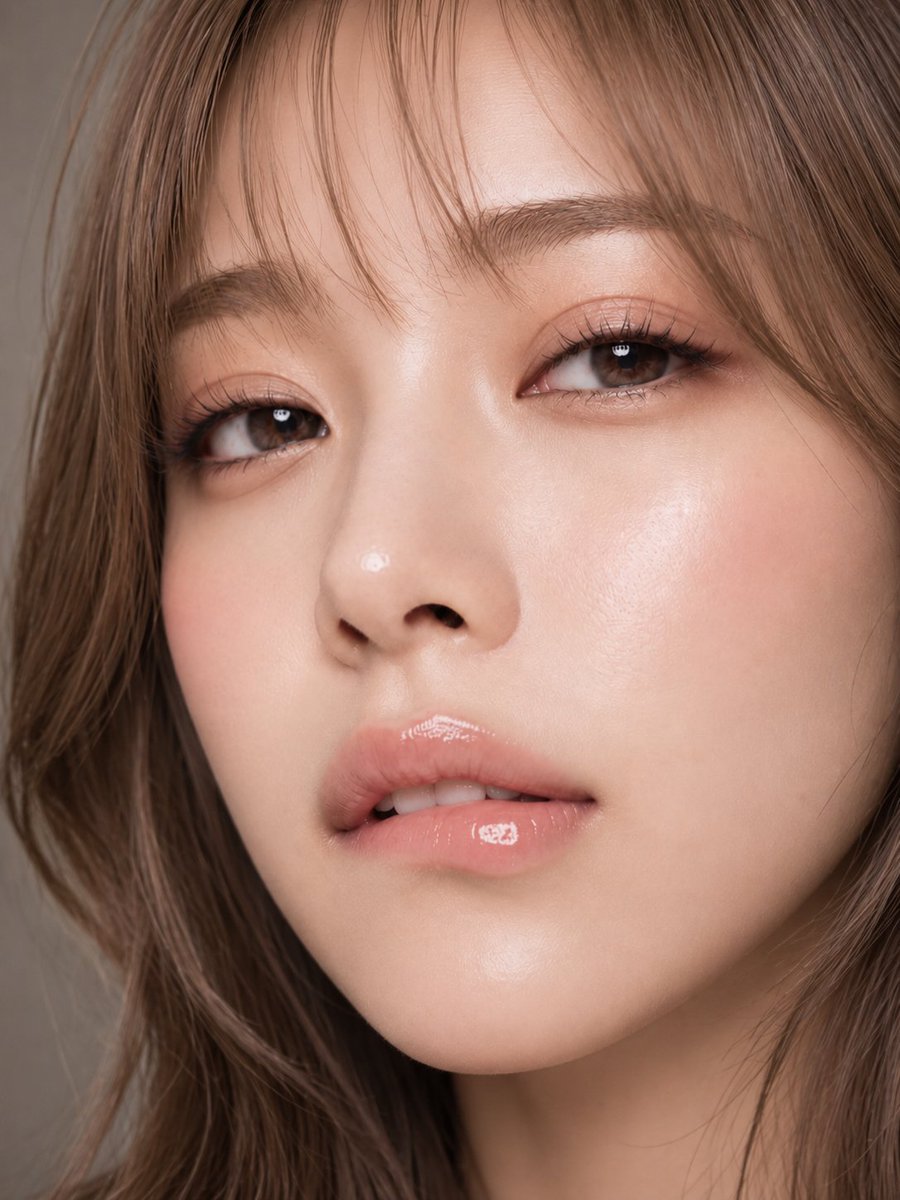
A vertical 3:4 AI-generated beauty portrait, extreme close-up of a woman in her 20s biting her lower lip with a direct, inviting gaze. Detailed skin, glossy lips, soft lighting, delicate Japanese makeup.
Prompt
Emotions seep through the bitten lower lip before words. Just staring straight, yet unable to escape a little. 🫧💄🫦 #AIart #AIphoto #beautyportrait [GPT Image2 Prompt] Subject: Gaze lingering on the lips Main Subject: Vertical 3:4 realistic beauty portrait. An extreme close-up of a woman in her 20s, boldly cropped from the upper forehead to below the chin. The face occupies most of the frame slightly right of center, clearly showing both eyes, nose, lips, and jawline. Neck and clothing are barely visible, focusing on expression, skin, eyes, and lip texture. Character & Expression: Bright ivory-beige fair skin with a hint of pink flush, smooth with visible natural texture. Slightly slender oval face shape, smoothly connecting from cheeks to chin. Head slightly tilted, eyelids slightly lowered, looking straight at the camera. Small clear catchlights in the eyes, creating a quiet yet inviting gaze. Eyebrows and eyes relaxed, composed expression. Mouth slightly open, upper front teeth gently biting the inner lower lip. The bitten part naturally lifts a little, creating soft pressure and gloss on the lips. Not exaggerated, a moment of elegant allure. Clothing & Pose: Almost no clothing or accessories in frame. Shoulders and body slightly angled from front, face turned back toward camera in natural posture. No unnatural tension in neck or chin, stable facial center. Minimal movement, expressing emotion only through biting lower lip, half-open eyelids, and slight head tilt. Background & Lighting: Warm greige to light brown solid studio background. Shallow depth of field, background completely blurred. Large soft diffused light from upper left, creating delicate highlights on forehead, nose bridge, tip, cheekbones, chin, and center of lips. Very faint shadow on right side of face, weak beige fill light from opposite side to prevent dark contours. Small clear reflections in eyes and lip gloss. Composition & Camera: Vertical 3:4. Extreme close-up with face occupying about 90% of frame. Upper forehead and some hair slightly cropped at top, chin slightly above bottom edge. More dark hair area on left, narrow margin along right cheek and jawline. Camera at eye level, slightly frontal. 85-105mm equivalent medium telephoto macro lens to minimize distortion. Focus on near eye and lips, detailed rendering of lashes, brows, pores, and wet lip texture. Background and far hair softly blurred. Texture & Style: Light milk tea ash brown hair. Thin see-through bangs, layered cut around face, medium-long to below shoulders. Ends loosely curled inward, airy volume and natural strands. Detailed depiction of hair flow, fine highlights, soft shine, a few natural stray hairs. Makeup: precise elegant doll-like Japanese makeup. Pale rose pink blush, champagne beige and pink brown eyeshadow, natural thin eyeliner, long fine lashes, subtle natural under-eye bags, soft light brown brows. Lips: sheer pink beige gloss, strong wet reflection on center and bitten part, natural lip lines and soft thickness. Skin not overly smoothed, high-definition beauty ad photo with fine pores and vellus hair. Calm warm tones, not too low contrast, delicate clean finish. Negative: Underage-looking features, unnatural face, overly pointed chin, asymmetrical eyes, unnatural gaze, crossed eyes, distorted mouth, excessive lip deformation, unnatural teeth, poor lip-tooth contact, exaggerated expression, plastic skin, too much skin smoothing, missing pores, unnatural hairline, hair merging, garbled text, logo, watermark.
Kynvio Prompt Workflow
How to use this prompt
Open it in Image Studio
Send the prompt to Kynvio AI without starting a generation.
Adapt the details
Replace the subject, setting, colors, text, or composition for your goal.
Review and generate
Choose your final settings, then click Generate when you are ready.
Related GPT Image 2 prompts
GPT Image 2 prompts
About this prompt
Will opening this prompt spend credits?
No. The button only prefills Image Studio. Credits are used only after you start a generation.
Can I edit the prompt first?
Yes. The transferred text is fully editable before you generate an image.