
Indonesian Woman Smartphone Selfie
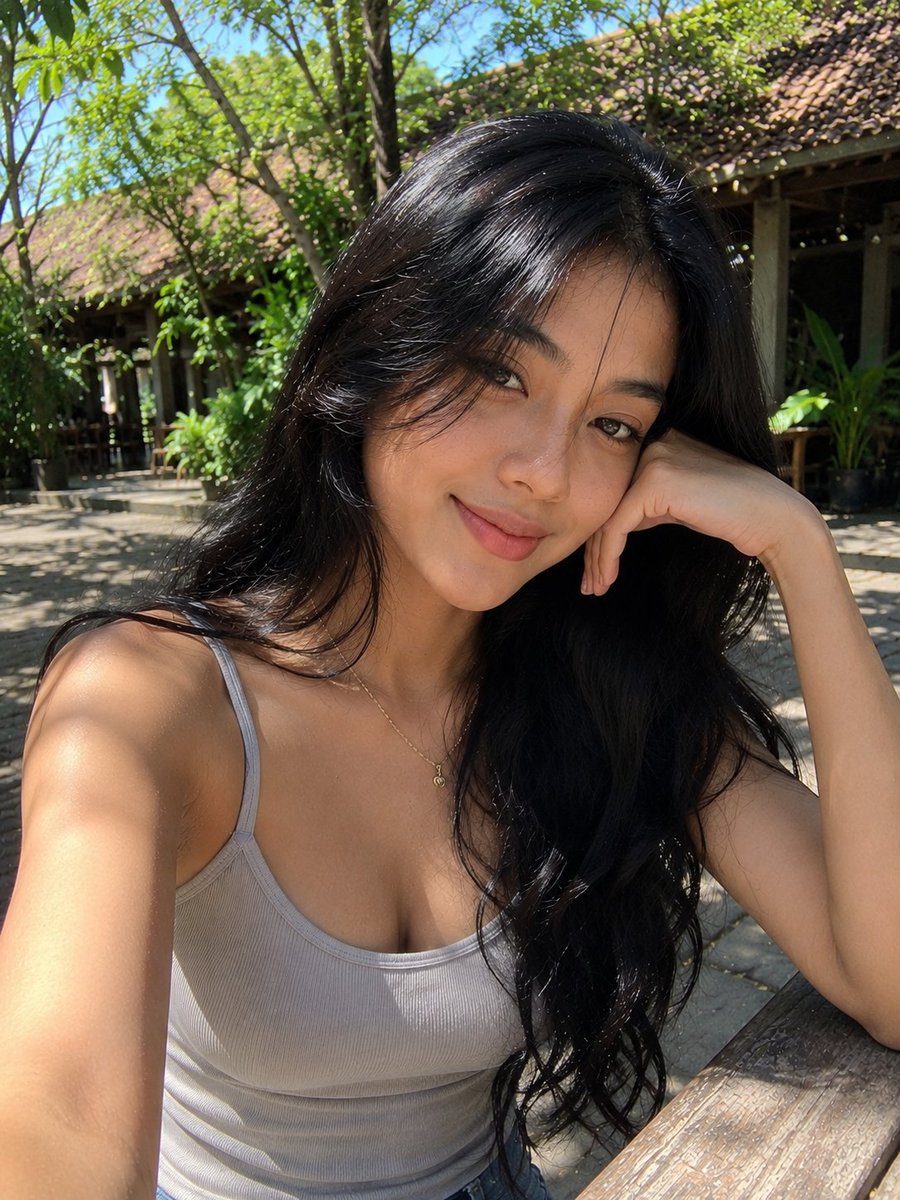
An ultra-realistic smartphone selfie of a 20-year-old Indonesian woman in a tropical garden café, with warm natural light and authentic mobile photography look.
Prompt
Ultra-realistic smartphone selfie, looks genuinely captured with a mobile phone, not a DSLR or AI render. A stunning 20-year-old Indonesian woman with healthy tan skin, naturally beautiful facial features, long deep-black hair with soft loose waves, airy face-framing strands gently blown by the breeze, expressive dark brown eyes, soft natural Indonesian makeup with subtle warm blush, lightly defined brows, and glossy nude lips. She is wearing a fitted light beige ribbed tank top and a delicate thin gold necklace with a tiny pendant. She is sitting casually at a rustic wooden outdoor café table, resting her head gently on her right hand while extending her left arm to take the selfie. She smiles softly with a warm, relaxed expression, looking directly into the phone camera. The background features a lush tropical garden café with abundant green plants, large shady trees, traditional Indonesian wooden architecture with terracotta roof tiles, and warm sunlight filtering through the leaves, creating beautiful dappled light and natural shadows. A weathered wooden table occupies the foreground, adding an authentic lifestyle atmosphere. Warm midday sunlight illuminates her face naturally with realistic highlights and soft shadows. Authentic smartphone HDR, slight handheld framing, natural skin texture, visible fine hair strands, subtle phone camera digital noise, candid lifestyle aesthetic, Instagram-style selfie, ultra-detailed, photorealistic, looks exactly like an unedited iPhone/mobile camera photo, no studio lighting, no watermark, no text, no logos, no AI-generated look.
Kynvio Prompt Workflow
How to use this prompt
Open it in Image Studio
Send the prompt to Kynvio AI without starting a generation.
Adapt the details
Replace the subject, setting, colors, text, or composition for your goal.
Review and generate
Choose your final settings, then click Generate when you are ready.
Related GPT Image 2 prompts
GPT Image 2 prompts
About this prompt
Will opening this prompt spend credits?
No. The button only prefills Image Studio. Credits are used only after you start a generation.
Can I edit the prompt first?
Yes. The transferred text is fully editable before you generate an image.