
Hyper-Realistic Fashion Portrait: Elegant East Asian Woman in Modern Corridor
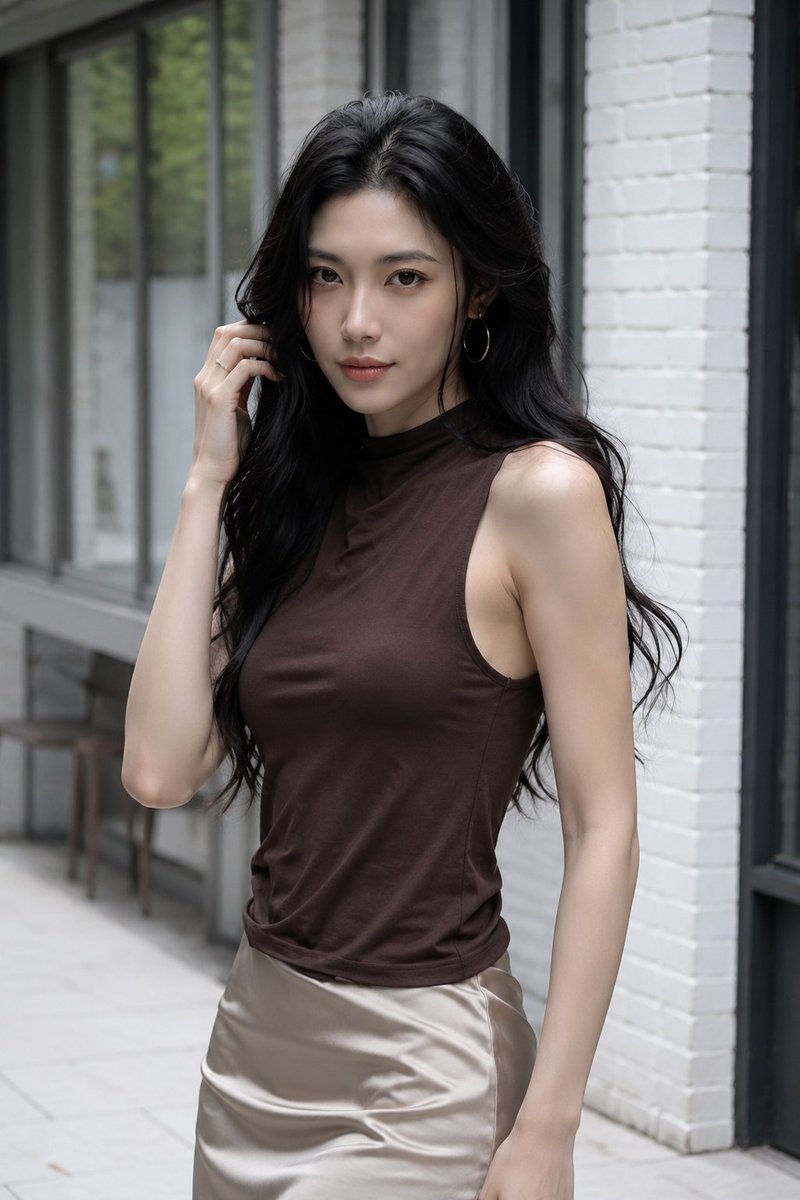
This is a hyper-realistic fashion portrait generated by GPT Image 2. The image features an adult East Asian woman standing in a modern refined outdoor corridor, with an elegant and confident posture. Detailed description of subject, hair, makeup, clothing, scene, lighting, and camera settings, emphasizing realism and detail.
Prompt
Hyper-realistic fashion portrait. Adult East Asian female, over 21 years old, standing in a modern refined outdoor corridor near white-painted brick walls and tall black-framed windows. Slightly off-center to the right, waist to mid-thigh framing. Ample architectural space on the left side of the frame, windows and walkway extending into the distance. Strong vertical lines of brick pillars and dark window frames create a clean contemporary geometric background. Subject: Torso generally facing forward, shoulders very slightly rotated to the viewer's left. Relaxed, elegant, confident posture. One arm naturally hanging by the side; the opposite hand delicately raised toward the hair near the temple, fingers lightly touching a loose strand. Head upright with a slight tilt, looking directly at the camera — dignified, understatedly confident expression, subtle closed-lip smile. Hair & Jewelry: Very long glossy black hair, soft voluminous waves, center part, falling over both shoulders, natural strands framing the cheekbones. Realistic shine, fine individual strands, gentle movement, rich tonal variation from deep black to soft charcoal gray highlights. Medium-sized shiny gold hoop earrings. A thin understated ring on the raised hand. Makeup: Refined natural — luminous fair skin, realistic pores, subtle tonal variation. Soft eyebrows, delicate brown-black eyeliner, long thick lashes, restrained peach blush, gentle cheekbone contouring, understated rose nude lips with soft satin texture. Naturally elegant facial proportions; no excessive smoothing or exaggerated features. Clothing: Fitted dark coffee sleeveless turtleneck — soft, matte, fine knit, high neckline, clean armholes, fine stretch, realistic seam construction, gentle gathers at waist, slight tension lines on torso. Champagne beige high-waisted satin skirt from hips down — smooth silky sheen, fluid drape, subtle diagonal highlights, soft creases, elegant neutral tone contrasting with the dark top. Scene: Minimalist upscale urban corridor — clean white brick pillar on the right, large floor-to-ceiling black metal window frames on the left, light stone or concrete pavement. Faint reflections of green trees in the glass, soft blurred interior visible through windows. Background understated, modern, clean; corridor forms a natural leading line extending to the left. Lighting: Soft diffused daylight from front left, similar to bright overcast outdoor light. Gentle highlights on forehead, cheekbones, hair, shoulders, arms, gold earrings, and satin skirt. Delicate shadows under jaw, neck, inner hair, and around waist. Cool neutral architectural tones balanced with warm skin, dark coffee brown, champagne satin, and gold accents. Camera: 85mm, eye level, f/2, sharp focus on eyes and face, smooth background separation, realistic skin and textile details, refined neutral tones, soft contrast, clean dynamic range, subtle natural bokeh. Negative: No text, no watermarks, no brand logos, no extra people, no deformed hands, no extra fingers, no unnatural body proportions, no plastic skin, no harsh flash, no cartoonish look.
Kynvio Prompt Workflow
How to use this prompt
Open it in Image Studio
Send the prompt to Kynvio AI without starting a generation.
Adapt the details
Replace the subject, setting, colors, text, or composition for your goal.
Review and generate
Choose your final settings, then click Generate when you are ready.
Related GPT Image 2 prompts
GPT Image 2 prompts
About this prompt
Will opening this prompt spend credits?
No. The button only prefills Image Studio. Credits are used only after you start a generation.
Can I edit the prompt first?
Yes. The transferred text is fully editable before you generate an image.