
Full-body portrait of an East Asian woman
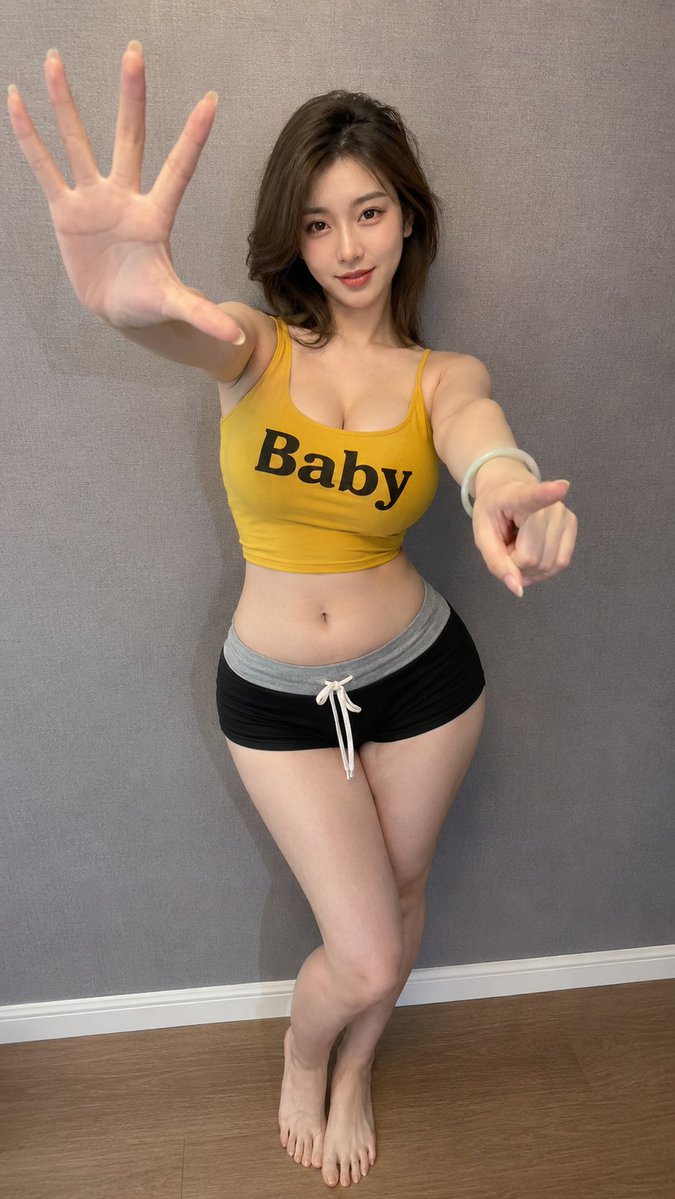
A photorealistic 9:16 full-body smartphone portrait of a beautiful East Asian woman wearing a yellow tank top with "Baby" printed on it and black shorts, posing in front of a warm-gray wall.
Prompt
Create a photorealistic 9:16 full-body smartphone portrait of an exceptionally beautiful adult East Asian woman in her mid-20s, posing casually in front of a simple warm-gray textured wall inside a modern apartment. She has a refined oval face, large almond-shaped dark-brown eyes, subtle eyeliner, softly arched brows, a delicate straight nose and glossy coral-pink lips. Her shoulder-length dark-brown hair is voluminous and softly layered, with a side part and loose strands framing her face. She looks directly into the camera with a relaxed, confident and gently playful expression. She has a fit, naturally curvy hourglass figure with a full bust, narrow toned waist, rounded hips and thick shapely thighs. She wears a fitted mustard-yellow cropped tank top with thin shoulder straps. Across the center of the top is the single clearly readable English word **“Baby”** printed in large bold black letters, spelled correctly and facing the viewer, not mirrored or reversed. She also wears fitted black low-rise athletic shorts with a wide light-gray waistband and a white drawstring tied at the front. Add a pale jade bangle and long nude-colored manicured nails. Recreate the pose: she shifts her hips strongly toward one side and leans her upper body slightly in the opposite direction. One hand is raised close to the camera with the palm facing forward and fingers naturally spread, creating mild foreground perspective. Her other arm reaches forward lower in the frame, with the index finger pointing casually toward the camera. Keep both hands anatomically correct and do not let the raised palm cover her face. Soft warm indoor lighting, slight smartphone wide-angle perspective, realistic skin texture, natural fabric tension and folds, casual social-media photo quality. Keep the word “Baby” sharp, correctly spelled and readable. No mirrored lettering, no additional text, no anime, no plastic skin, no distorted hands, no extra fingers, no logo or watermark.
Kynvio Prompt Workflow
How to use this prompt
Open it in Image Studio
Send the prompt to Kynvio AI without starting a generation.
Adapt the details
Replace the subject, setting, colors, text, or composition for your goal.
Review and generate
Choose your final settings, then click Generate when you are ready.
Related GPT Image 2 prompts
GPT Image 2 prompts
About this prompt
Will opening this prompt spend credits?
No. The button only prefills Image Studio. Credits are used only after you start a generation.
Can I edit the prompt first?
Yes. The transferred text is fully editable before you generate an image.