
East Asian Woman Portrait on 70mm Lens
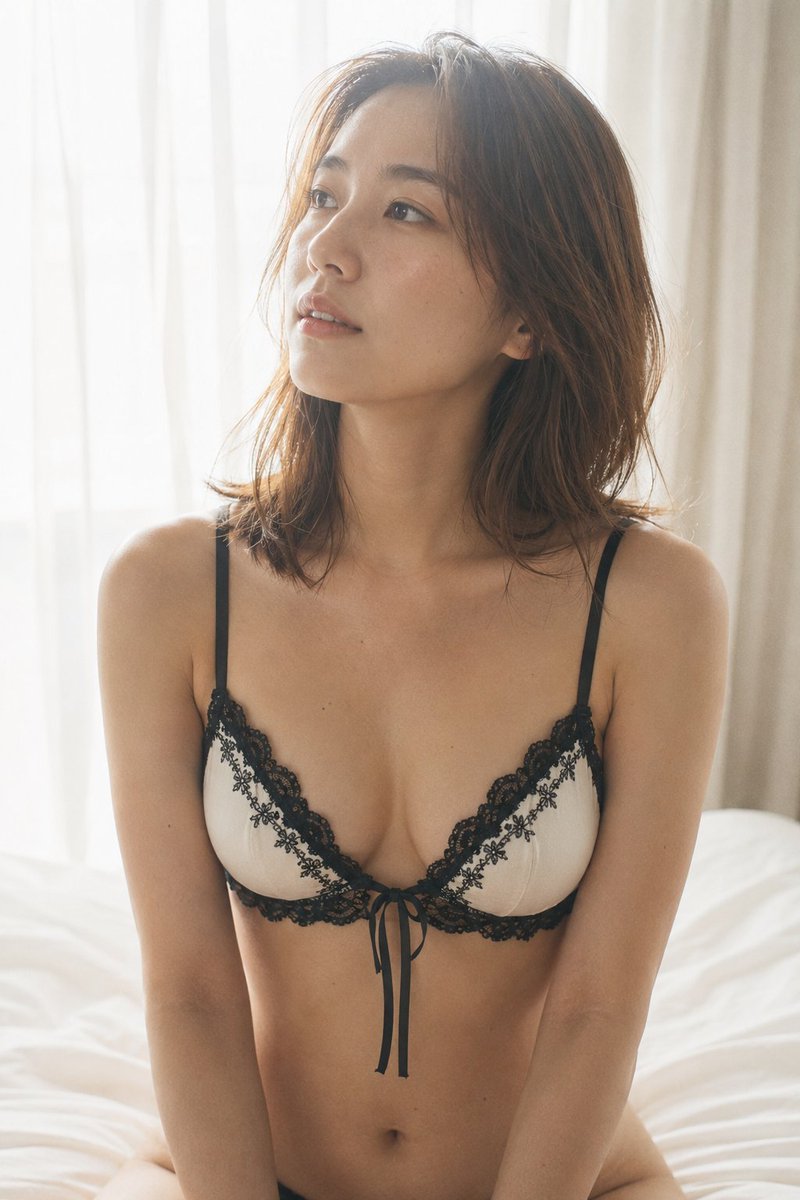
An upper-body frontal portrait on a 70mm lens with slight downward angle, featuring an East Asian woman with warm-brown shoulder-length hair, high cheekbones, almond eyes, gaze directed upward toward window light. She wears a white-cupped black-lace-trim bralette with floral lace appliqué and loose ribbon tie. Soft window backlight, high-key frame, ISO 400 film grain.
Prompt
An upper-body frontal shot on a 70mm lens, slight elevation angle looking down at roughly 10 degrees; same East Asian woman, same warm-brown shoulder-length hair, same high cheekbones and almond-shaped dark eyes, gaze directed upward and slightly to the left toward the window source, lips barely parted. Same minimal makeup as Shot 01: nude-pink lip tint, faint peach blush, no eye shadow. She wears the same white-cupped black-lace-trim bralette, now visible in its full construction — twin black lace bands framing each cup, floral lace appliqué at center, ribbon tie hanging loose; she sits upright, hands resting on thighs just below frame edge, subject occupying 70% of the vertical 2:3 frame, collarbone and upper chest fully visible. Soft overexposed window backlight from upper left, wrapping the shoulders in near-white glow, slight shadow depth along the ribcage and beneath the lace underband — the only tonal anchor in an otherwise high-key frame. Photographic texture and quality: skin shows subsurface warmth pooling at the clavicle, micro-highlight specular on cheekbone ridge and shoulder; individual hair strands catching rim backlight with slight cross-strand imperfection; ISO 400 film grain present in the deepened shadow beneath the bralette band. Avoid: posed stiffness, AI-perfect symmetry, studio-lit flatness, excess sharpness on lace details.
Kynvio Prompt Workflow
How to use this prompt
Open it in Image Studio
Send the prompt to Kynvio AI without starting a generation.
Adapt the details
Replace the subject, setting, colors, text, or composition for your goal.
Review and generate
Choose your final settings, then click Generate when you are ready.
Related GPT Image 2 prompts
GPT Image 2 prompts
About this prompt
Will opening this prompt spend credits?
No. The button only prefills Image Studio. Credits are used only after you start a generation.
Can I edit the prompt first?
Yes. The transferred text is fully editable before you generate an image.