
Cool White Clear CCD Floral Studio Lifestyle Photo
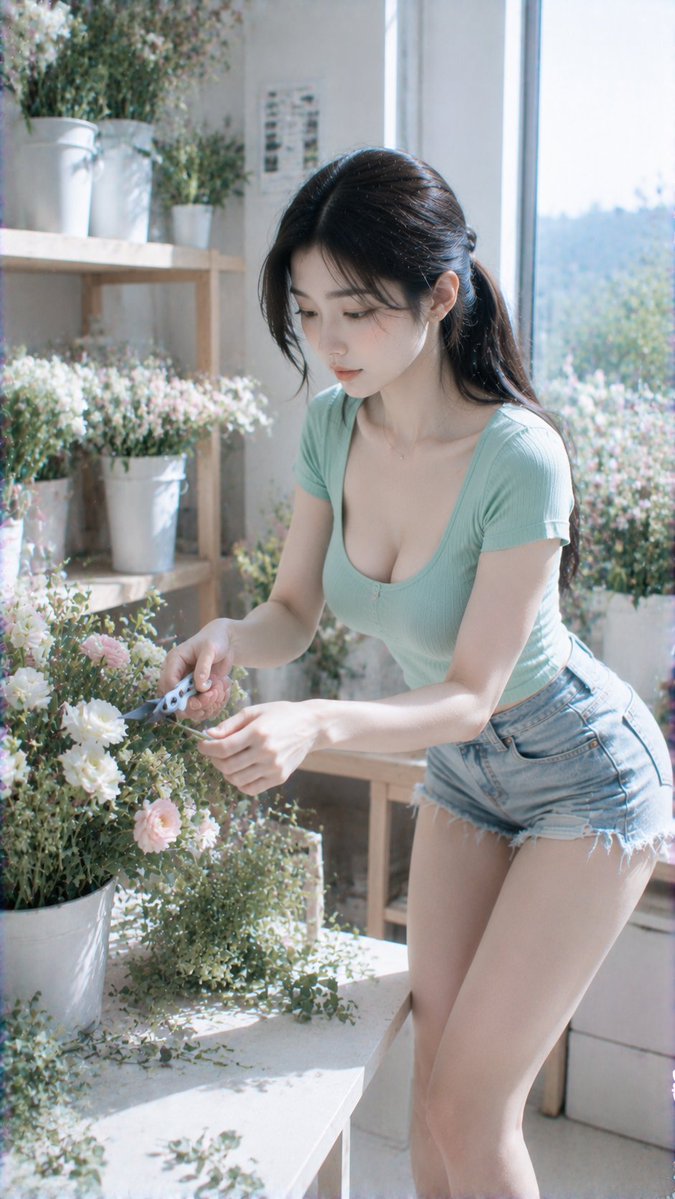
This image generated by GPT Image 2 features a cool white clear CCD lifestyle photo style. The scene is an indoor floral studio with white flower buckets, a light workbench, and large window natural light creating a clean atmosphere. The subject wears a mint green U-neck fitted short-sleeve top and denim hot pants, holding a light-colored flower, slightly turning to look at the camera. The overall tone is cool white highlights with green-white clear CCD colors, light grain and digital noise, emphasizing a gentle, clear, natural, and healing temperament.
Prompt
Photography style: cool white clear CCD lifestyle photo style Portrait direction: lifestyle portrait Scene direction: indoor floral studio / white flower bucket / light workbench / large window natural light Clothing direction: mint green U-neck fitted short-sleeve top + denim hot pants Temperament tags: gentle, clear, natural, healing, bright Facial features direction: real clear natural face, quiet and pretty, not internet celebrity Facial details: soft oval face, natural facial contours, bright almond eyes, gentle and quiet gaze, smooth and small nose, soft and restrained lips, light nude pink lip color Hairstyle direction: natural black long hair loose or low ponytail, a few strands of hair on forehead, clean and fresh Body shape direction: light and slender, naturally full bust Line emphasis: medium Camera direction: half body to thigh Pose action: standing beside the floral workbench, holding a light-colored flower in hand, slightly turning sideways to look at the camera Lighting atmosphere: large window high color temperature natural light + white flower bucket diffuse reflection + cool white very weak soft flash Filter effect: cool white highlights + green-white clear CCD color + light grain + light digital noise Aspect ratio: 9:16 Additional requirements: mint green clothing should be fresh and clean, not yellowish green; fitted top naturally highlights chest-waist ratio, overall indoor life aesthetic and healing feeling
Kynvio Prompt Workflow
How to use this prompt
Open it in Image Studio
Send the prompt to Kynvio AI without starting a generation.
Adapt the details
Replace the subject, setting, colors, text, or composition for your goal.
Review and generate
Choose your final settings, then click Generate when you are ready.
Related GPT Image 2 prompts
GPT Image 2 prompts
About this prompt
Will opening this prompt spend credits?
No. The button only prefills Image Studio. Credits are used only after you start a generation.
Can I edit the prompt first?
Yes. The transferred text is fully editable before you generate an image.