
Cinematic Portrait Under Spring Cherry Blossoms
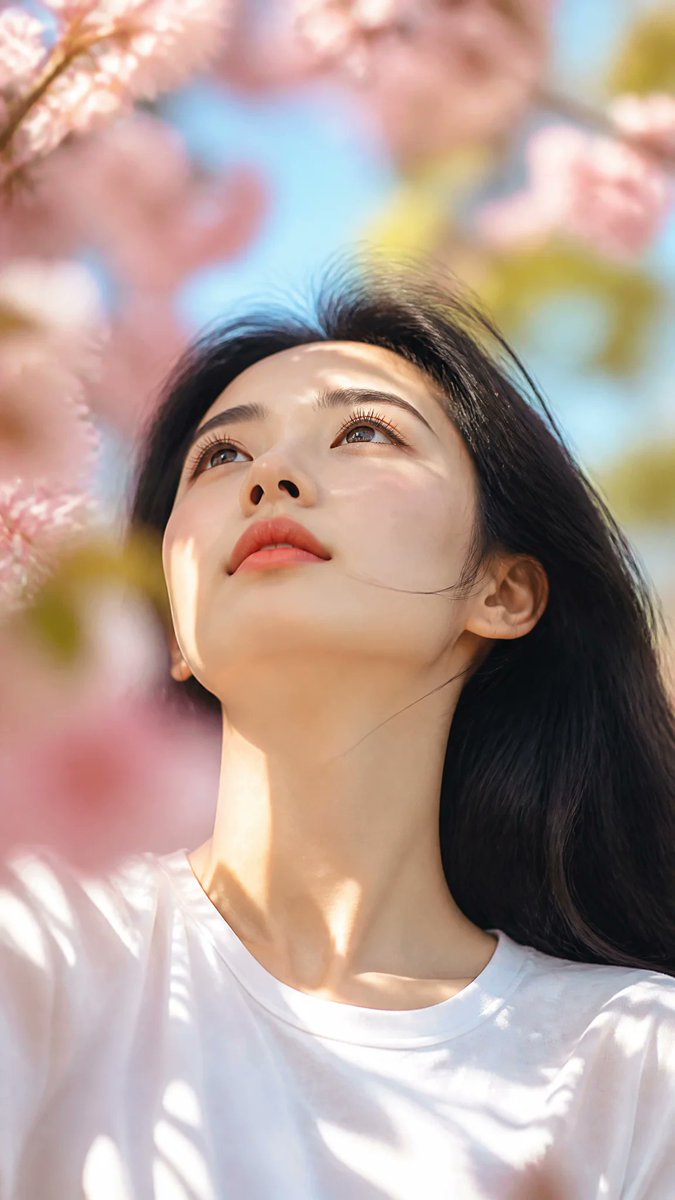
A Chinese woman looks up under cherry blossoms, with soft light and dreamy atmosphere creating a cinematic feel.
Prompt
Subject: an adult Chinese woman in her mid-20s, smooth pale skin, delicate oval face, dark expressive eyes, soft matte rose-red lips, delicate lashes, elegant collarbones, and long silky black hair. Hyper-realistic cinematic portrait photography. Vertical 9:16 composition. Low-angle upward shot, focusing on the face. The subject stands under a cherry blossom tree in spring. Soft natural light filters through branches and leaves, casting dappled shadows on the face, neck, and white T-shirt. Slightly messy hair blows in the wind, with a few strands swaying gently. The subject looks up at the sky with a serene and dreamy expression. Skin is soft and luminous, makeup natural, texture realistic, eyes lifelike. Shot with an 85mm portrait lens, shallow depth of field, creamy bokeh background, soft blur of cherry blossom petals in the foreground and background. Bright and light atmosphere, soft pastel tones, a glimpse of blue sky through the branches. Natural light, high dynamic range, cinematic lighting, delicate highlights on hair, smooth shadow transitions, realistic skin texture, subtle cinematic color grading, dreamy spring atmosphere, emotionally narrative photography. Foreground flowers partially cover the frame, strong depth of field, rich layered composition, professional portrait photography, capturing natural moments, lifestyle magazine aesthetics, extremely rich details, excellent quality, photorealistic, realistic lens blur, top-tier camera quality. No excessive retouching, no beauty filters, no exaggerated makeup, no fantasy effects, no cartoon style, no extra accessories, no facial or body alterations. Precise reference style: low angle, cherry blossoms in bloom, soft sunlight through leaves, dreamy spring atmosphere, shallow depth of field, cinematic natural portrait, realistic photography.
Kynvio Prompt Workflow
How to use this prompt
Open it in Image Studio
Send the prompt to Kynvio AI without starting a generation.
Adapt the details
Replace the subject, setting, colors, text, or composition for your goal.
Review and generate
Choose your final settings, then click Generate when you are ready.
Related GPT Image 2 prompts
GPT Image 2 prompts
About this prompt
Will opening this prompt spend credits?
No. The button only prefills Image Studio. Credits are used only after you start a generation.
Can I edit the prompt first?
Yes. The transferred text is fully editable before you generate an image.